
Your needs, this model
Does it fit your priorities?
How does the StudSensor Center distinguish an edge from a center?
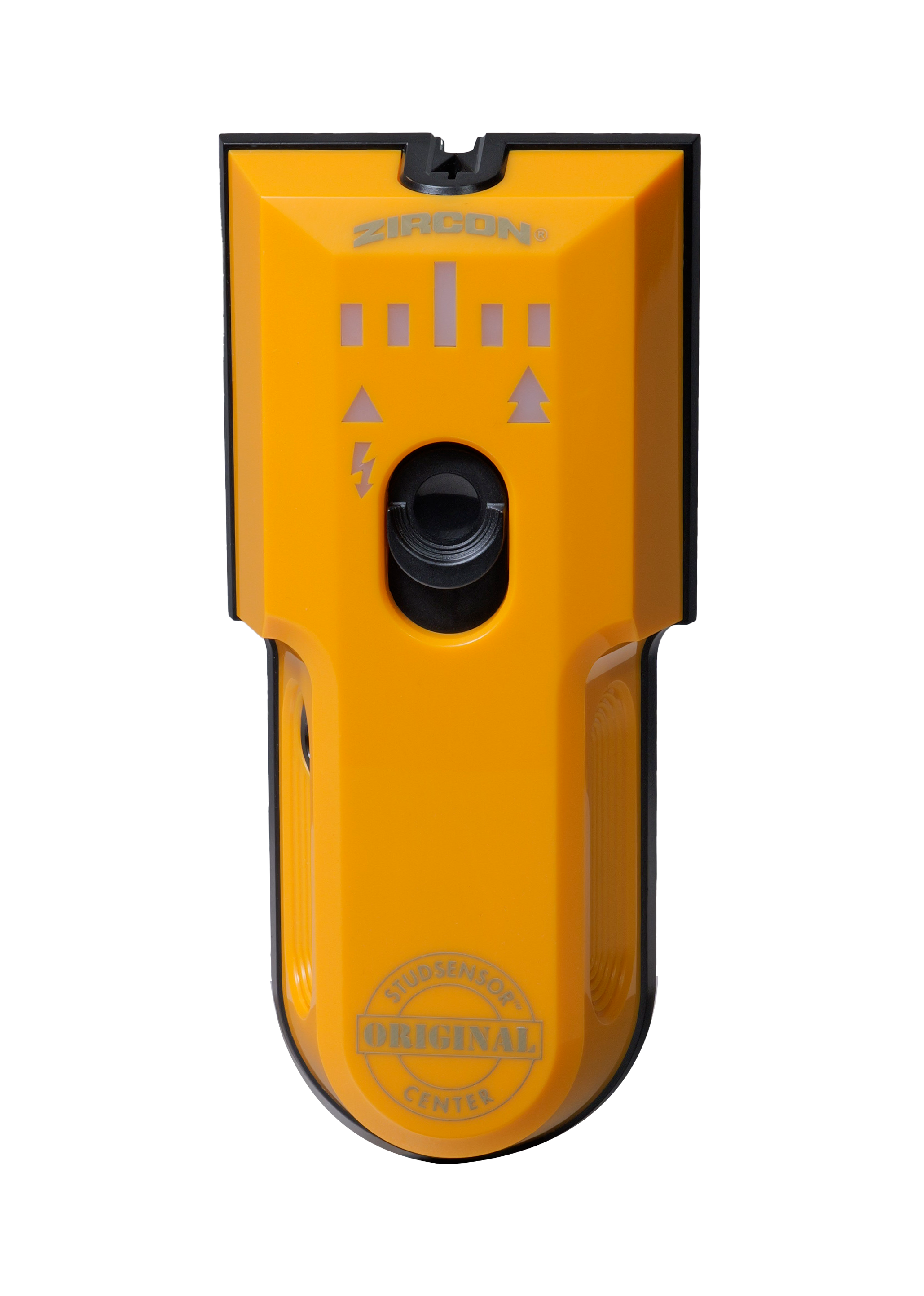
The quick-start guide says the target bars and red indicator mark the edge; the SpotLite pointer and vibration indicate the center. That is a more direct center cue than calculating the midpoint of two separate edge marks.
Explore this need in the finder →Does its 1-1/2-inch figure apply in every mode?
No. StudScan is stated up to 3/4 inch; the separate DeepScan mode is stated up to 1-1/2 inches. The higher number is a maker-stated comparison ceiling, not a promise for every wall, and the manual still rejects lath and plaster and ceramic tile.
Explore this need in the finder →Is WireWarning a safety clearance?
No. It indicates some live, unshielded AC wiring, but the instructions describe conditions in which wiring may not be detected. Shut off utilities and use other information before penetrating a wall.
Explore this need in the finder →The Zircon StudSensor Center is a two-mode electronic wall finder whose main distinction is a direct center cue alongside edge indications. Its U.S. product page identifies SKU 73837 and describes separate StudScan and DeepScan modes: the manufacturer states up to 3/4 inch (19 mm) for the first and up to 1-1/2 inches (38 mm) for the second. The higher number belongs to DeepScan, not to every scan or every wall. This assessment follows the exact Center page and its P/N 73372 quick-start guide; it does not borrow specifications from the unrelated StudSensor 70, Basic or older edge-only StudSensor.
Edges and center are separate cues
The quick-start guide describes the target bars and red Edge indicator lighting as the finder approaches and passes a stud edge. It says the SpotLite pointer and vibration indicate the center. A pull-down marker marks that center point. This is more direct than an edge-only tool, where a user must mark both boundaries and estimate the midpoint. Still, the indicator responds to the signal described by the maker; it does not prove the hidden object is wood framing or identify every object behind the wall.
Setup matters. The instructions call for two new AA batteries, then place the unit flat against the wall and hold the power button still until the indicators, SpotLite and vibration confirm calibration. The user keeps the button pressed while scanning horizontally. A repeated flashing of all indicators, pointer and vibration means a calibration error; the guide says to move several inches and start again. Zircon also tells users to confirm a likely stud at several heights. This is a considered routine rather than a promise that one pass will settle a layout.
Choose the mode that matches the depth question
StudScan is the shallow arrangement, stated up to 3/4 inch. DeepScan is a distinct higher-depth mode, stated up to 1-1/2 inches, selected by pressing the power button twice and holding the second press. Both plans provide edge and center indications and are described for wood and metal studs. A 1.5-inch minimum therefore matches only the DeepScan plan; the 0.75-inch StudScan figure cannot be stretched to that threshold. Conversely, a shallow drywall task need not use the deeper setting simply because it exists.
The maximum figures are manufacturer limits for comparison, not measurements from this review or promises for an individual wall. The quick-start guide does not recommend lath and plaster, ceramic tile or carpet, and says indoor use only. WireWarning is a separate alert: the page describes live, unshielded AC wiring up to 2 inches (50 mm), while the instructions list conditions where wiring may not be detected, including unenergized conductors, conduit, certain dense or metallic coverings and moisture. Treat it as an added warning cue, never as electrical clearance.
Compare the exact Center with simpler edges
The standard StudSensor and StudSensor Basic are edge-finding tools with a 3/4-inch ceiling and require the user to find two edges for a midpoint estimate. The Center adds a direct center cue, vibration and a separate DeepScan plan; it also changes the battery requirement to two AA cells. The HD70 OneStep is another distinct center-and-edge Zircon model with its own OneStep instructions and specification set. Similar branding does not make these plans interchangeable.
The Center's WireWarning may be useful as one more cue while scanning, but its presence should not become the reason to drill. Zircon warns not to assume a wall contains no live wiring and directs the user to shut off electrical, gas and water supplies before penetrating a surface. Use building information, visible utility entry points and appropriate checks alongside the finder. A quiet meter can miss wiring under the conditions the manual names.
Buying checks for SKU 73837
Confirm the product is labeled StudSensor Center, SKU 73837, rather than the StudSensor 70 or the unnumbered edge-only StudSensor. The page states that two AA batteries are not included. Check the seller's exact package if batteries or spare marker tips are important, and review the current quick-start guide for calibration and the two-button DeepScan selection. The visible LED/marker arrangement and haptic center cue are part of this model-specific assessment; the sources reviewed do not establish a bubble level or ruler.
This model is a reasonable candidate when direct center and edge cues on an eligible interior drywall wall, plus a separate 1-1/2-inch mode, match the layout. It is a poor documentary fit for lath-and-plaster, tile or carpet use. No hands-on test, ownership, measured accuracy or customer experience is claimed. The useful comparison is not whether the Center has more cues than an edge-only finder, but whether the exact mode, surface and safety limitations fit the job at hand.
Key specifications
Key details at a glance
| Maximum stated stud depth | 1.5 in |
|---|---|
| Depth qualification | StudScan is stated up to 3/4 inch (19 mm); the separate DeepScan stud plan is stated up to 1-1/2 inches (38 mm). Neither maximum guarantees a reading through a particular wall. |
| Documented scan modes | ['StudScan', 'DeepScan'] |
| Center and edge indication | Yes |
| Live-wire meter | Yes |
| Battery requirement | Two AA batteries |
Use the exact model’s instructions for operating limits, supplied equipment and version differences.
Sources for this review
Sources for this assessment
Check this model against your wall
Use the finder to compare documented surface limits, center/edge indications and other requirements. A match is not a safety certification.