
Your needs, this model
Does it fit your priorities?
Does MultiScanner 440 indicate the stud center?
The exact maker page and instructions describe an edge indication. Scan across the other side and estimate a midpoint from two marks if a center reference is useful; the midpoint is not a center cue displayed by the tool.
Explore this need in the finder →What is the 440's deeper stud arrangement?
Its shop page states up to 3/4 inch for StudScan and up to 1-1/2 inches for DeepScan. The deeper mode is a separate, more sensitive arrangement and its maximum does not guarantee a result through a particular wall.
Explore this need in the finder →Does the 440's WireWarning replace AC Scan?
No. The 440 has a distinct AC Scan mode that actively searches for live unshielded wiring, while WireWarning is an added alert during StudScan, DeepScan and Metal Scan. Both are limited and neither confirms a wall is safe to penetrate.
Explore this need in the finder →An edge finder with more than one job
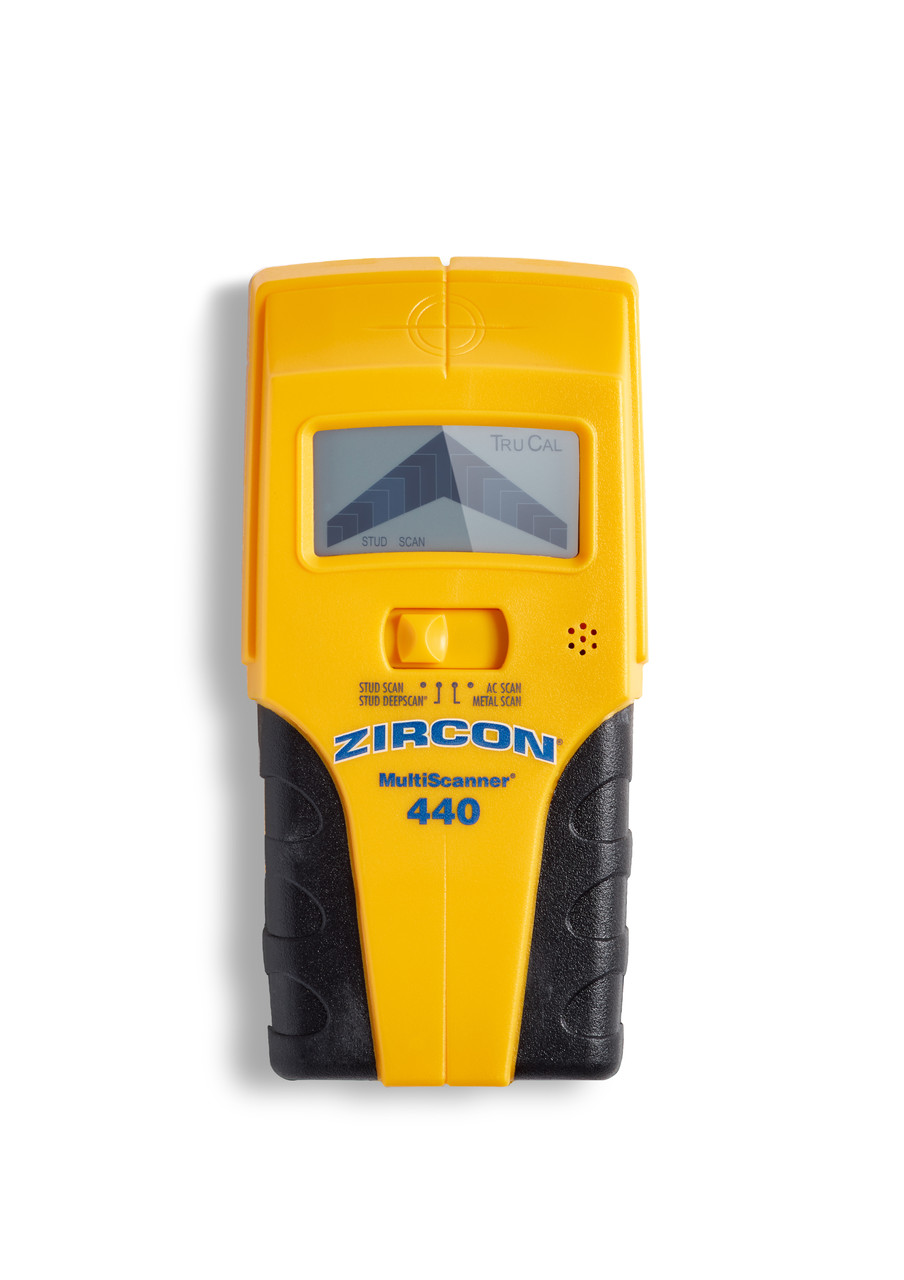
The MultiScanner 440 is an electronic stud finder and wall scanner with four mode choices: StudScan, DeepScan, Metal Scan and AC Scan. Zircon's exact U.S. shop page identifies the listing as SKU 67166 and links model-specific instructions, P/N 67392. It describes an edge-finding tool for wood or metal framing, not a direct center-reading instrument. This is a documentation-based assessment of that exact model; it does not report ownership, use, testing or measured performance.
That edge-only distinction is easy to miss in a multi-mode product. The display and SpotLite can show where the tool reaches an edge, and the instructions explain scanning across, continuing past the first side, then reversing to locate the other. A user may estimate a midpoint between two marks, but the midpoint is not a center indication generated by the 440. If a direct center cue is essential, the MultiScanner 540 is a materially different Zircon model whose manual describes both edge and center indications.
StudScan and DeepScan have different limits
Zircon states that StudScan locates stud edges through up to three-quarters of an inch. DeepScan doubles the stated maximum to one-and-a-half inches for a thicker wall. That number is a comparison ceiling, not a promise that the tool will read a stud at that depth in every finish or wall. The instructions recommend beginning in StudScan, then using DeepScan only when the construction calls for the more sensitive arrangement. They warn that DeepScan can respond to objects other than studs, including nearby wiring, metal or pipes. A stronger signal does not necessarily make the target more certain.
Metal Scan and AC Scan are additional modes with different purposes: one looks for metal targets, and the other searches for live, unshielded AC wiring. WireWarning is a further alert active during StudScan, DeepScan and Metal Scan. It is not the same function as an active AC scan. The maker warns that wires may be missed when shielded, behind metallic cover, in conduit or concrete, deeper than the stated limit, or when moisture affects sensing. Do not interpret the absence of an alert as permission to drill. Shut off services and consult construction information before penetrating a wall.
Use the manual's surface limits
The exact instructions treat lath and plaster as difficult for stud mode because plaster thickness varies. The manual suggests Metal Scan for locating nail heads that attach lath to a stud; that is a fastener clue, not a supported stud-edge arrangement. Metal mesh reinforcement prevents detection. The manual also excludes wood-stud scanning through concrete, ceramic floor tile and carpet or padding. These limits put the 440 in the ordinary interior-wall group, not the broad “tile, exterior, metal mesh or another difficult surface” group and not the conditional lath-and-plaster category used by this finder.
For a repeatable attempt, place the tool flat and hold it still through calibration. Keep the button held while moving slowly, mark the first edge, continue across the signal, and reverse to mark the second. Repeat at a different height to see whether the marks align vertically. On rough surfaces the instructions describe using a thin cardboard layer where appropriate; after changing surfaces or modes, recalibrate as directed. The process helps distinguish a consistent framing pattern from one isolated density change, but it cannot identify every object in the wall.
Where the 440 sits among its close relatives
The MultiScanner 340 also has edge-only StudScan and DeepScan, but its exact page lists three modes and WireWarning rather than a separate active AC Scan. The 540 adds a direct center cue and a backlit display. The smaller WM5 uses a single StudScan mode with an EDGE arrow and pointer; the sources reviewed for it do not document WireWarning. These differences matter more than a shared brand or similar body shape.
Zircon's shop page says a fresh battery is needed for the LCD, but the exact cell type and whether one is supplied were not established in the product-page text reviewed here. Before choosing an offer, confirm the exact 440/SKU 67166, its linked manual, the required battery, included accessories, return terms and actual package. The site does not claim current price or stock. Choose this model when its edge cues, deeper mode and separate AC Scan are useful together; if a center output or a simpler interface matters more, compare the exact alternatives and check that their own manuals support the intended wall.
Key specifications
Key details at a glance
| Maximum stated stud depth | 1.5 in |
|---|---|
| Depth qualification | The exact model page lists edge finding to 3/4 inch in StudScan and DeepScan to 1-1/2 inches. The manual describes edge location and reverse passes, not a center-display cue. The deeper maximum is a maker limit, not a reading guarantee. |
| Documented scan modes | ['StudScan', 'DeepScan', 'Metal Scan', 'AC Scan'] |
| Center and edge indication | No |
| Live-wire meter | Yes |
| Battery requirement | Fresh battery required; the exact cell type was not established in the product-page text reviewed |
Use the exact model’s instructions for operating limits, supplied equipment and version differences.
Sources for this review
Sources for this assessment

Check this model against your wall
Use the finder to compare documented surface limits, center/edge indications and other requirements. A match is not a safety certification.