
Your needs, this model
Does it fit your priorities?
Does the MultiScanner 340 locate stud centers?
It identifies edges. Its instructions teach scanning past one edge and reversing to mark the other; a midpoint between those marks is your layout estimate, not a center indication shown by the 340.
Explore this need in the finder →Does the 340 have a separate AC Scan mode?
The exact product page describes three selector modes: StudScan, DeepScan and Metal Scan. It also lists WireWarning as an added live-wire alert, but that is not the separate active AC Scan found on the MultiScanner 440 and 540.
Explore this need in the finder →Can the 340 make lath-and-plaster stud finding straightforward?
No. The manual says irregular plaster thickness makes stud mode difficult and suggests Metal Scan for locating lath fasteners. That is not the same as a supported stud-edge plan; metal mesh prevents detection, so verify construction with other methods.
Explore this need in the finder →A three-mode edge finder
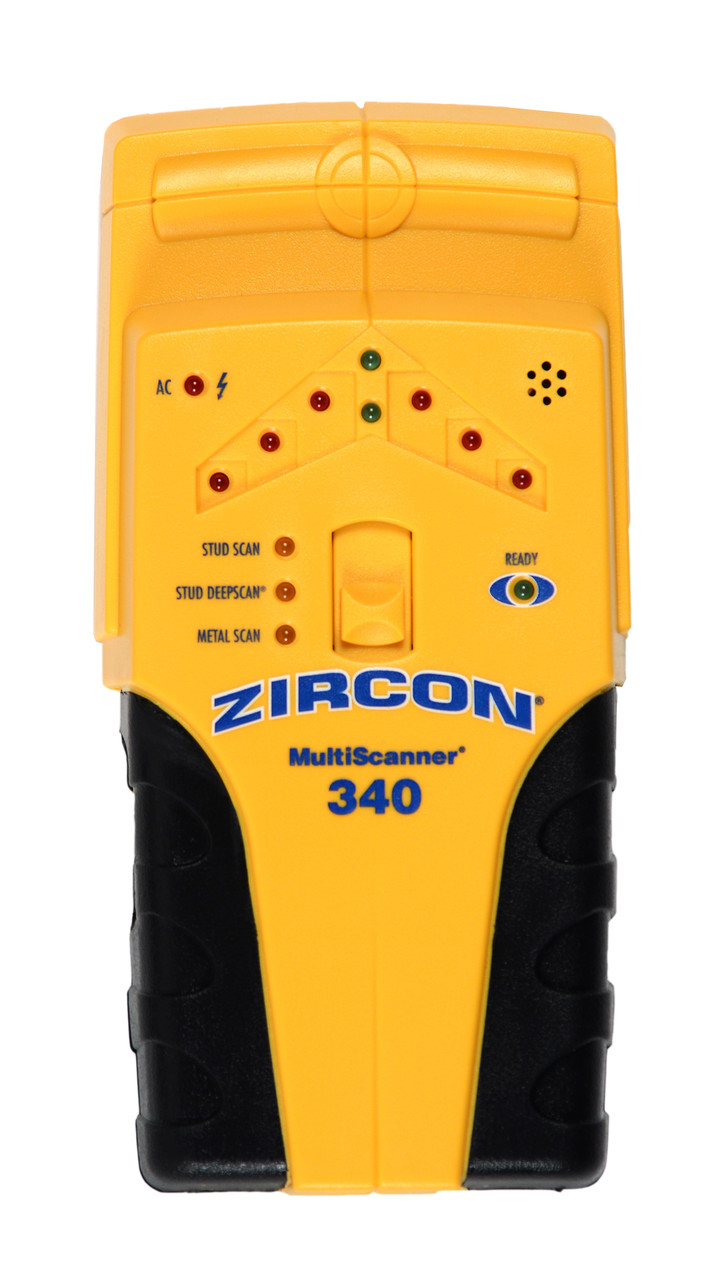
The Zircon MultiScanner 340 is a three-mode electronic wall scanner. The exact U.S. manufacturer shop page identifies SKU 67175 and links instructions for P/N 67391. Its StudScan and DeepScan modes locate the edges of wood or metal studs; the device does not document a direct center display. To estimate a center, the user marks each edge on separate passes and finds the midpoint. That is a layout step, not a center cue from the scanner.
This review is based on the model-specific page, instructions and datasheet, not on ownership or hands-on testing. The maker describes an LED display, SpotLite pointer and audible signal. Those can make the edge event visible and audible, but they do not tell the user whether a hidden signal is definitely a stud. Nearby pipes, wiring and other dense objects remain possible explanations, especially in a more sensitive mode.
Do not confuse stud depth with metal depth
StudScan is the normal starting mode and is stated to find stud edges up to three-quarters of an inch behind a surface. DeepScan is a separate, higher-sensitivity arrangement that doubles the stated stud-scanning ceiling to one-and-a-half inches. Zircon's instructions advise using it when the construction is thicker than normal and checking with StudScan first. They also warn that DeepScan may respond to something other than a stud. Its stated maximum is therefore a comparison point rather than a prediction for a specific wall.
The third selector setting, Metal Scan, is for metal targets. The datasheet separates non-ferrous metal such as copper from ferrous targets such as rebar, with different stated maximum depths. Those metal-target numbers do not increase the 340's stud-finding depth. Metal Scan may help trace nail or screw lines in an uncertain wall, but a vertically aligned row of fasteners is supporting evidence, not proof that every nearby signal is a stud.
WireWarning is useful but limited
The 340's maker documents WireWarning as an added warning during StudScan, DeepScan and Metal Scan for some live, unshielded wiring. This differs from the 440 and 540, which also provide a separate active AC Scan mode. The 340's product page lists three functions, and its instructions explain the WireWarning alert; the alert is not a fourth scan mode. Zircon states a maximum wire depth under typical conditions, but cautions that wires can be missed because of conduit, shielding, concrete, wall coverings, moisture or depth.
For safety, treat the display as one limited clue. It cannot prove that a proposed hole is clear, and no warning is not evidence that no wiring is present. Turn off utilities before penetrating a surface and use building plans, visible service-entry points and other reliable information. This caution applies even when repeated stud indications look consistent.
Wall conditions and operating routine
The exact instructions say variable plaster thickness makes stud scanning difficult in lath-and-plaster walls. Metal Scan may locate the nails fastening lath, but that is not equivalent to a supported stud-edge reading. The manual says metal mesh reinforcement prevents detection and excludes wood-stud scanning through concrete, ceramic floor tile, carpet and padding. A thin cardboard layer is mentioned for some uneven textured surfaces, with calibration performed through that layer; it should not be treated as blanket approval for every difficult finish.
On a supported interior drywall surface, place the tool flat before powering it, wait without moving for the READY light, and slide slowly while holding the control. At the first edge cue, mark the point, continue across, reverse and mark the other side. Repeat at another height. If you start over a stud or a dense area, the manual advises changing the calibration location. Moisture, texture, paint and wall composition can alter the response, and the instructions describe indoor use.
Package and model comparison
The linked datasheet specifies one 9V alkaline battery and says it is not included. Check that the product in any listing is the MultiScanner 340/SKU 67175, not a similarly shaped scanner or a different model's package, and verify the battery and return details. The product page also presents its own manual and datasheet; this site does not represent current stock or pricing.
Compared with the MultiScanner 440, the 340 keeps edge finding, DeepScan, Metal Scan and WireWarning but lacks a separate active AC Scan setting. Compared with the 540, it is edge-only rather than a direct center-and-edge tool. The WM5 is a simpler single-mode edge finder with no deeper mode or documented warning meter. The 340 is relevant if its edge cues and several modes match the project; it is not the choice for a direct center read, a dedicated active AC mode or unsupported plaster and tile conditions. Read the exact instructions and corroborate a likely stud location before fastening or drilling.
Key specifications
Key details at a glance
| Maximum stated stud depth | 1.5 in |
|---|---|
| Depth qualification | StudScan indicates wood or metal stud edges up to 3/4 inch; DeepScan is separately stated to double the stud scan depth to 1-1/2 inches. The 3-inch ferrous-metal figure belongs to Metal Scan, not stud finding. These are manufacturer comparison limits, not predicted readings. |
| Documented scan modes | ['StudScan', 'DeepScan', 'Metal Scan'] |
| Center and edge indication | No |
| Live-wire meter | Yes |
| Battery requirement | One 9V alkaline battery |
Use the exact model’s instructions for operating limits, supplied equipment and version differences.
Sources for this review
Sources for this assessment

Check this model against your wall
Use the finder to compare documented surface limits, center/edge indications and other requirements. A match is not a safety certification.