
Your needs, this model
Does it fit your priorities?
Which components does the catalog list in the 2290-21 kit?
Milwaukee's 2010 catalog lists the 2290-20 scanner, one M12 lithium-ion battery pack, a 30-minute charger, a carrying case and a manual. It does not identify the pack capacity or current seller condition; verify the exact 2290-21 package.
Explore this need in the finder →Is the 2290-21 scanner a 6-inch stud finder?
No. Its exact manual limits Stud mode to 0.5-, 1- and 1.5-inch settings. Six inches is a separate Metal-mode figure for metal targets in concrete.
Explore this need in the finder →Does the 2290-21 kit add a live-wire warning?
The 2290 scanner manual describes a V-symbol AC-voltage indicator in Stud mode. It can miss a live circuit under some conditions, and metal conduit may block the signal, so it is never a safe-to-drill clearance.
Explore this need in the finder →A kit suffix, not a new scanner
Milwaukee’s 2010 full-line catalog lists the 2290-21 as the M12 SUB-SCANNER cordless detection-tool kit and identifies the 2290-20 as its bare-tool version. The package is therefore a separate buying configuration around the same scanner: the catalog lists one M12 lithium-ion battery pack, a 30-minute charger, carrying case and manual. The source does not state the battery capacity or charger SKU, so a surviving case or seller listing should be checked rather than assumed complete.
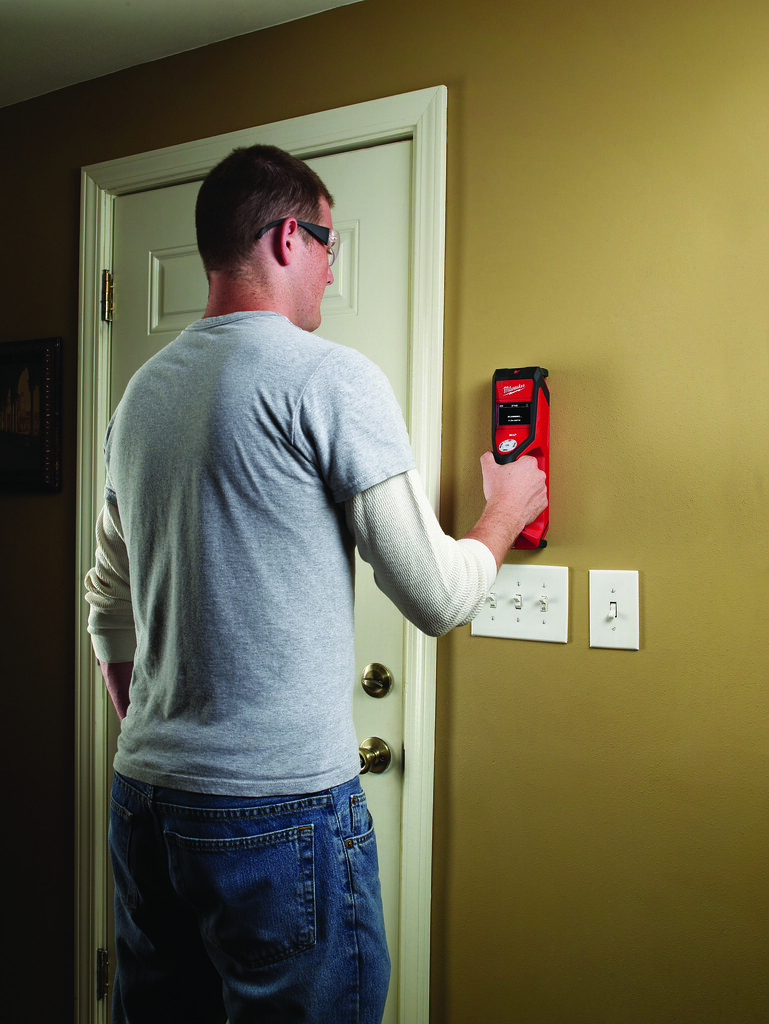
The tool pictured on Milwaukee’s own 2290-21 page is the scanner itself, not a photograph of every included item. This review is based on the exact 2290-20 operator manual and the historical package listing; it does not claim that a present-day listing has the original contents, a warranty or current stock.
What the scanner does in Stud mode
The 2290 manual’s Stud mode covers wood or metal studs and joists behind wallboard, wooden panels, plaster and other non-metallic wall material. For the normal wallboard routine, it starts at 0.5 inch, with 1- and 1.5-inch settings available. The manual states ±0.5-inch center accuracy through the 0.5-to-1.5-inch range. That setting is the documented stud ceiling; it is not a field guarantee through an unknown finish or patch.
The display describes an edge cue as the scanner passes a stud and paired arrows when it reaches the center. A careful sequence is to select Stud mode rather than the default Metal mode, choose the depth setting, calibrate on a clear part of the wall away from a stud, then keep the scanner flat and in contact as it moves. Milwaukee also directs the user to keep a free hand and nearby objects six inches away. The kit adds no automatic map or center-finding system beyond the scanner’s own mode and display; the operator still needs to repeat the pass and interpret the wall.
The warnings matter because the signal is not a stud identity test. The manual notes that a wire or metal pipe touching the back of wallboard may be identified as a stud. Varying wall density, moisture, mesh, stucco, heavy plaster and thick grout can also affect results. The manual mentions plaster but does not set out a separate lath-and-plaster procedure, so this review does not count the kit as verified for that assembly.
Do not mix up metal depth and the AC cue
Milwaukee’s separate 6-inch number belongs to Metal mode and metal targets in concrete. The manual describes ferrous and non-ferrous targets and states that the deepest metal scan can be noisier. It does not say that the scanner finds a wood stud six inches behind drywall. That distinction is particularly important when comparing used-tool listings that present a single headline depth.
The manual also documents a non-contact AC-voltage V symbol in Stud mode. This is a binary warning cue, not a numeric voltmeter. The manufacturer warns that external fields, how the scanner is positioned and the wire’s orientation can affect detection; metal conduit can block the signal, and a missing symbol does not prove the wall is de-energized. Circuit precautions must come from safe work procedures, not this display.
Tile is a narrow claim; mesh is a warning
Milwaukee’s official 2290-21 product page says the scanner can locate materials beneath ceramic tile and marble. The statement does not specify the target, tile thickness, mode or step-by-step use. It is a reason to examine the exact tile task, not permission to extend the drywall depth or live-wire warning to tile. The manual warns about wire-mesh backing and variable-density materials, and neither exterior-wall use nor metal-mesh reinforcement is established for this kit.
Who should compare 2290-21 with the other packages
The 2290-21 makes sense to compare if a buyer wants the specific historical bundle of one battery, charger, case and scanner and can verify that an offered unit actually contains those pieces. It is not necessarily a good purchase for someone who already has an appropriate M12 battery and charger; the separately cataloged 2290-20 bare tool is the package comparison. It is also not the same as the 2290-23 combo, which adds Milwaukee’s 2401-20 screwdriver and uses a contractor bag instead of the listed scanner-kit case.
For current buying, the 2291-21 is a different later kit with its own manual and box list. Do not borrow its details or assume it preserves the older 2290’s AC-voltage warning. Compare the 2290-20 bare-tool assessment, the 2290-23 combo review and the later 2291-21 assessment against the exact suffix, battery condition and instructions in hand. The decisive question for this model is package completeness; its scanning limits remain those of the 2290-20 tool.
Key specifications
Key details at a glance
| Maximum stated stud depth | 1.5 in |
|---|---|
| Depth qualification | The exact 2290 manual lists 0.5-, 1- and 1.5-inch settings in Stud mode and ±0.5-inch center accuracy from 0.5 to 1.5 inches. The 6-inch rating is a separate Metal-mode rating for metal in concrete. |
| Documented scan modes | ['Stud mode', 'Metal mode'] |
| Center and edge indication | Yes |
| Live-wire meter | Yes |
| Battery requirement | One Milwaukee M12 12V lithium-ion battery pack; the 2290-21 catalog kit lists one pack, but does not identify its capacity or battery suffix. |
Use the exact model’s instructions for operating limits, supplied equipment and version differences.
Sources for this review
Sources for this assessment

Check this model against your wall
Use the finder to compare documented surface limits, center/edge indications and other requirements. A match is not a safety certification.