
Your needs, this model
Does it fit your priorities?
What does the X995 live-wire meter show?
The current X995/M155 manual says yellow meter LEDs light in sequence as electrical strength increases while the button is held. It recommends slow repeated scans in both directions and says the warning is optimized for wires on or near studs; it may not detect every live wire. Turn off services and use an independent check before penetrating a wall.
Explore this need in the finder →Does the X995 green center light identify wood?
No. Franklin says the middle LED turns green to indicate the stud center, while the manual explains that LEDs respond to changes in density and may also react to pipes, wires or wall irregularities. Use it to locate the center of a repeated pattern, not to identify its material.
Explore this need in the finder →Is the X995 a match for lath and plaster at a 1.6-inch minimum?
Not in this comparison. The exact X995 manual says it can see through most lath-and-plaster walls only up to 1.5 inches, with construction and metal-mesh cautions. It therefore does not meet a 1.6-inch threshold even though it has a live-wire meter and center cue.
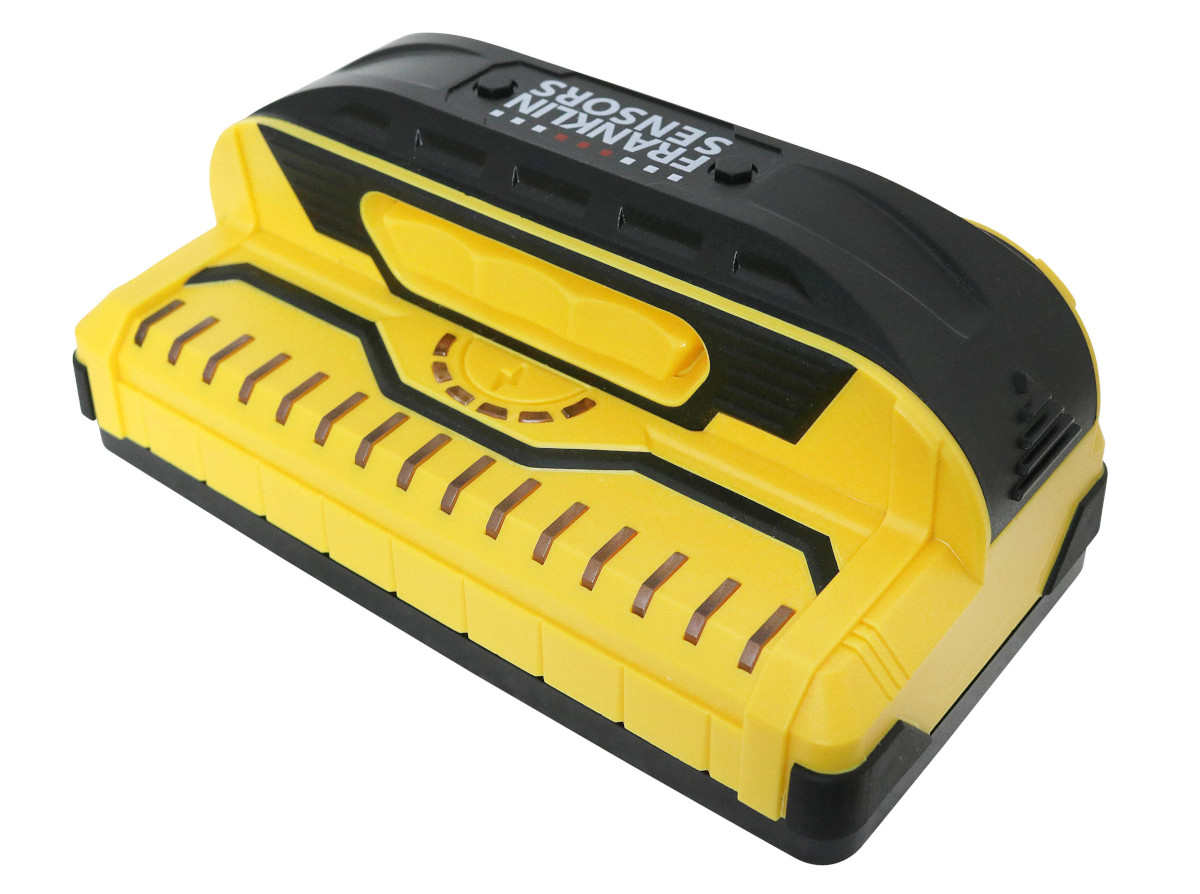
Explore this need in the finder →The ProSensor X995 is a nine-sensor, 15-light electronic finder with a 1.5-inch manufacturer-stated maximum, a green center cue and a dedicated live-wire meter. Its current English manual also names a pencil caddy and describes a no-calibration routine. This cluster of features distinguishes it from the M150 and X990, whose manuals describe a lightning-bolt warning symbol rather than the X995 meter. This assessment is documentary only; I have not handled or tested the tool.
Center and edges are useful cues, not object labels
Franklin says the middle X995 LED turns green when the center of a stud is reached, and the manual says the lights follow center and edges at the same time. That can help a person place a mark inside a repeated LED pattern. It does not establish that the target is wood. The instructions warn that stud finders respond to density changes; pipes, wiring, heavy texture and other irregularities can light the display, while hidden objects may go undetected. Compare both edges, repeat the scan and interpret the pattern rather than trusting the color alone.
The manual says no calibration is required. It advises holding the instrument at its handle, keeping the power button down during a scan and starting with a clean, dry surface. After a significant temperature change, allow the sensing board to adjust. The X995 needs two AAA batteries; the sources do not establish whether a specific retail package includes them. Its manual also identifies a pencil caddy, which is a small convenience, not a sensing capability or evidence that a pencil is in every seller's box.
The meter adds a warning—but not safety assurance
The X995's dedicated live-wire meter is a meaningful difference from a simple warning icon. The manual says yellow meter LEDs illuminate in sequence as electrical strength increases while the button is depressed. For better wire-warning detection, it recommends slowly scanning in both directions and passing over the same location repeatedly. It says the warning is optimized for live wires on or near studs and may not detect all energized conductors.
Do not treat the meter, the green center light or an empty display as proof a location is safe. The instructions say nearby wires can also influence the main density LEDs and direct users to turn off electricity, gas and water before penetrating a surface. Use independent utility checks and verify the proposed location before drilling.
Depth and surface constraints remain modest
The exact X995 page states a 1.5-inch maximum. That is a screen for comparison, not an expected result for every target or finish. The manual says the X995 can see through most lath-and-plaster walls within that reach, but warns that irregular plaster thickness and construction variation can exceed it, and that metal mesh may prevent a reading. Treat plaster as conditional rather than as a blanket compatibility claim.
The same instructions say detection through tile, flooring, roofing and exterior materials is not guaranteed because thickness and density vary. Foil-backed insulation may create inconsistent readings and metallic wallpaper can block the detector signal. These cautions are more important than the number of LEDs: the X995 should not be chosen on the assumption that a wide display cancels out difficult layers.
How it compares with the M155, M150 and X990
The M155 shares the X995 manual and has the same broad essentials documented on its own page: nine sensors, 15 LEDs, a 1.5-inch maximum, a green center cue and a live-wire meter. The X995 manual specifically names its pencil caddy; do not copy that accessory onto the M155. The M150 and X990 also state 1.5 inches and have a 9/15 layout, but their current manual names a lightning-bolt warning icon and not the X995's live-wire meter. All remain density sensors with similar material and safety cautions, but their documented controls and supplied convenience features differ. Review the individual M155, M150 and X990 pages rather than treating these names as interchangeable.
Who should shortlist the X995?
It is a reasonable paper candidate for dry interior drywall or a carefully evaluated lath-and-plaster wall if a dedicated meter, a green center cue and a 1.5-inch stated ceiling fit the task. It is not the best evidence match if you need a higher published depth, guaranteed performance on tile or exterior surfaces, an assurance of safe drilling or a package whose contents are not verified. The reviewed page and manual do not establish a seller SKU, included batteries or a bundled case; check the exact offer and current instructions.
Bottom line: the X995 brings together a green center indication, a dedicated live-wire meter and a pencil caddy within a 1.5-inch stated-depth class. The meter warns but may miss wires, and neither cue identifies what is behind the wall. Read the official X995 page and its current X995/M155 operating manual before use.
Key specifications
Key details at a glance
| Sensing points | 9 |
|---|---|
| Indicator lights | 15 |
| Maximum stated stud depth | 1.5 in |
| Depth qualification | The exact X995 product page states a 1.5-inch maximum; the number is a ceiling for comparison, not a guaranteed reading through a wall. |
| Center and edge indication | Yes |
| Live-wire meter | Yes |
| Battery requirement | 2 AAA; use matching cells and do not mix old and new batteries or chemistries |
Use the exact model’s instructions for operating limits, supplied equipment and version differences.
Sources for this review
Sources for this assessment
Check this model against your wall
Use the finder to compare documented surface limits, center/edge indications and other requirements. A match is not a safety certification.