
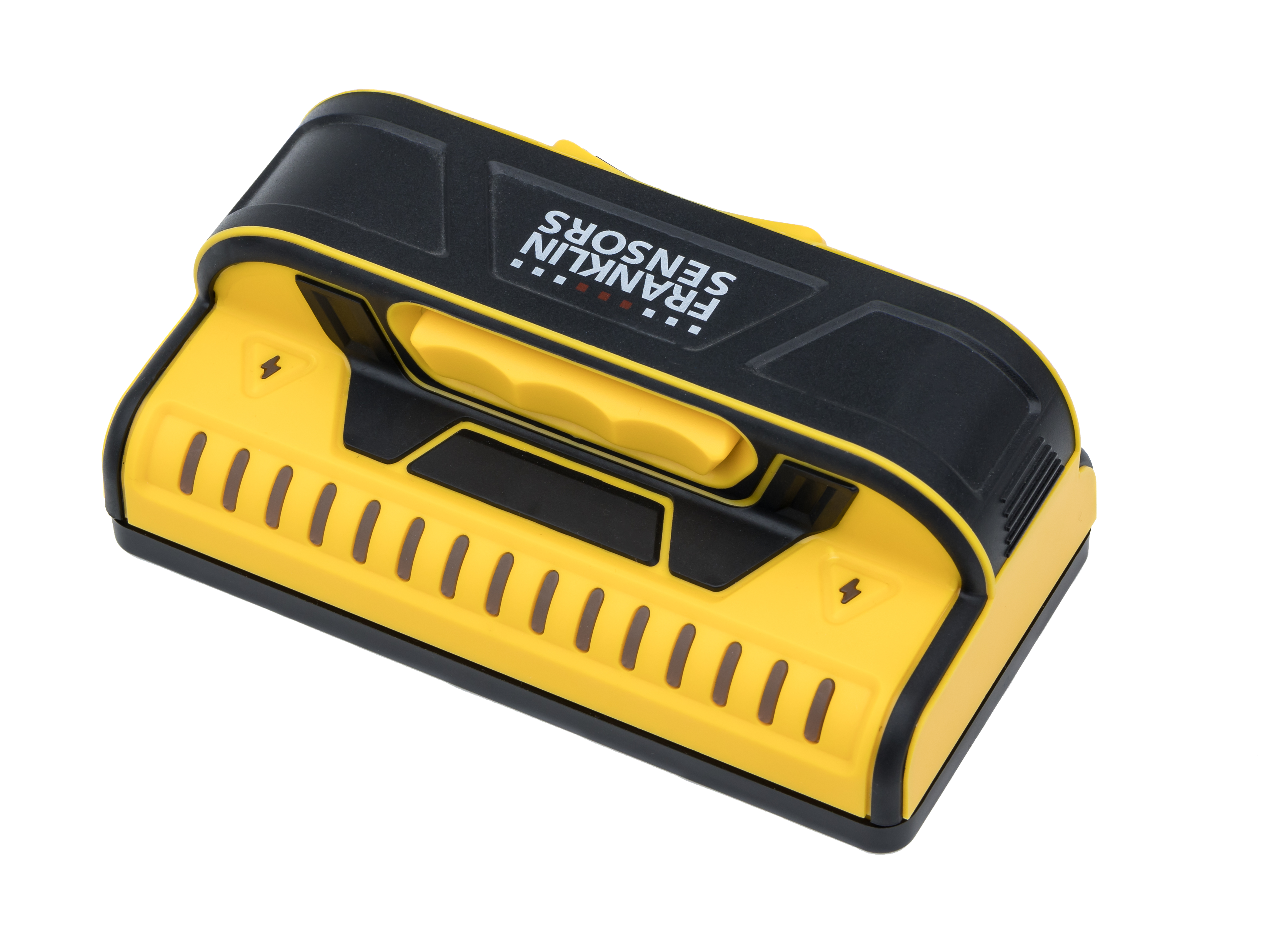
Your needs, this model
Does it fit your priorities?
Does the X990's live-wire warning satisfy a required meter?
No. The current X990 manual describes a yellow lightning-bolt symbol that may illuminate while the button is held, but it does not call the X990 cue a dedicated live-wire meter. The finder therefore does not match the questionnaire's meter requirement. Neither the warning nor silence proves a wall safe to penetrate.
Explore this need in the finder →Can the X990 work through lath and plaster?
Franklin's shared M150/X990 manual says the ProSensor can see through most lath-and-plaster walls up to 1.5 inches, but cautions that irregular construction beyond that reach and metal mesh may defeat detection. This is a conditional plan, not a promise for every plaster assembly.
Explore this need in the finder →Will the X990 meet a 1.6-inch minimum-depth preference?
No in this comparison: the exact X990 product page gives a 1.5-inch maximum. A larger LED array cannot increase that stated limit, and the number does not guarantee detection through a real wall.
Explore this need in the finder →The ProSensor X990 is an electronic finder with nine sensors, 15 LEDs and a manufacturer-stated 1.5-inch detection maximum. Its exact page calls out a live-wire warning, while the current shared M150/X990 manual describes a yellow lightning-bolt symbol rather than a segmented meter. That difference is easy to miss when comparing product names or family-level advertising. This is a source-based assessment; I have not used or tested the unit.
What a 15-light pattern contributes
The manual describes ProSensor lights tracking both stud center and edges. This arrangement gives a shopper more of a visible pattern to inspect than a single point or tone, but it does not identify the source of a density change. The maker warns that wires, pipes, surface variations, paint and other objects can affect the display, and that a hidden object can go undetected. Use the lights to create a candidate mark, then compare the span on another pass and from a different direction.
The manual says no calibration is required. It directs the user to hold only the handle, keep the power button depressed through the scan, and start on or off the wall. Start on a dry, clean surface; dry paint and wallpaper matter, and the whole sensing area should adjust after a significant temperature change. Near a doorway or window, solid headers and multiple studs can produce a broad pattern. A repeatable response is more useful than a single flash, but it is still not proof that the object is wood.
The 1.5-inch figure and plaster limits
Franklin states a 1.5-inch maximum for the X990. That can help screen out a model if the job requires a larger published number; it should not be read as a guaranteed depth through each finish or target. The exact shared manual says the ProSensor may see through most lath-and-plaster walls within 1.5 inches, but says detection is not guaranteed when plaster thickness or construction differences exceed the stated depth and warns that metal mesh may prevent detection. Treat plaster as a conditional scan with a real-world verification plan.
The manual also says that variable thickness and density make tile, flooring, roofing and exterior results uncertain. Foil-backed insulation can cause inconsistent readings, and metallic wallpaper can block the signal. These limits are not repaired by having more sensors or additional LEDs. If the surface is not ordinary interior drywall or the named conditional plaster use, check the exact material and instructions before relying on the tool.
A lightning-bolt warning is not a meter
The X990 product page lists a live-wire warning. The current M150/X990 instruction sheet describes the warning as a yellow lightning-bolt symbol that may illuminate while the button is held, and names M150 and X990 in that section. Unlike the X995, the reviewed X990 sources do not establish a dedicated live-wire meter. For the finder’s “require a documented meter” option, X990 is not a match.
Even a true meter is only an extra warning, not electrical clearance. The manual says a stud finder may miss live wires and that wires near a stud can also influence the main density display. Franklin tells users to turn off electricity, gas and water before penetrating a surface. Make utility checks independently; do not interpret either a lit or unlit display as permission to drill.
How it differs from nearby models
The X990 and M150 share a 9-sensor, 15-LED, 1.5-inch profile and the manual's warning-symbol approach. The X990 page separately identifies its exact model and states the live-wire warning; the M150 page emphasizes its full-width/double-stud display. Neither review transfers a green center-light claim, a dedicated meter or seller-package contents to the other. By contrast, the X995 page identifies a green center LED and a live-wire meter, and its manual names a pencil caddy. Those details make the X995 a distinct configuration, even though all three state 1.5 inches. See the separate M150 and X995 assessments.
Who should consider it
The X990 is a reasonable paper candidate for someone scanning dry interior drywall who is comfortable interpreting a full center/edge pattern and whose comparison threshold is no more than the stated 1.5 inches. The manual's plaster passage can apply to a known, modest-thickness lath-and-plaster wall without mesh, but the conditions deserve careful reading. Look elsewhere if a dedicated wire meter, a verified green center indicator, a greater published depth or a guaranteed tile/exterior use is essential. SKU, supplied batteries, case and specific retailer package contents were not established in the reviewed documentation.
Bottom line: the X990's evidence supports a straightforward no-calibration center-and-edge scan with a 1.5-inch ceiling and a yellow warning symbol. It does not support a deeper reach, material identification, a meter requirement or a safety certification. Read the official X990 page and current shared operating sheet before use.
Key specifications
Key details at a glance
| Sensing points | 9 |
|---|---|
| Indicator lights | 15 |
| Maximum stated stud depth | 1.5 in |
| Depth qualification | The exact X990 page states a 1.5-inch maximum. It is a comparison limit, not a guaranteed reading through a specific wall. |
| Center and edge indication | Yes |
| Live-wire meter | No |
| Battery requirement | 2 AAA; do not mix old and new cells or battery chemistries |
Use the exact model’s instructions for operating limits, supplied equipment and version differences.
Sources for this review
Sources for this assessment
Check this model against your wall
Use the finder to compare documented surface limits, center/edge indications and other requirements. A match is not a safety certification.