
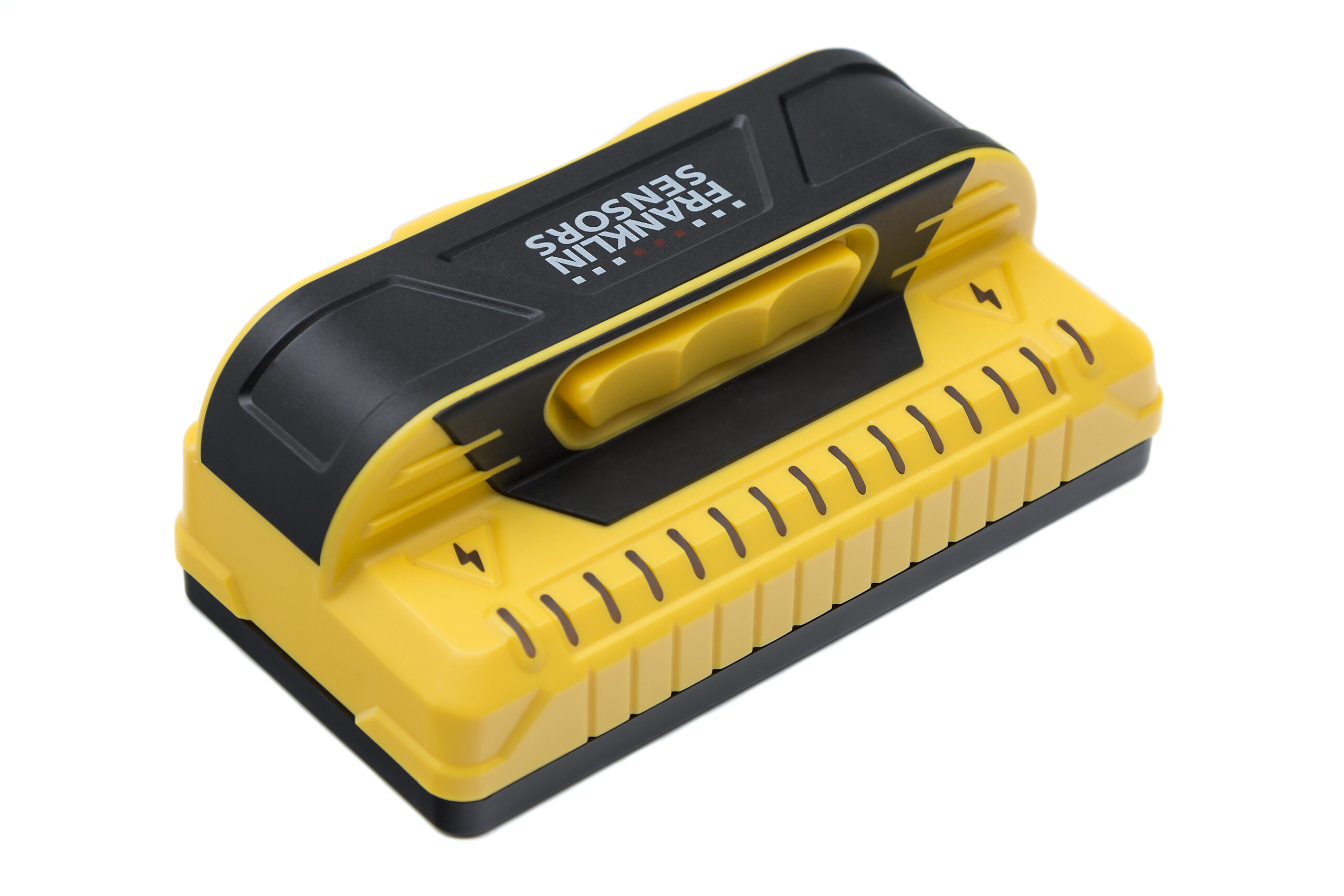
Your needs, this model
Does it fit your priorities?
Does the M150 have a live-wire meter?
The exact M150 manual describes a yellow lightning-bolt symbol that may illuminate while the button is held. It does not describe a dedicated live-wire meter like the separately documented meter on the X995. This warning may miss wiring and cannot establish a safe drilling point; turn off services and check independently.
Explore this need in the finder →Can the M150 scan lath and plaster?
The shared M150/X990 manual says the ProSensor can see through most lath-and-plaster walls up to 1.5 inches, but irregular thickness or construction beyond that limit and metal mesh can defeat detection. Treat the fit as conditional and verify the actual wall rather than extrapolating from the maximum.
Explore this need in the finder →Is the M150 suitable when my minimum depth is 1.6 inches?
No in this comparison: Franklin's exact M150 page states a 1.5-inch maximum. Its 15-light display and wire-warning symbol do not raise that stated depth, and the figure is not a guarantee even below 1.5 inches.
Explore this need in the finder →The M150 is a nine-sensor, 15-light electronic stud finder whose most useful distinction is the span it shows: Franklin says its display indicates a stud’s full width, including double studs and irregular framing. The manufacturer states a 1.5-inch detection maximum. Those are documentary specifications, not independent tests; I have not handled the M150 or measured its performance.
A broad pattern is still only a density signal
The M150 manual says the LEDs track stud center and edges together, and that startup calibration is not required. That can help a careful user compare a possible framing pattern across more than a single point. The same instructions emphasize the limitation: the finder responds to density changes and does not identify what material caused them. Pipes, wires, surface irregularities, paint and other hidden objects may produce light, while real objects may be missed. A wide display is a useful mark-making clue, not a wood detector.
Franklin’s stated reach is 1.5 inches. Treat that as a ceiling for comparing models, not an expected reading through every wall assembly. On a clean, dry, fairly even interior wall, hold the tool by its handle, keep the button pressed throughout the pass, and compare repeat scans. If the lights appear unevenly, the manual recommends scanning the area up and down to see whether a pattern persists. Heavy texture, a recent temperature change, foil-backed insulation or metallic wallpaper can complicate the response.
The live-wire cue is not the X995 meter
This distinction matters because product-page labels can sound similar. The M150 page says live-wire warning; the current M150/X990 manual describes a yellow lightning-bolt symbol that may illuminate while the button is held. It does not describe the M150 as having the dedicated segmented live-wire meter documented for the X995. I therefore do not treat the M150 as satisfying this site's “require a documented meter” questionnaire choice. A warning symbol may fail to reveal an energized conductor; silence is not proof of safety.
The manual directs users to turn off gas, water and electrical power before penetrating a wall. It also explains that nearby wiring can affect the density display. Where utility location matters, use independent checks and appropriate professional guidance rather than treating either the stud LEDs or the bolt icon as a clearance.
Plaster is a conditional use, not a broad surface promise
The current shared manual names M150 and says the ProSensor can see through most lath-and-plaster walls within its 1.5-inch range. It cautions that irregular thickness or construction beyond the stated depth removes that assurance, and that metal mesh may prevent a detection. That is more specific than a generic claim that the tool works on every plaster wall. The same sheet says detection through tile, flooring, roofing and exterior materials is not guaranteed because thickness and density vary. It also notes foil-backed insulation may produce inconsistent readings and metallic wallpaper can block the signal.
How it differs from related Franklin models
The M150 and ProSensor X990 share the nine-sensor, 15-LED, 1.5-inch class, and their current manual describes the same yellow lightning-bolt warning for both. The M150 page makes a specific full-width/double-stud-display claim; do not transfer every feature or package detail from one model page to the other. The X995 has a distinct manual and a dedicated live-wire meter, plus a green center light and pencil caddy documented for that exact version. Its meter is not a safety guarantee, but it is a different warning arrangement than the M150's symbol. Compare the individual X990 and X995 assessments before deciding which distinction matters.
Who should shortlist the M150?
It is a plausible candidate if your project involves ordinary interior drywall, you value a multi-light view of edges and center, and the published 1.5-inch maximum is sufficient as a comparison threshold. Its conditional plaster instructions may also be relevant when you know the wall is within the manual's stated limits. It is a poor match if you need a documented live-wire meter, a deeper stated maximum, guaranteed tile/exterior performance or an exact green-center cue. The reviewed product page does not establish a retail SKU, included batteries, case or seller-package contents; check the exact listing and current instructions.
Bottom line: the M150's useful paper distinction is its broad display and double-stud indication, coupled with a 1.5-inch maximum and a warning-light approach to live wires. Its signals still require cautious interpretation and independent confirmation. Read the official M150 page and the current shared M150/X990 manual for the exact operating limits.
Key specifications
Key details at a glance
| Sensing points | 9 |
|---|---|
| Indicator lights | 15 |
| Maximum stated stud depth | 1.5 in |
| Depth qualification | The exact M150 page states a 1.5-inch maximum. The figure is a comparison ceiling, not a promised result through any particular wall. |
| Center and edge indication | Yes |
| Live-wire meter | No |
| Battery requirement | 2 AAA; do not mix old and new batteries or battery chemistries |
Use the exact model’s instructions for operating limits, supplied equipment and version differences.
Sources for this review
Sources for this assessment
Check this model against your wall
Use the finder to compare documented surface limits, center/edge indications and other requirements. A match is not a safety certification.