
Your needs, this model
Does it fit your priorities?
When should I switch from Target Control to StudScan?
Target Control is tuned to detect wood studs while filtering metal and weak-signal false positives. Switch to conventional StudScan when metal framing must be included, but remember that metal objects can then resemble studs. Both shallow modes are stated to 3/4 inch.
Explore this need in the finder →Does Metal Scan make the M3 a deeper stud finder?
No. Its 3-inch ferrous and 1-1/2-inch non-ferrous Metal Scan distances refer to metal targets. For studs, use the specific TC, StudScan or DeepScan mode limits; a deeper signal is not object identification.
Explore this need in the finder →Is WireWarning proof that a proposed hole is safe?
No. WireWarning alerts to some live, unshielded AC wiring, but shielding, conduit, depth and wall material can limit detection. The manual says not to rely only on the scanner; shut off utilities and use other evidence before penetrating a wall.
Explore this need in the finder →The SuperScan M3 is not simply an electronic stud finder with several labels on the display. Its useful distinction is that it offers a wood-filtering mode, a conventional mode that can include metal studs, a deeper stud mode, and a separate metal-target mode. Those functions answer different questions. The M3 is a current U.S. catalog model, but this assessment is based on Zircon's product page and its linked P/N 71531 Rev B 11/20 instructions—not on operating a sample.
Target Control and StudScan solve different problems
Zircon describes Target Control as tuned to find wood studs while filtering metal and weak-signal false positives such as conduit, straps and some plumbing. It gives center, edge and direction cues to a stated 3/4 inch. That can be helpful when a row of drywall fasteners gives you a second clue that the target is a wood stud. The manual's “Trust but Verify” method is a way to compare the stud signal with fasteners up and down the wall; it is not a safety test or a detector for every pipe.
Switch Target Control off and the same switch position gives conventional StudScan. That mode includes wood and metal studs, also to 3/4 inch. Metal targets can then look like studs, which is the tradeoff for detecting metal framing. The mode switch and power-button sequence matter: the instructions distinguish the pale-blue Target Control display from unlit StudScan. If metal framing is relevant, don't treat the default wood-filtering cue as an equivalent substitute.
DeepScan raises the ceiling, with an edge caveat
DeepScan is a separate mode, not a multiplier that makes every other scan deeper. Zircon states a 1-1/2-inch stud maximum. The M3 manual describes center, edge and direction indications in DeepScan, but also warns that the unit may not find edges on surfaces thicker than 3/4 inch. That qualification deserves more attention than a headline depth number: a shopper who needs two visible boundaries should know the manufacturer itself warns that those boundaries can be unavailable through thicker surfaces. The stated maximum is a comparison limit, not a promise through a particular wall.
Metal Scan is different again. The instructions state metal-target ranges of up to 3 inches for ferrous metal and 1-1/2 inches for non-ferrous metal. Those are not stud ranges and do not mean the scanner classifies a stud, wire, pipe or conduit. The product-page copy contains an inconsistent metric parenthetical beside the non-ferrous figure; the linked English instructions give 1-1/2 inches (38 mm). Neither number should be used as a stud-depth claim.
What the extra signals do—and do not—confirm
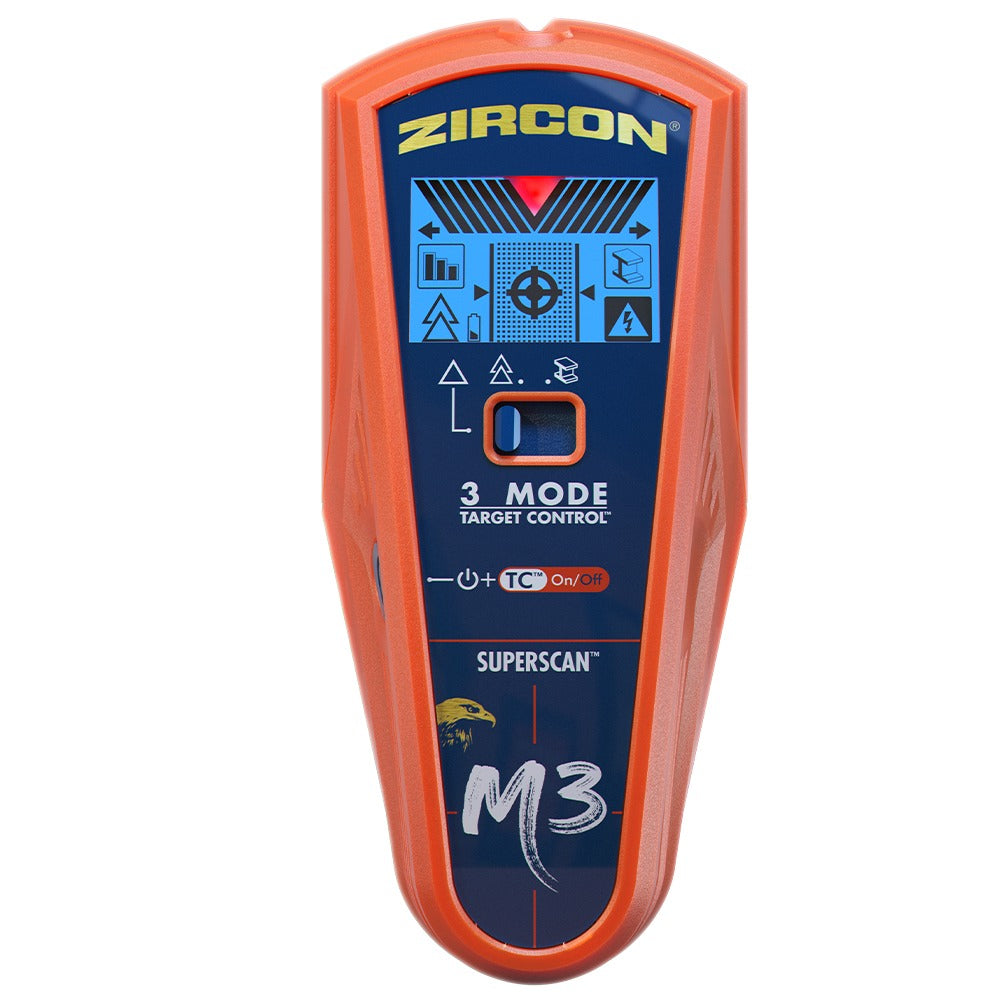
ColorTrip changes the LCD backlight by mode, while edge arrows, center crosshairs, a signal/LoLevel display, SpotLite and audible cues help communicate the scan. MetalliWarning flags metal in stud modes, and WireWarning is an additional alert for some live, unshielded AC wiring up to the stated 2-inch limit. These cues are not object identification. Zircon's own instructions explain that nearby wiring or pipes can resemble a stud signal and that shielding, conduit, depth, moisture and material can affect detection. A quiet WireWarning display cannot certify a hole as safe.
The M3's four functions do not include an independent AC Scan mode. The related SuperScan M4 adds that separate function and has its own model page and SKU; it is not a package variation to silently substitute for M3. Conversely, the M3's metal scan does not perform the M4's wiring-map role.
Wall type, setup and package checks
The instructions start with standard single-layer drywall and caution that mineral content, moisture, texture, paint and consistency affect sensing. They say irregular plaster thickness makes studs difficult to locate in every stud mode. Metal Scan may help locate wood-lath nail heads as an indirect clue, but that is not a documented stud plan through plaster, and metal mesh prevents detection. The manual also rules out scanning wood studs through carpet and padding. A difficult wall is not made suitable just because one mode scans metal.
The M3 requires one 9V alkaline battery, which Zircon says is not included. Confirm the exact M3 name and SKU 74249 on a seller's offer and check that its supplied instructions match the manufacturer configuration. Start flat and still through calibration; move slowly, mark both edges and the center cue, then repeat at another height. Compare a deeper pattern with the shallower mode rather than relying on a single response. Shut off services and use building information and other appropriate checks before penetrating a wall.
Who should compare it
The M3 belongs on a shortlist when a wood-oriented filter, a separate wood/metal stud mode and a deeper setting matter more than a simpler interface. It is less compelling when you need a mapped live-wire scan, when edge marks must remain visible through a thick surface, or when the wall is plaster, tiled, mesh-reinforced or otherwise outside the instructions. Compare the exact M3 review with the M4's separate AC Scan and with narrower models such as the SuperScan K1. No performance test, real-wall measurement, price check or seller-availability review was performed here.
Key specifications
Key details at a glance
| Maximum stated stud depth | 1.5 in |
|---|---|
| Depth qualification | The two shallow stud arrangements are stated to 3/4 inch; separate DeepScan is stated to 1-1/2 inches. Its instructions caution that edges may not appear on surfaces thicker than 3/4 inch. Metal Scan limits describe metal, not studs. |
| Documented scan modes | ['Target Control TC', 'StudScan', 'DeepScan', 'Metal Scan'] |
| Center and edge indication | Yes |
| Live-wire meter | Yes |
| Battery requirement | One 9V alkaline battery |
Use the exact model’s instructions for operating limits, supplied equipment and version differences.
Sources for this review
Sources for this assessment
Check this model against your wall
Use the finder to compare documented surface limits, center/edge indications and other requirements. A match is not a safety certification.