
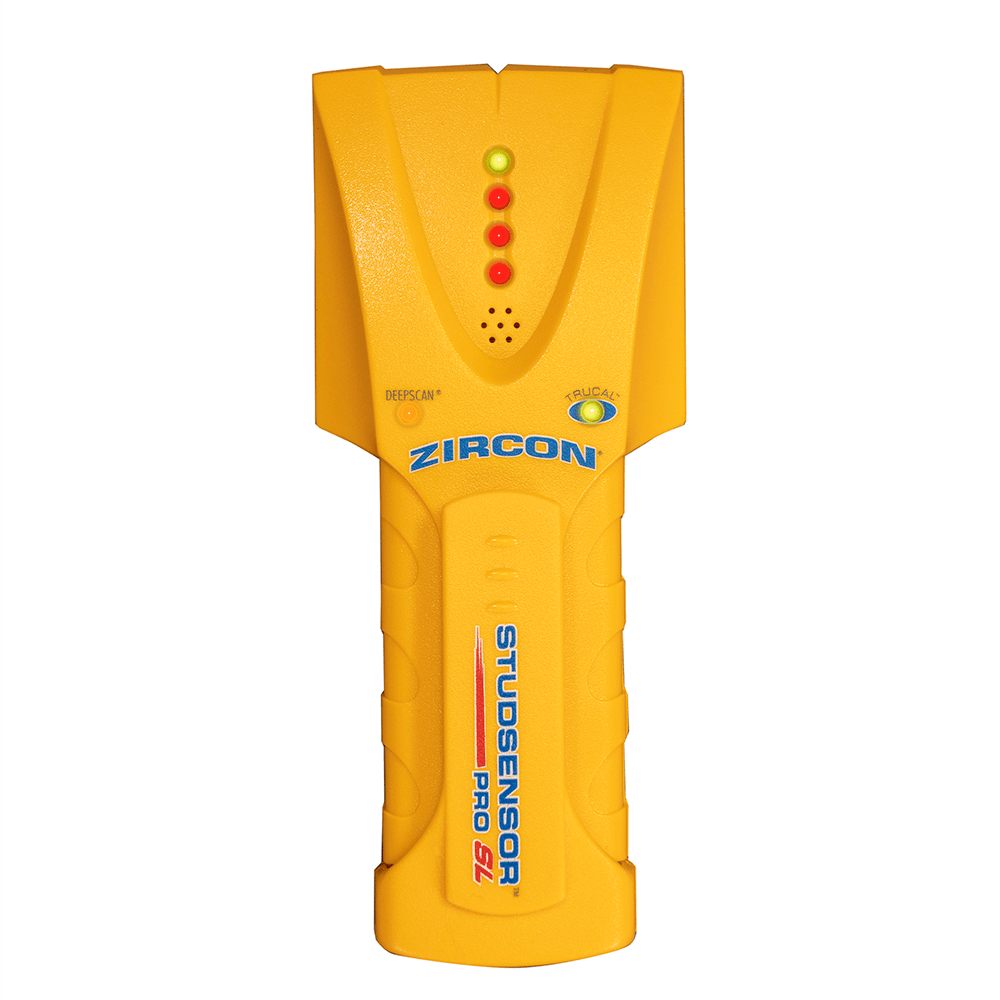
Your needs, this model
Does it fit your priorities?
Does Pro SL show a stud center?
No direct center indication is documented. The Pro SL identifies edges. Marking opposite edges can let a user estimate the midpoint, but that calculation is not a center cue from the finder.
Explore this need in the finder →When does the Pro SL reach its 1-1/2-inch figure?
That is the published maximum for the separate DeepScan stud-edge mode; StudScan is stated to 3/4 inch. Treat both as comparisons, begin with the shallower method and check the exact manual and wall assembly.
Explore this need in the finder →Is Pro SL the version with WireWarning?
The reviewed Pro SL product page, its linked instructions and data sheet do not document a live-wire meter. Pro SL-AC is a separately named tool; verify the full suffix and package rather than attributing its electrical cue to Pro SL.
Explore this need in the finder →The StudSensor Pro SL is an electronic edge finder with two separate depth modes. Its useful question is whether marking two edges and estimating a center suits your work—not whether the tool has every feature associated with the larger Pro family. Zircon's current U.S. product page lists SKU 75155 and links an instruction PDF whose printed footer identifies StudSensor SL/Pro SL, P/N 58930 Rev D 10/03. A separate model-specific sheet is C/N 1854 Rev B 03/17. The materials agree on the basic edge-finding arrangement, but the dates and identifiers make the exact model and manual worth checking on an offer. This is documentary analysis, not a hands-on test.
Edges are the output; center is a user calculation
The product page and Pro SL data sheet say the device locates wood and metal stud edges. A row of red LEDs builds as the scanner approaches a target; the highest LED, green indicator, audio cue and SpotLite identify the boundary. The instructions use a reverse pass to find the other side, with the space between marks helping a person estimate the middle. There is no documented center indicator on the plain Pro SL. An estimated midpoint can be useful, but it should not be mistaken for the tool displaying a stud center.
This distinction separates Pro SL from models that show a center cue, or a full-width array. It also affects how to read the questionnaire: Pro SL fits an edge requirement and fails a requirement for both center and edges. The red approach lights are sequential indicators, not a row of independently mapped sensing points.
StudScan and DeepScan have different ceilings
In StudScan, Zircon gives a maximum edge-finding depth of 3/4 inch for wood or metal studs. DeepScan is a distinct mode with a stated 1-1/2-inch maximum; it does not make the shallow reading deeper by default. The shared instructions say to begin with StudScan and move to DeepScan when a thicker wall or weak initial response calls for it. That is sensible as a comparison workflow, because the manual cautions that the tool senses density and may detect other objects.
The 1-1/2-inch figure is not a guaranteed reach through every finish, and it does not change the edge-only output. The official data sheet gives separate accuracy qualifications at the shallow and deeper limits; those specifications are manufacturer statements, not test results independently reproduced here. The manual says moisture, material, wall texture and paint influence sensing. Repeated patterns, visible wall clues and construction information matter more than trusting one isolated light.
Don't assume this is the wire-warning version
The exact Pro SL page, its linked Pro SL instructions and its data sheet do not document a live-wire meter. Zircon lists a separate StudSensor Pro SL-AC model, and its documentation names WireWarning. That suffix matters. A seller's shortened title or a related-family photograph is not evidence that a Pro SL package includes the AC feature. The matcher therefore treats Pro SL's live-wire-meter field as unknown and does not satisfy a hard request for that feature.
Even a model with a documented wire warning cannot prove that a wall is clear. If a conductor is shielded, in conduit, deeper than the detection limit or affected by the surface, an alert may not appear. Turn off utilities before penetrating a surface and use other evidence. The Pro SL's ordinary stud-finding output is not a utility map.
Where its instructions help—and where they stop
Zircon describes the Pro SL for walls, floors and ceilings, but the manual is explicit about several exceptions. It does not recommend lath and plaster because irregular thickness interferes; it cannot scan wood studs and joists through ceramic tile or carpeting. Instructions for limited situations involving dry wallpaper, some flooring or uniform textures do not turn the broad questionnaire choice for tile, exterior materials and mesh into a supported plan.
The tool requires a 9V alkaline battery, which the current product page says is not included. The page's current SKU is 75155, while the linked PDF's printed identifier is an older P/N and the sheet carries its own older C/N. Those references still identify Pro SL, but an older generic manual can be awkward when a particular package has changed. Check that the package is plain Pro SL rather than Pro SL-AC, match SKU and instructions, and confirm the seller's return terms before relying on a listing's feature language.
Who should compare it
Pro SL is worth comparing when edge marks, a separate DeepScan mode and a light handheld format fit the routine, and the user is comfortable deriving a midpoint from opposite edges. It is a weaker match when a direct center cue, an onboard wire warning, plaster support or certainty through thick surfaces is essential. Compare it with the Pro45, which has its own WireWarning documentation but remains edge-only, and with the SuperScan M3 if both center and edges matter. This assessment reports no ownership, field performance, customer-review synthesis, seller availability or price.
Key specifications
Key details at a glance
| Maximum stated stud depth | 1.5 in |
|---|---|
| Depth qualification | StudScan locates wood or metal stud edges up to 3/4 inch. Separate DeepScan doubles the stated stud depth to 1-1/2 inches. Sensing depth depends on wall and scanning conditions. |
| Documented scan modes | ['StudScan', 'DeepScan'] |
| Center and edge indication | No |
| Battery requirement | One 9V alkaline battery |
Use the exact model’s instructions for operating limits, supplied equipment and version differences.
Sources for this review
Sources for this assessment
Check this model against your wall
Use the finder to compare documented surface limits, center/edge indications and other requirements. A match is not a safety certification.