
Your needs, this model
Does it fit your priorities?
What does the StudScout actually find?
It finds ferrous nails or screws that may be fastened to a stud. The manual recommends marking several fasteners along a vertical line and checking neighboring spacing. It does not identify the stud by density, display the edges or report its center.
Explore this need in the finder →Does the 2-Pack include different finder modes?
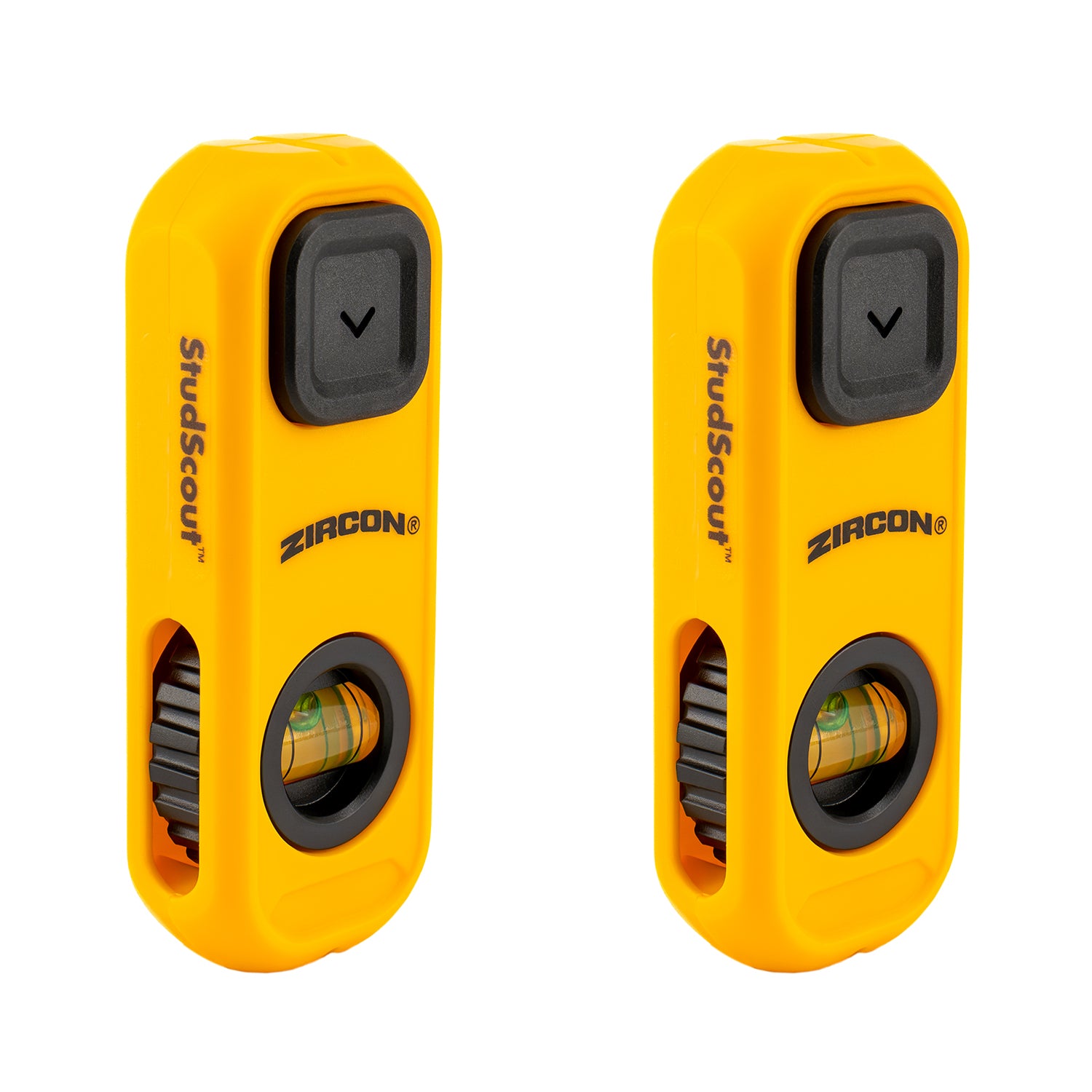
The official listing is a two-unit package, not a different sensing system. Each unit uses the same magnet, Easy-Mark button, wrist lanyard and rotating bubble level; the page does not describe distinct electronics or modes.
Explore this need in the finder →Can the StudScout replace a stud-scan or electrical check?
No. The quick-start guide says not to rely on it alone, and neither it nor the page documents a depth rating or live-wire detection. Use other information to confirm a layout and keep electrical, gas and water safety checks separate.
Explore this need in the finder →The StudScout 2-Pack takes a very different route from an electronic wall scanner. Each compact unit uses a strong magnet to attach to ferrous nails or screws that may be fastened to a stud. The manufacturer lists two units in this package, with an Easy-Mark button, rotating bubble level, and wrist lanyard on the StudScout design. There is no battery to install and no scan mode to select. The tradeoff is equally important: the tool finds fasteners, not a stud's material-density boundary, and Zircon does not publish a detection-depth figure for it.
Read a fastener pattern rather than a single attraction
The quick-start guide describes a broad zig-zag sweep until the magnet catches a nail or screw. Press the Easy-Mark button at that point, then move vertically to look for additional fasteners above and below. The manual recommends checking for a consistent column and comparing nearby spacing, while avoiding areas with many closely spaced nails or screws. This is the key discipline with a magnetic finder: one point can be a screw, but a repeated pattern is more useful evidence that the fasteners run along a stud. The tool does not measure the width of the framing member or report its center.
Once a likely line of fasteners has been confirmed, the rotating bubble can help align a shelf or picture. The lanyard keeps the small tool attached to the user, and the integrated marking button can mark a point without carrying a separate pencil for that mark. Those conveniences make sense for a straightforward layout task, especially if two rooms or work areas need a dedicated tool. They do not change the underlying magnetic method. A wall with no ferrous fasteners at the relevant location gives the StudScout little to attach to, and an unusual pattern may come from something other than a stud.
What the two-pack does—and does not—change
The official listing names a 2-Pack and its product image shows two matching yellow devices. It is therefore a distinct package from the single StudScout listing, but not a new sensing system. The two pieces do not combine into a wider scan, add a depth mode, or create a center signal. The page does not provide an itemized package checklist for each unit's accessories, so check the seller's exact listing if two lanyards or other package components matter. The assessment keeps the package quantity separate without claiming a performance benefit from the bundle.
Compared with the StudSensor Basic, the StudScout avoids a battery and calibration but depends on surface fasteners; the Basic senses a density change and signals stud edges, within its own shallow stated range. The MultiScanner A200 provides electronic center-and-edge indications, a deeper stud mode, and an added wire-warning function, but brings mode selection and a 9V battery requirement. The right choice depends on what the wall and mounting task require—not a ranking based on simplicity alone.
Surface limits and safety considerations
Zircon describes drywall as the ideal surface for the StudScout and says the product is not recommended for lath and plaster. That caution is consistent with its method: the magnet needs ferrous targets and a wall assembly that allows the magnetic attraction to be useful. The manufacturer does not state how far behind the surface it can find a fastener, nor does it promise performance on tile, exterior materials, or metal mesh. Treat both the depth and any broader material claim as unknown unless the exact product documentation says otherwise.
The quick-start guide is explicit that the tool should not be relied on alone to locate studs or other objects before a surface is penetrated. It recommends considering construction plans, visible pipe or wiring entry points, and normal stud spacing. Importantly, the StudScout has no documented live-wire warning. Its magnetic attraction cannot say whether a wire, pipe, or other utility lies behind the selected point. As with other finders, do not drill merely because a tool has located a likely fastener line.
The rare-earth magnet creates a separate handling issue. Zircon warns users to keep it at least 12 inches (30 cm) from pacemakers, implantable cardioverter defibrillators and other medical implants, and from credit cards or magnetic storage media. Anyone for whom that warning is relevant should follow the full manufacturer instructions and appropriate medical-device guidance rather than relying on this summary. No hands-on test, ownership, user experience, measured performance, price or retailer stock claim is made here.
Buying checks for this exact package
Confirm that the listing is specifically the StudScout 2-Pack, rather than the visually similar single-unit StudScout. The package distinction changes how many tools you receive, not what either magnet senses. Check the exact name and package count, read the current StudScout safety guide, and verify whether the seller's offer includes the components you expect. The source page names an Easy-Mark button, rotating bubble level and wrist lanyard as features of the StudScout, but it does not separately itemize the retail carton for this package.
Choose it when locating a line of ferrous drywall fasteners and marking a point is enough. If you need an indicated stud edge, a center cue, a numeric depth limit, or a documented electrical warning, compare an electronic model instead. The magnet can help map a likely mounting line, but confirmation should come from a consistent pattern and independent knowledge of the wall—not from a single magnetic catch.
Key specifications
Key details at a glance
| Depth qualification | The manufacturer does not state a stud-detection depth; the magnet locates ferrous surface fasteners rather than sensing a stud through a stated depth. |
|---|---|
| Documented scan modes | ['Magnetic fastener location'] |
| Center and edge indication | No |
| Live-wire meter | No |
| Built-in bubble level | Yes |
| Battery requirement | No batteries required |
Use the exact model’s instructions for operating limits, supplied equipment and version differences.
Sources for this review
Sources for this assessment
Check this model against your wall
Use the finder to compare documented surface limits, center/edge indications and other requirements. A match is not a safety certification.