
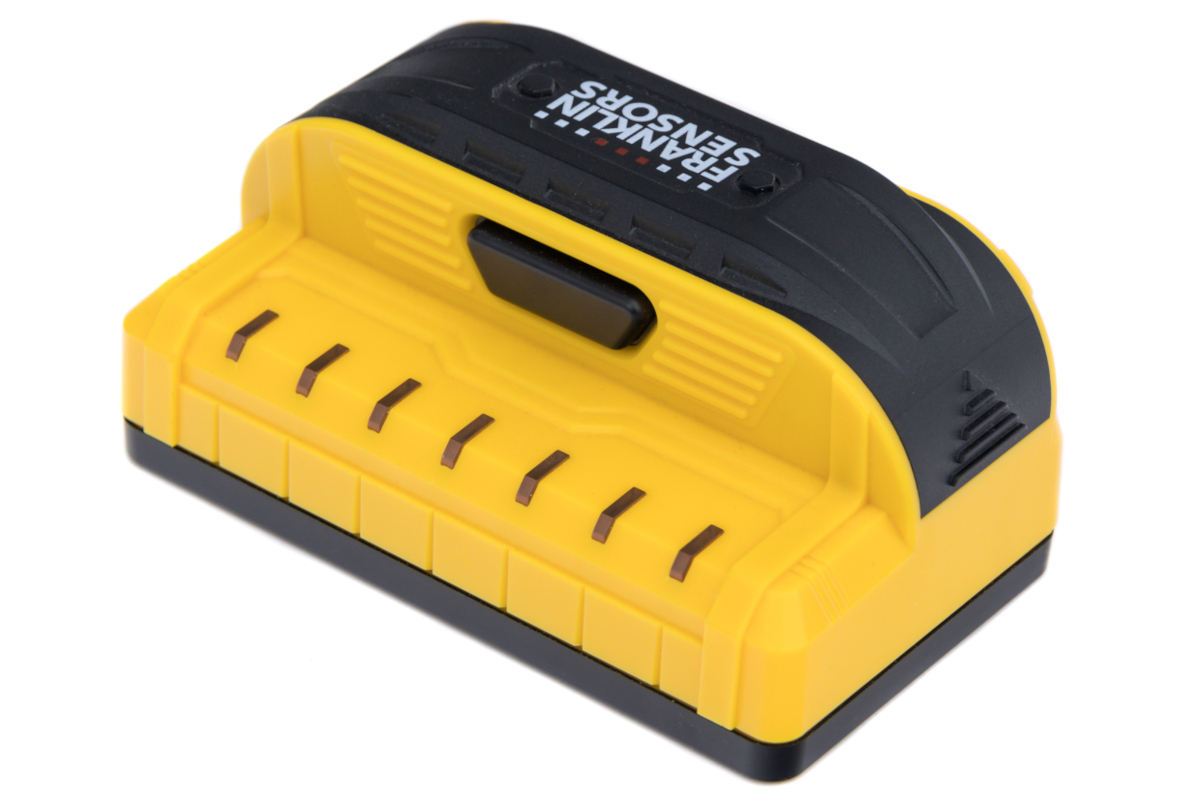
Your needs, this model
Does it fit your priorities?
What does the X700 green light mean?
Franklin states on the exact X700 page that the middle LED turns green to indicate stud center, and the shared manual confirms simultaneous center-and-edge tracking for the family. It is a center cue, not proof that a signal is wood or that the wall is safe to drill.
Explore this need in the finder →Is the X700 suitable for lath and plaster?
The 05/25 manual includes X700 and says it can see through most lath-and-plaster walls to 1.5 inches, subject to construction and thickness variation; metal-mesh reinforcement may prevent detection. Its instructions do not guarantee tile, roofing or exterior readings.
Explore this need in the finder →Will the X700 meet a 1.6-inch minimum depth?
Not according to its exact page: Franklin states a 1.5-inch maximum, so it falls short of a selected 1.6-inch threshold in this comparison. This ceiling is not guaranteed performance at 1.5 inches either.
Explore this need in the finder →Short answer: The Franklin ProSensor X700 is a seven-sensor finder with seven LEDs, a three-inch display, a stated 1.5-inch maximum and a model-specific green center indication. That green cue is the clearest documented distinction from the otherwise similarly specified M70. It remains a density signal, not a material identification or a safety clearance.
The X700’s specific center cue
Franklin’s exact X700 page lists seven sensors, seven LEDs and a three-inch display width. It also says the middle LED turns green to indicate stud center. The current shared X700/M70/M72 instructions add that the LEDs track center and edges simultaneously. That makes the X700 a plausible paper choice when a shopper wants a center cue alongside the edge pattern. The word “indicate” matters. The manufacturer manual warns that these devices react to density changes and can respond to pipes, wires, beams, surface irregularities or other objects. A green center cue does not identify a wood member or certify the construction. Repeat a possible reading, scan across and up/down as the instructions describe, and confirm the intended fastening location independently.Similar to the M70, but not identical
The M70 and X700 share a strikingly similar specification list: seven sensors, seven LEDs, a three-inch display and a 1.5-inch maximum. The difference that is actually supported by the reviewed sources is the center light. The X700 product page explicitly names green; the M70 page and manual only use generic language about “certain models” and do not say that the M70 has that color. The sources do not justify claims that the X700 is more accurate or reaches farther than the M70. This is also why an X700 should remain a distinct model rather than be merged into M70. The manufacturer maintains separate U.S. model pages and the precise green-center statement appears on the X700’s own page. A shared family manual does not make every model feature identical.Read 1.5 inches as a comparison limit
Franklin gives the X700 a 1.5-inch maximum detection depth. This is a screening boundary, not a promise through a specific wall. The manual’s lath-and-plaster section says the X700 can see through most such walls up to that depth, but warns that plaster thickness or construction differences beyond the range are not guaranteed and metal mesh may block detection. The instructions also say tile, flooring, roofing and exterior use is not guaranteed. Foil-backed insulation can cause inconsistent results, metallic wallpaper can block the signal, and a wet or recently changed surface can complicate scanning. On ordinary dry interior drywall, the instructions say to hold only the handle, maintain button pressure while scanning and start without calibration. Two AAA alkaline batteries are required; rechargeables are prohibited. Battery inclusion, a standalone retail SKU, case or other package accessories are not established by the reviewed source pages, so check the exact offer rather than assuming.It is not an electrical meter
The X700’s LEDs may respond to changes caused by nearby wires, but the exact product page and linked manual do not document a dedicated live-wire meter or separate electrical-warning feature. If a meter is essential, the X700 does not satisfy that documented requirement. Its green light describes a stud-center cue, not an electrical signal. More importantly, the manual says a stud finder may miss wiring or other objects and advises turning off gas, water and electric power before penetrating a wall. A green center, an ordinary LED pattern or no light cannot establish that a drill point is safe. Use independent checks and the right qualified help for concealed utilities.Who should shortlist the X700?
Consider it when you want a seven-light center/edge pattern, value the exact page’s green-center wording and can work within a 1.5-inch stated maximum. Its manual offers conditional guidance for most lath-and-plaster walls, but does not turn a variable old wall into a guaranteed scan. It is less suitable if your priority is a higher published depth, a dedicated wire meter or support for tile, roofing or exterior material. Compare the M70 for its matching sensor/display/depth numbers without model-specific green-center evidence, or the M150 for a different nine-sensor, 15-light pattern and its documented bolt warning. Read the official X700 page and current 05/25 instructions for operating and surface limits. No product test, ownership, price or stock check is claimed.Key specifications
Key details at a glance
| Sensing points | 7 |
|---|---|
| Indicator lights | 7 |
| Maximum stated stud depth | 1.5 in |
| Depth qualification | The exact X700 page states 1.5 inches. It is a published maximum for comparison, not a guaranteed reading in an individual wall. |
| Center and edge indication | Yes |
| Live-wire meter | No |
| Battery requirement | 2 AAA; use 1.5-volt alkaline cells; do not use rechargeables or mix old/new cells or chemistries |
Use the exact model’s instructions for operating limits, supplied equipment and version differences.
Sources for this review
Sources for this assessment
Check this model against your wall
Use the finder to compare documented surface limits, center/edge indications and other requirements. A match is not a safety certification.