
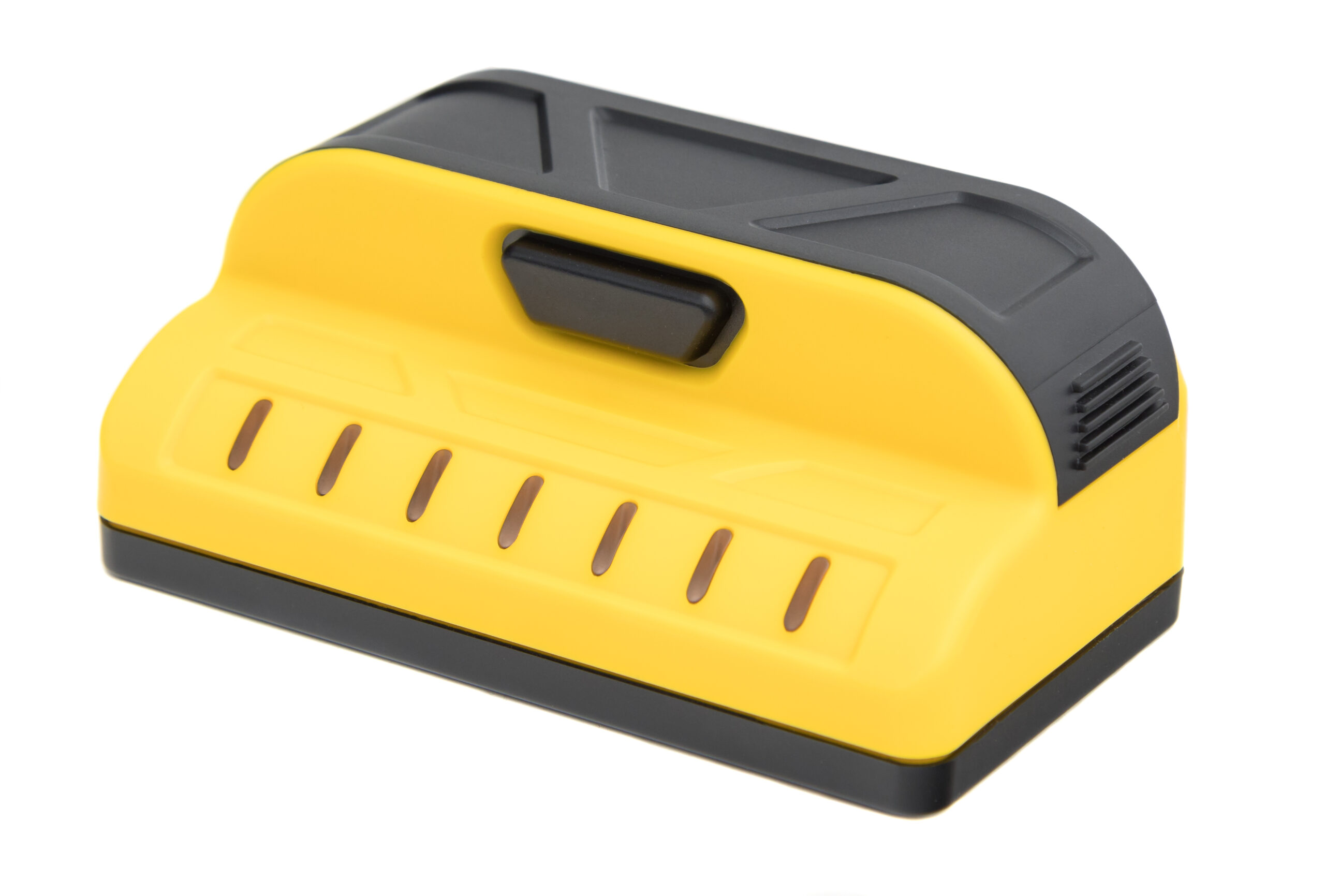
Your needs, this model
Does it fit your priorities?
Does the M70 show stud center as well as edges?
Yes. Franklin’s current M70-family instructions say the LEDs track stud center and edges simultaneously. The seven lights respond to density differences and cannot identify whether the cause is wood, metal, wiring, a pipe or a surface irregularity.
Explore this need in the finder →Is the M70 documented for lath and plaster?
Conditionally. The shared X700/M70/M72 manual says it can see through most lath-and-plaster walls within 1.5 inches, but warns that uneven plaster/construction and metal mesh can defeat detection. Tile, exterior and roofing use is not guaranteed.
Explore this need in the finder →Does the M70 have a green center light or live-wire meter?
Those features are not established for this exact model. The page and manual use a generic “certain models” phrase for green center indication, while the shared manual never names an M70 live-wire meter or alert. Do not assume those capabilities from its family relationship to X700.
Explore this need in the finder →Short answer: The ProSensor M70 is a seven-sensor, seven-LED stud finder whose official page states a three-inch display width and a 1.5-inch maximum depth. Its manual says the LED row tracks stud center and edges together and supports only a qualified use through most lath-and-plaster walls. The model’s exact sources do not identify a green center light or dedicated live-wire meter.
A compact seven-light pattern with a modest published ceiling
The M70’s key numbers are unusually easy to compare: seven sensors, seven LEDs, a three-inch display and a stated 1.5-inch maximum. Franklin’s instructions say the LEDs follow center and edges simultaneously. That gives a user a visible band of changes to interpret, but not a label for what is behind the wall. A pipe, wire, beam or uneven patch can affect a density-based reading, and the manual warns that some hidden objects may not be detected. The 1.5-inch figure is the useful constraint. It places the M70 below reviewed models with 1.6- or 1.7-inch stated maxima; it should not be stretched to satisfy a higher depth requirement. Even when the selected threshold is 1.5 inches or less, the manufacturer presents a maximum, not a guarantee through every finish or framing arrangement. I have not tested or measured an M70, so this comparison rests on Franklin’s specifications and instructions rather than a performance trial.What the manual supports—and what it does not
Franklin’s current M70-family instructions say the model can see through most lath-and-plaster walls up to 1.5 inches. The same paragraph warns that irregular plaster thickness or construction variation beyond that depth can defeat detection, and that metal mesh may prevent it. Tile, flooring, roofing and exterior materials are not guaranteed because their thickness and density vary. The manual also cautions that moisture, foil-backed insulation and metallic wallpaper can interfere with scanning. For a typical dry interior wall, the instructions describe a simple routine: hold the handle, press and keep holding the button, then scan. The M70 does not require startup calibration. If a light pattern appears near a door, outlet, irregular patch or other obstruction, repeat from another direction and look for a stable pattern rather than treating one flash as the answer. The product is meant to reveal density changes; it cannot name the hidden object for you.M70 versus X700: similar headline numbers, different evidence
The M70 and Franklin’s X700 pages both list seven sensors, seven LEDs, a three-inch display and a 1.5-inch maximum. Their current manual is shared, but the exact model pages are not interchangeable. The X700 page says its middle LED will turn green to indicate stud center. The M70 page and manual only say that the center LED turns green in certain models; they do not name the M70. I therefore would not choose the M70 specifically for a green-center cue unless the exact offered version documents it. The distinction is documentary, not a claim that the M70 physically cannot use a green LED. It means the reviewed M70 sources do not establish that feature. The same careful reading applies to live-wire detection: the exact M70 page and manual do not document a dedicated meter. Its ordinary LEDs may react to a nearby wire because they react to density changes, but that is not a specific electrical-warning instrument.Batteries, package checks and safe use
The manual requires two AAA 1.5-volt alkaline batteries, says not to use rechargeable cells and cautions against mixing batteries. The manufacturer’s model page does not settle whether every retailer package includes them. It also does not establish a standalone SKU, a case, a ruler, a bubble level or a pencil caddy. Check the exact model name, package contents and current instructions before relying on an offer. The operating sheet separately warns that a stud finder can miss objects and that nearby wiring, plumbing or irregularities may trigger lights. Franklin directs users to shut off gas, water and electric power before drilling or otherwise penetrating a wall. No stud-finder indication—green, yellow or dark—clears a wall for work. Make a separate utility check appropriate to the installation.Who should consider the M70?
The M70 may suit a straightforward, dry interior-wall project where seven visible indicators, a center/edge pattern and a three-inch display are enough, and where 1.5 inches is an adequate comparison ceiling. Its documented plaster use may help some older-wall projects, provided the wall falls within the manual’s conditional limits and does not rely on metal mesh. Look elsewhere if the task requires deeper stated reach, an exact green center cue, a dedicated live-wire meter or dependable tile/exterior results. Compare the X700 if a model-specific green center is useful, or the M90 if you want to compare a nine-sensor/nine-LED arrangement at the same stated maximum. Review the official M70 page and its current 05/25 shared instructions. This is a source-based assessment; no M70 was purchased, owned or tested.Key specifications
Key details at a glance
| Sensing points | 7 |
|---|---|
| Indicator lights | 7 |
| Maximum stated stud depth | 1.5 in |
| Depth qualification | The exact M70 page states a 1.5-inch maximum; it is not a guarantee through any particular wall assembly. |
| Center and edge indication | Yes |
| Live-wire meter | No |
| Battery requirement | 2 AAA; use 1.5-volt alkaline cells; do not use rechargeables or mix old/new cells or chemistries |
Use the exact model’s instructions for operating limits, supplied equipment and version differences.
Sources for this review
Sources for this assessment
Check this model against your wall
Use the finder to compare documented surface limits, center/edge indications and other requirements. A match is not a safety certification.