
Your needs, this model
Does it fit your priorities?
Does the CMHT77633 show a stud center?
Its sensor lights and tone indicate an edge. The manual says to scan from both directions, mark the two edges and use their midpoint as the center; that is a manual layout step, not a dedicated center cue from the finder.
Explore this need in the finder →What should I check before scanning wallpaper, fabric or plywood?
The exact product page says the 3/4-inch drywall model works over wallpaper and fabric, and its manual also names plywood, but the numeric specification is explicitly stated through drywall. Metallic foil or fibers can interfere, so do not transfer that depth number to a different wall build-up.
Explore this need in the finder →Will the CMHT77633 warn about live wiring?
The reviewed page and manual describe a stud-edge LED and tone but no separate live-AC warning. Treat that capability as undocumented, and never use stud indication as a reason to drill; use an independent electrical check and de-energize utilities before penetration.
Explore this need in the finder →This is a document-based assessment of the exact U.S. CMHT77633, not a hands-on test. I compared its product page with the model-numbered instructions; the manufacturer’s stated limits are not a promise of a correct reading in every wall.
What kind of finder it is
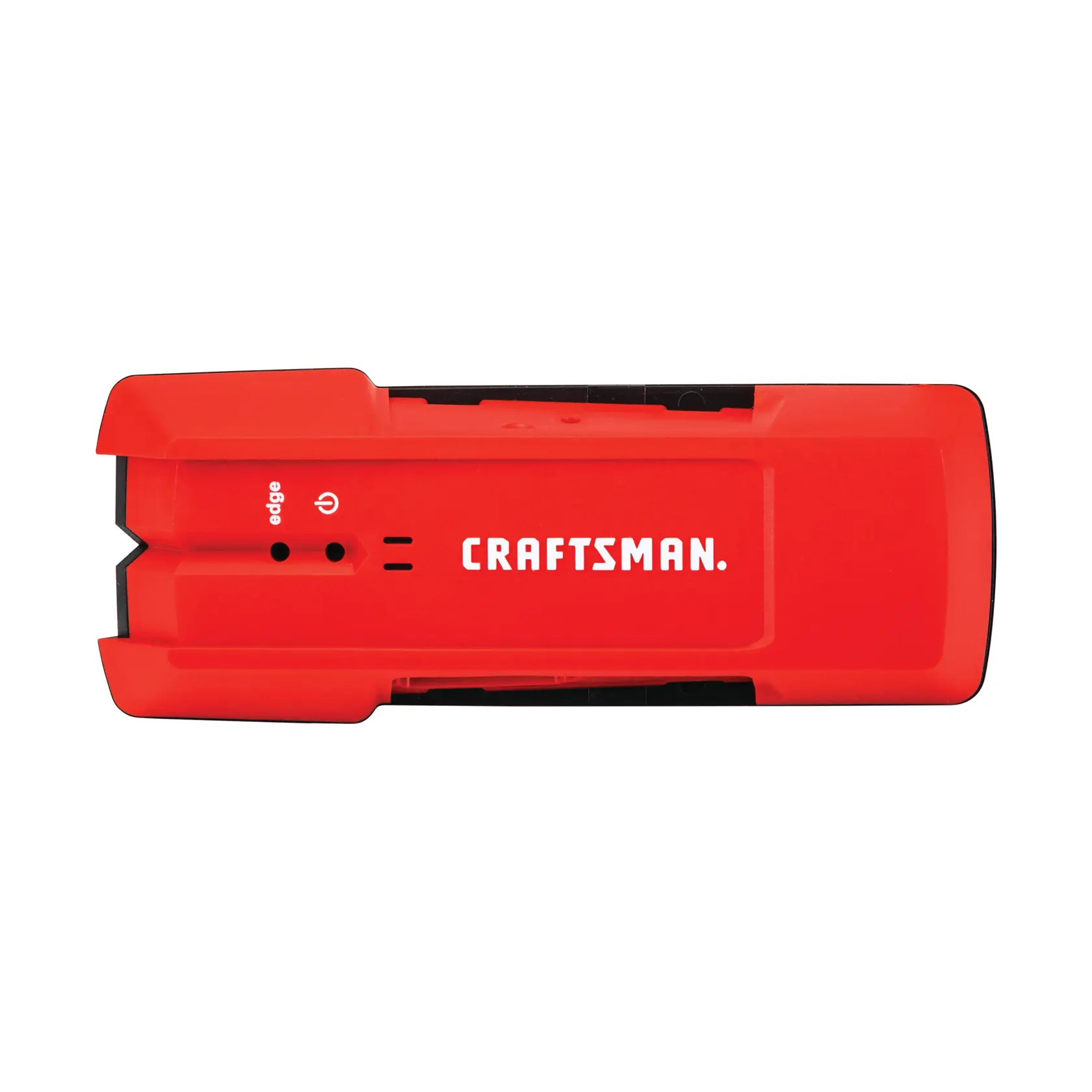
The CMHT77633 is the plainest of the three CRAFTSMAN models in the observed U.S. stud-finder catalogue. The product page describes edge detection on wood and metal studs, and the manual explains a red light and tone when an edge is found. That makes it a straightforward choice for someone who is willing to scan across a wall, mark an edge, then repeat from the other side. The tool itself does not document a separate center light or a center/edge display. It is better understood as an edge locator than as a one-pass center finder.
That distinction matters when you are placing a small anchor or laying out a bracket. An edge signal gives you a boundary to mark, not the stud’s identity or its exact width. CRAFTSMAN’s instructions say to find both sides and use the midpoint of the two marks as the center. That is a useful manual method, but it takes two passes and careful marks. A model with a direct center indication has a different workflow; see the CMHT77620 and CMHT77621 for that alternative.
Depth and surfaces: stay within the stated case
The manual’s numeric statement is up to 3/4 inch (19 mm) through drywall. It also names plywood in its description, and the product page says wallpaper and fabric coverings can be scanned, but the explicit depth specification is not a universal limit for every layered wall. The manual’s specifications are conditioned on 35–55% relative humidity. It warns that metallic foil or fibers in a covering can disrupt readings. Treat the 3/4-inch figure as a comparison ceiling for the stated application, not as guaranteed performance through plaster, tile, dense finishes, multiple layers or a wet surface.
For the finder to calibrate, press and hold its activation button flat against a suitable area until the red light turns off. The instructions caution against calibrating directly over a stud, dense material such as metal, wet or newly painted areas; if the light stays on, move and try again. Keep the button held while slowly moving the tool in a straight line. A calibration problem is not evidence that a wall has no stud, and a good-looking indicator is not proof that the detected object is framing.
Interpreting an edge and marking a center
When the red edge light and tone appear, the manual’s sequence is to mark that point with the notch, start on the opposite side, and mark the second edge. The midpoint is then an estimate of the center. The instructions quote different center-marking accuracy figures for wood and metal under their stated conditions, but they do not turn the instrument into a measurement guarantee. Double studs and headers near openings may appear as a wide feature; nearby pipes or electrical wiring can also be mistaken for a stud. If the two-edge scan suggests an unusually wide or closely spaced object, do not assume it is a single standard stud.
The source material reviewed for this model does not document a separate live-AC warning. That is an unknown capability, not evidence that wiring is absent or that the body could never produce a signal related to something else. Never use this stud sensor to clear a drilling location. Check utilities using an independent method and turn off power before penetrating a wall.
Battery, package and ownership checks
The manual requires one 9-volt battery, but the exact page text does not make battery-in-box status clear. Check the seller’s package listing rather than assuming it is included. The pictured item is the CMHT77633 tool itself, not a multi-tool kit. The manual describes the case as water resistant but not waterproof and gives a three-foot drop figure onto concrete; those statements do not establish ruggedness for careless use. Wipe it dry and follow the instructions for calibration and storage.
There is a warranty wording conflict worth resolving before relying on coverage: the product page displays limited-lifetime language, whereas the model manual describes one year and shortens that period for commercial use or rental. Ask CRAFTSMAN which terms apply to the exact item being offered. This is a reference finding, not a statement about present seller inventory.
Who should keep it on the shortlist?
For dry interior drywall and a simple edge-marking routine, the CMHT77633 has a coherent documented job: find a left or right edge, mark both sides, and locate the midpoint by hand. It does not offer the direct center output or explicit live-AC cue documented for the 77620/77621, and its range stops at the stated 3/4-inch drywall limit. If you need both edges and a center indication from one operating arrangement, compare tools whose manuals say so rather than treating two-edge arithmetic as an electronic center mode. There was no hands-on use or controlled comparison behind this assessment; the practical advice here follows the model-specific source documents.
Key specifications
Key details at a glance
| Maximum stated stud depth | 0.75 in |
|---|---|
| Depth qualification | The exact manual states up to 3/4 inch (19 mm) through drywall at 35–55% relative humidity; it does not establish a 3/4-inch threshold through every wallpaper, fabric, plywood or wall assembly. |
| Documented scan modes | ['Electronic stud-edge scan'] |
| Center and edge indication | No |
| Battery requirement | One 9-volt battery |
Use the exact model’s instructions for operating limits, supplied equipment and version differences.
Sources for this review
Sources for this assessment
Check this model against your wall
Use the finder to compare documented surface limits, center/edge indications and other requirements. A match is not a safety certification.