
Your needs, this model
Does it fit your priorities?
Does the DW0100 give a stud center or separate stud edges?
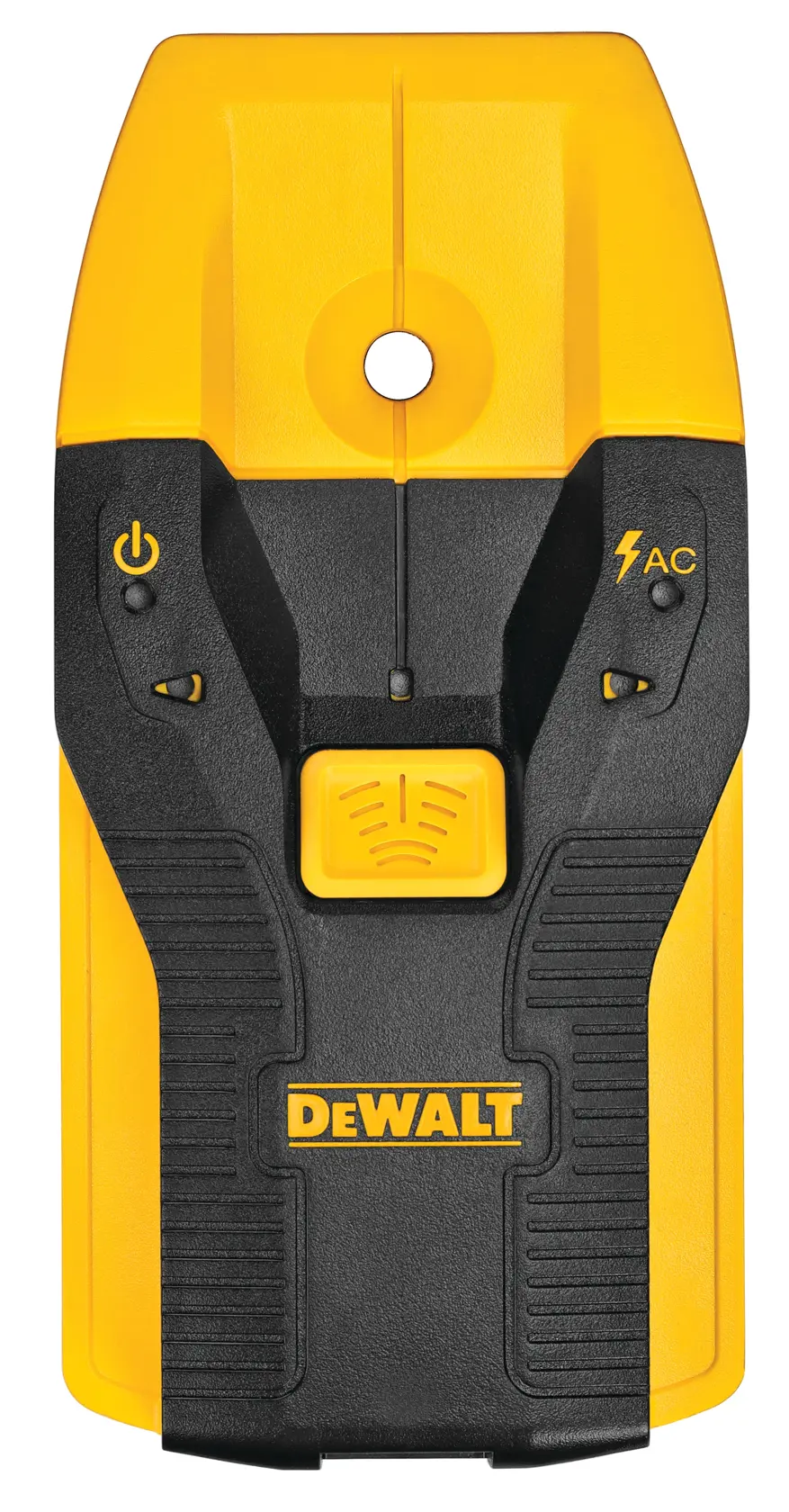
The manual describes directional LEDs, a center LED and a center-marking hole; it does not document a distinct edge mode. Stop at the center cue and repeat at another height rather than treating the arrows as an edge map.
Explore this need in the finder →Does the DW0100 meet a 0.8-inch stud-depth threshold?
No. Its manual lists up to 3/4 inch (19 mm) through drywall for both wood and metal studs; the separate two-inch live-AC figure is not stud depth.
Explore this need in the finder →Can the DW0100's AC light confirm that no live wire is present?
No. It is an added warning cue for certain live-AC conditions, and the manual warns that shielded wiring or dense/metallic surfaces may hide a conductor. Use an independent electrical check and switch off power before working near wiring.
Explore this need in the finder →The DEWALT DW0100 is a compact electronic finder that reports the center of a wood or metal stud through ordinary drywall. Its model page identifies it as the 3/4-inch model, and the shared DW0100/DW0150 instruction manual confirms that 3/4-inch limit for both stud materials. This assessment follows the exact U.S. product page and manual; it does not report hands-on use, measured accuracy or ownership.
A center mark rather than a two-edge map
When the finder detects a stud center, it lights the center LED, sounds one longer tone and provides a hole through which to mark the position. The manual also describes directional lights that point you toward the nearest center during a pass. Those are useful orientation cues, but they do not amount to a separately documented edge-reading mode or a width display. If your project needs both stud boundaries as independent readings, the DW0100 is not the best documented fit; compare an edge finder such as the Zircon HD55, or choose a model that explicitly reports center and edges.
The center-first output can make a simple shelf or picture-layout task easier to mark than a tool that leaves you to calculate a midpoint. Still, the center is a signal interpretation, not a guarantee that the sensed object is a structural stud. Repeating the pass at a second height and comparing the apparent stud line with outlets, doors, windows and known framing helps prevent over-reading one isolated response.
The 3/4-inch figure applies to the stud task
DEWALT labels the DW0100 a 3/4-inch stud finder. In the manual's specifications table, wood studs and metal studs are each listed through up to 3/4 inch (19 mm) of drywall. That is the most useful numeric boundary for a buyer: the device is not documented to meet a one-inch stud-depth threshold. The same manual gives a separate live-AC figure of up to two inches; that describes a different signal and cannot be substituted for stud depth.
Wall condition still matters. DEWALT's instructions say the sensor will not work on concrete, mortar, block, brickwork, plaster, carpeting, foil-faced material, metallic surfaces or ceramic tile. Thick or dense surfaces and shielded conductors can also disrupt the electrical indication. Treat the manufacturer's stated drywall thickness as a comparison ceiling, not a promise that every stud or cable behind every wall will be found.
Set up and scan deliberately
The manual specifies two AAA batteries, and the U.S. product listing identifies AAA batteries as included. Install both with the marked polarity and check the power light. Place the sensor flat and vertically against the wall, parallel to a door or window where possible. Hold it still, press and hold the center button until the other lights go out, then continue holding the button while moving slowly left or right. Follow the directional lights toward the stud; when the center LED and longer tone appear, stop and mark through the tool's hole.
For a second location, repeat the same still-start and slow-pass sequence rather than sliding at speed or tilting the body. The listed guidance says to use a smooth surface and to check batteries, wall type, tool orientation and temperature if no result appears. The manual's operating range is 32–122°F (0–50°C), and it lists 35–55% relative humidity. Those conditions and the battery check are part of the maker's stated procedure, not a laboratory result from this review.
Read the AC indication as a warning cue
The DW0100 can also indicate live AC. The manual lists detection through up to two inches of drywall and says the AC light may illuminate at a typical distance of six to eighteen inches from a live wire. That wider pickup is not a wire map: the manual warns that shielded wires, metal conduit or casing, metalized walls and thick, dense walls may not be detected. Static charge on drywall may also spread the voltage-indication area beyond a conductor's position.
DEWALT explicitly says this tool is not a measuring device or a voltmeter, and the manual cautions against relying on the LED alone to identify hazardous voltage or verify de-energization. Hold it only by the handle, keep the warning as one additional clue, turn off relevant power before working near wiring, and use an independent method or qualified help where the hazard is uncertain. A dark AC light is not permission to drill.
How it differs from the DW0150
The DW0100 and DW0150 use the same center-finding layout and share the same bilingual instruction manual, but their depth ratings are not interchangeable. The DW0100's wood and metal entries both stop at 3/4 inch. The DW0150's detailed table lists wood studs through one inch and metal studs through 1 1/2 inches. Both pages also advertise an overall 3/4- or 1 1/2-inch model depth and live-AC sensing, but the target-specific manual table is the more precise guide for a real wall. Neither unit supplies the edge indication that some shoppers need.
What to verify before choosing it
Confirm the label reads DW0100, model page title “3/4-In. Stud Finder,” and the package SKU is DW0100; the page lists UPC 885911555708. Check the offered package for the two AAA cells and obtain the exact DW0100/DW0150 manual. Compare the wall finish with the explicit exclusions, and do not confuse a live-AC warning with a safety check. The manufacturer's product page lists a three-year limited warranty, but this research does not verify an individual seller's terms, current inventory or price.
For straightforward drywall layout where a center mark, simple controls and a separate AC warning are useful, the DW0100's proposition is clear. Its tradeoff is equally clear: the maker's stud ceiling is only 3/4 inch, and its center cue is not a two-edge survey. If either limit conflicts with the wall or mounting job, compare a model with the specific depth and indication method you actually need rather than assuming a familiar brand name closes the gap.
Primary references: DEWALT's DW0100 U.S. product page and the shared DW0100/DW0150 instruction manual.
Key specifications
Key details at a glance
| Maximum stated stud depth | 0.75 in |
|---|---|
| Depth qualification | The N596253 specifications table lists DW0100 detection of wood studs through up to 3/4-inch (19 mm) drywall and metal studs through up to 3/4-inch (19 mm) drywall. Its separate live-AC depth is up to 2 inches and is not stud depth. |
| Documented scan modes | ['Wood/metal stud center detection', 'Live AC warning indication'] |
| Center and edge indication | No |
| Live-wire meter | Yes |
| Battery requirement | Two AAA 1.5 V batteries |
Use the exact model’s instructions for operating limits, supplied equipment and version differences.
Sources for this review
Sources for this assessment
Check this model against your wall
Use the finder to compare documented surface limits, center/edge indications and other requirements. A match is not a safety certification.