
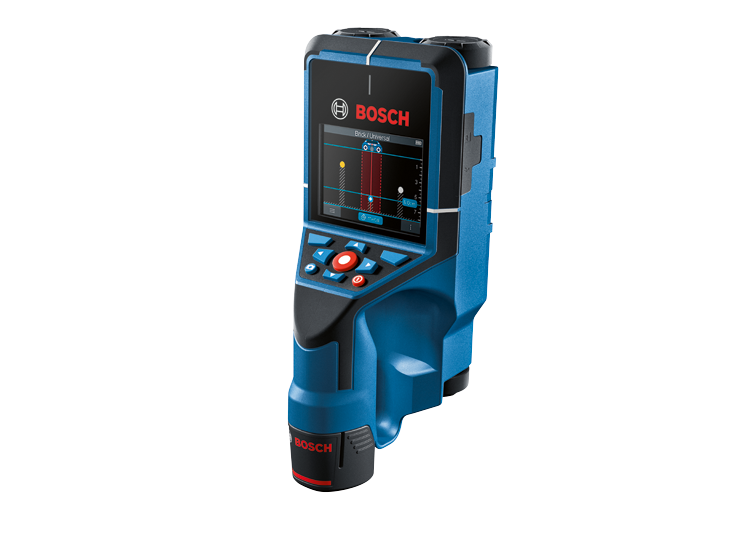
Your needs, this model
Does it fit your priorities?
What depth should I use for a D-TECT200C drywall wood-beam comparison?
The exact U.S. manual lists 1.5 inches (38 mm), approximately 1.496 inches, for wooden beams in drywalls. The 7.9-inch dry-concrete metal figure and other-object figures describe different targets or wall arrangements; they do not raise the wood-beam limit. The stated ceiling is not a guaranteed reading through a particular finished wall.
Explore this need in the finder →Does Object View provide both object edges and a center cue?
Yes. In the documented Object View the manual describes nearest-edge detection for objects transverse to travel and center-line/cross marking when signal is sufficient. In Drywall mode a filled plastic pipe may look like a wooden beam, so these cues locate a detected object rather than prove it is a stud.
Explore this need in the finder →Does a live-conductor signal make a D-TECT200C scan safe to drill?
No. The U.S. manual warns that humidity above 50%, metalized or conductive surfaces, metal conduit and other conditions can limit live-wire classification; some three-phase wiring may not appear live. Shut off utilities and use independent information before penetration. The manual also limits operation to building/construction professionals and contains UWB coordination instructions.
Explore this need in the finder →The Bosch D-TECT200C is a professional wall-and-floor scanner, not an eight-inch stud finder. Its documentation covers many object types and several kinds of display, so the useful comparison starts with the exact wood-beam figure: 38 mm in drywalls, about 1.496 inches. Bosch's much larger metal depths refer to different targets and materials. This review is based on the exact U.S. product page and its linked U.S. instructions; it does not describe ownership or testing.
Separate the drywall beam limit from the metal headline
The U.S. page identifies the D-TECT200C as SKU 0601081610 and describes a 12V Max radar scanner that can detect live and non-live cables, metal and plastic pipes, and wooden studs. Its marketing page also emphasizes deep metal detection. The manual's technical table separates those cases: dry-concrete metal objects up to 200 mm; other objects in dry concrete to 80 mm; metal in early-age concrete to 60 mm; wooden beams in drywalls to 38 mm; and objects in horizontal coring bricks to 50 mm. The broader 80 mm line for other supported wall types is not a substitute for the explicit drywall wood-beam line.
For this site's finder, that means a 1.4-inch minimum can match the 38 mm figure, but the next 1.5-inch setting cannot. The manual prints 1.5 inches alongside 38 mm, but 38 mm converts to about 1.496 inches. Keeping that small distinction avoids rounding the model across a threshold it does not reach. Even the correct figure is a stated maximum under described conditions, not a promise that a particular stud will register through any wall finish.
Object View gives boundaries and a center cue
In Object Detection, choose the Drywall wall type and Object View for the wood-beam task. The manual says this wall type is suitable for timber joists, metal supports, electrical lines and other cables in drywall. It describes detection of the nearest edges of objects that cross the direction of travel, and explains how the center line or cross can be used to mark an object when signal is sufficient. That combination is a real difference from a center-only scanner, but it remains object mapping: the display does not prove that a white, wood-like return is framing.
The manual specifically warns that filled plastic pipes and wooden beams can look alike in the Drywall view; empty plastic pipes may not be recognized. It also says displayed object shapes can deviate from actual dimensions. A practical reading sequence is to scan across the suspected direction, repeat from a nearby offset path, compare the boundary and center markings, and use construction plans or other independent clues before choosing a hole. Spot View can help with a small initial area, while Signal View 2D and Signal View present signal information differently; those are alternate ways to inspect a response, not an increased stud-depth rating.
Do not treat the live-wire color as clearance
Bosch lists live-wire detection, and the manual describes a live-conductor indication. It also narrows what that cue means. The manual says live-property detection may be limited above 50% relative humidity; metalized or conductive surfaces, metal conduit and moisture can interfere; three-phase wiring may not be identified as live; and wires that are not live may be shown as metal or may not be detected. A signal depends on the cable and its position, so more than one pass or an outside information source may be needed.
These conditions matter even when the buyer selected the live-wire option. The indicator is an added warning feature, not a complete wiring map and not a safety clearance. Bosch instructs users to shut off electrical, gas and water supplies before penetrating a surface and to consult other sources rather than relying solely on the scanner. Do not use a green or blank display as permission to drill.
This model carries professional-use and UWB checks
The D-TECT200C is more specialized than a simple wall stud sensor. The U.S. instructions state that operation is limited to people engaged professionally in the building and construction trades. They also include FCC Section 15.525 instructions for UWB imaging devices, including coordination information for operating areas. Anyone considering this tool should read the exact U.S. manual and applicable requirements before purchase and operation; this review does not interpret those requirements as legal advice. That qualification can be decisive for a homeowner comparing convenient drywall finders.
For documentation tasks, the page and manual describe screenshots, internal storage, transfer over the USB-C data connection and microSD storage. Those features may be useful when a professional needs to retain scan records, but they add setup and workflow that are irrelevant to a quick picture-hanging task. The product-page package is specific: one scanner, one BAT414 2.0 Ah 12V Max battery, a GAL12V-20 charger, USB cable and soft pouch. Verify a seller's exact SKU and package rather than assuming the loose scanner or another Bosch kit includes the same items.
Compare the job and the exact model
For basic drywall work, the D-TECT120 has a 60 mm (2.36-inch) Drywall-mode joist figure and a center-cross display; the EXPERT D-tect18V-200-17C has its own 38 mm wooden-beam limit and a different radar workflow. The older Bosch GMS 120 states 38 mm for wood substructures, while the newer GMS120-27 has a separately documented 30 mm ceiling for a specified beam/plasterboard arrangement. Those are distinct editions and operating plans. The D-TECT200C's differentiators are its selectable object views, documentation options and professionally restricted UWB use—not a deeper drywall stud claim.
This is a defensible candidate only when the work is within the manual's intended professional setting, its 38 mm drywall-beam ceiling meets the actual threshold, the user needs the boundary/center display or broader scan record, and the U.S. instructions' FCC and surface conditions have been checked. A more capable object scanner still cannot certify what is hidden or make a wall safe to penetrate.
Sources and verification
Primary evidence: Bosch's D-TECT200C U.S. product page for SKU and package details, and its directly linked D-TECT200C U.S. operating and safety instructions for mode, depth, display, electrical and UWB-use limitations.
Key specifications
Key details at a glance
| Maximum stated stud depth | 1.5 in |
|---|---|
| Depth qualification | The exact manual lists a maximum of 1.5 inches (38 mm) for wooden beams in drywalls. Its 7.9-inch dry-concrete metal figure, 3.15-inch dry-concrete other-object figure, 2.36-inch early-age-concrete metal figure and 3.15-inch other-supported-wall-type figure are different targets or wall arrangements and are not used as drywall wood-stud depth. |
| Documented scan modes | ['Object Detection with Wall Type Drywall and Object View', 'Spot View', 'Signal View 2D', 'Signal View', 'Leakage Detection', 'Distance Measurement'] |
| Center and edge indication | Yes |
| Live-wire meter | Yes |
| Battery requirement | Bosch 12V Max lithium-ion battery; Bosch's exact U.S. SKU page lists one 2.0 Ah BAT414 battery and GAL12V-20 charger in this configuration. |
Use the exact model’s instructions for operating limits, supplied equipment and version differences.
Sources for this review
Sources for this assessment
- D-TECT200C exact Bosch U.S. product page, retail SKU 0601081610
- D-TECT200C U.S. operating/safety instructions directly linked from the Bosch product page; publication 1 609 92A 9TS (2024.04)
- Bosch U.S. Wall/Floor Scanners catalogue, five listed wall/floor scanning tools
- Exact Bosch U.S. D-TECT200C product image for SKU 0601081610

Check this model against your wall
Use the finder to compare documented surface limits, center/edge indications and other requirements. A match is not a safety certification.