
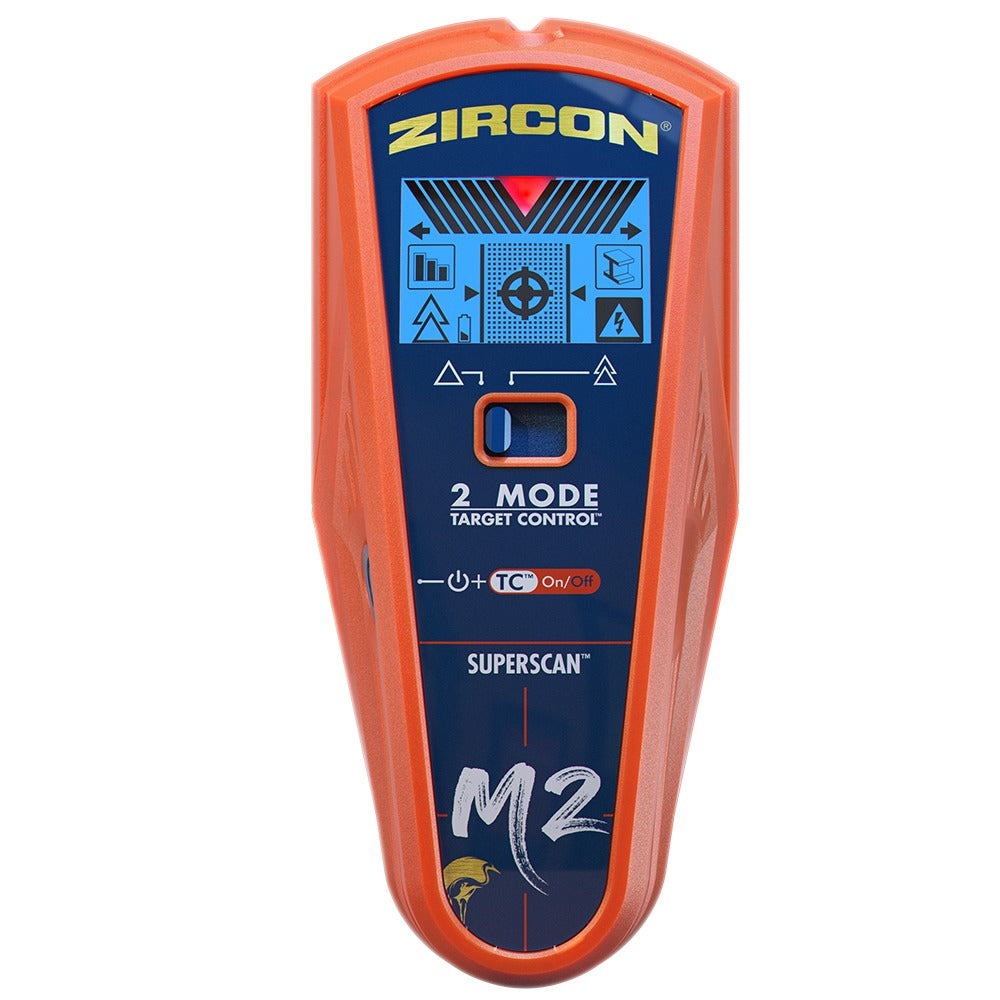
Your needs, this model
Does it fit your priorities?
Can M2 keep both center and edge cues at its 1-1/2-inch DeepScan limit?
The manual describes center, edge and direction indicators for DeepScan to a stated 1-1/2 inches, but separately warns that edges may not appear through surfaces thicker than 3/4 inch. If paired cues are essential through a thick wall, treat that as a real limitation rather than a guaranteed feature.
Explore this need in the finder →Does the M2's WireWarning confirm that a proposed hole is safe?
No. The warning is for some live, unshielded AC wires, with limits for depth, conduit, concrete, metallic coverings, plywood shear walls and moisture. Use other evidence, turn off utilities and never infer safety from a missing alert.
Explore this need in the finder →Is the M2 a lath-and-plaster finder because it has DeepScan?
No. The model-specific instructions say the M2 is not designed to scan lath and plaster. A deeper drywall mode does not extend that documented surface range.
Explore this need in the finder →The SuperScan M2 is an earlier Zircon model with three stud modes rather than the M1's two. Its meaningful distinction is a separate DeepScan setting with a stated 1-1/2-inch (38 mm) stud limit. That number is not the whole buying answer: the manual warns that DeepScan may not find stud edges on surfaces thicker than 3/4 inch. If both edges and center are essential, the M2's published deeper mode needs to be read alongside that limitation, not as a promise of full cues through every wall. This is a source-based assessment of the exact U.S. M2 manual and data sheet, not a hands-on test.
Three modes, with different jobs
Target Control (TC) is tuned for wood studs. Zircon says it filters metal and weak-signal false positives while showing center, edge and direction cues up to 3/4 inch on standard single-layer drywall. The LoLevel indicator is meant to draw attention to weaker signals, but it does not name the object. In TC, the manufacturer describes a “Trust but Verify” technique that follows likely fasteners vertically; it may help distinguish a wood-stud pattern from some other signals, but it is not an electrical or plumbing clearance check.
StudScan uses the same selector position as TC but changes the electronic task: with TC off, it covers wood and metal studs to the same 3/4-inch maximum. That broader target range can matter for metal framing, while making metal pipes or other objects harder to distinguish from a stud. M2 also has a MetalliWarning indicator that the data sheet says turns on for metal objects in all modes. That alert is not a separate Metal Scan function or a guarantee that the tool has identified a hidden object's purpose.
DeepScan is the third mode and the actual reason to compare the M2 with the M1. It is specified for wood and metal studs up to 1-1/2 inches. The manual describes center, edge and direction indications, but warns that on surfaces thicker than 3/4 inch the device may not find edges. Use the number as a model-specific ceiling for comparing plans, not proof of a reading at that depth or of reliable paired cues through a thick wall.
Scan in stages and cross-check signals
The instructions start with TC for standard single-layer drywall. Hold the tool flat against the surface, keep it still while the one-to-two-second calibration completes, then slide slowly while holding power. Mark edges and center, repeat at another height and compare the pattern. For metal studs, switch to StudScan. For a thicker assembly, DeepScan is a different setting—not a reason to skip calibration, the shallow comparison or other construction clues.
Repeated, plausible spacing can help interpret a density signal, but it cannot by itself identify the material behind a wall. Pipes, wires and metal may produce readings; nearby drywall screws, nails, studs and fire stops complicate patterns. The manual's fastener-mapping advice is additional evidence, not permission to drill. Check plans, visible utility routes, outlet locations and both sides of a wall where possible. Zircon's operating instructions warn against relying exclusively on the tool before penetrating a surface.
Surface and wiring limits are part of the fit
The M2 manual says the tool is not designed for lath and plaster. For very textured surfaces or acoustic ceilings, it describes placing thin cardboard over the uneven surface and using DeepScan; for wood flooring, subflooring or drywall over plywood, it directs using DeepScan and moving slowly. It also says the tool cannot scan studs or joists through carpet and padding. Dry wallpaper or fabric may be usable if it is not wet or metallic; newly applied coverings and paint need time to dry. These are instructions for particular conditions, not a broad claim of support for every surface.
WireWarning is an extra alert for some live, unshielded AC wires, stated up to 2 inches (50 mm) under typical conditions. The manual lists depth, concrete, conduit, metallic wall coverings, plywood shear walls and moisture as possible reasons it may not detect a wire. M2 has no separate AC Scan mode. Turn off utilities before penetrating a surface, and never treat the lack of an alert as proof of safety.
What M2 does not establish
The M2 runs on one 9V alkaline battery, which the data sheet says is not included. Its support documents identify a standalone M2 device but do not state a retail SKU or establish which seller package is offered. In the current U.S. product collection checked for this review, M2 does not appear among the listed models and its old product route returns to that collection; the M2-specific U.S. manual and data sheet remain in Zircon's support indexes. It is therefore treated here as an earlier-model reference. That status does not prove there is no remaining or used stock. Check the M2 label, battery condition, seller return terms and exact included items before considering any offer; do not substitute a similarly named M1, M3 or M4.
The M1 is the shallower sibling: its TC and StudScan modes are both stated to 3/4 inch and it has no documented DeepScan. Current-reference M3 and M4 are separate model identities with their own mode combinations; neither their settings nor the M2's deeper ceiling should be transferred to another unit.
Primary-source checks
Read the Zircon SuperScan M2 U.S. instructions (P/N 71530) together with the M2 data sheet. Zircon's U.S. instructions index retains the exact model documentation; the current U.S. Stud Finders collection provides the comparison point for today's listed models. No package claim, seller availability, price or measured performance is inferred.
Key specifications
Key details at a glance
| Maximum stated stud depth | 1.5 in |
|---|---|
| Depth qualification | Target Control and StudScan are stated to 3/4 inch (19 mm); DeepScan has a separate 1-1/2-inch (38 mm) stud maximum. The manual warns that edges may not be found through surfaces thicker than 3/4 inch. These are mode-specific ceilings, not guaranteed readings through a particular wall. |
| Documented scan modes | ['Target Control TC', 'StudScan', 'DeepScan'] |
| Center and edge indication | Yes |
| Live-wire meter | Yes |
| Battery requirement | One 9V alkaline battery |
Use the exact model’s instructions for operating limits, supplied equipment and version differences.
Sources for this review
Sources for this assessment
- SuperScan M2 U.S. instructions, P/N 71530 Rev B 11/20
- SuperScan M2 U.S. data sheet, GF-4452 Rev A 11/20
- Zircon U.S. Product Instructions index; M2-specific manual and image listing
- Zircon U.S. Product Data Sheets index; M2-specific sheet and image listing
- Zircon U.S. Stud Finders collection, 36-item listing checked for current model status
- Attempted exact U.S. SuperScan M2 product route; HTTP 301 to the current Stud Finders collection
- Exact SuperScan M2 front product image linked by the U.S. instructions index

Check this model against your wall
Use the finder to compare documented surface limits, center/edge indications and other requirements. A match is not a safety certification.