
Your needs, this model
Does it fit your priorities?
When should an M1 user switch from Target Control to StudScan?
Target Control is tuned for wood and filters metal and weak signals. Use conventional StudScan when metal studs must be included, but treat metal pipes, wiring and other targets as possible false positives and repeat the scan at another height.
Explore this need in the finder →Can M1 meet a stated 1-inch stud-depth minimum?
No. Both M1 stud modes are stated only to 3/4 inch. M2 adds a separate 1-1/2-inch DeepScan claim, but its instructions warn that edge cues may disappear on surfaces thicker than 3/4 inch; compare that limitation with the job rather than borrowing M2's range for M1.
Explore this need in the finder →Does M1 WireWarning tell me a drilling location is safe?
No. It alerts to some live, unshielded AC wiring, but its manual warns that depth, conduit, concrete, shielding, plywood shear walls and moisture can prevent detection. Use other building information and turn off utilities before penetrating a surface.
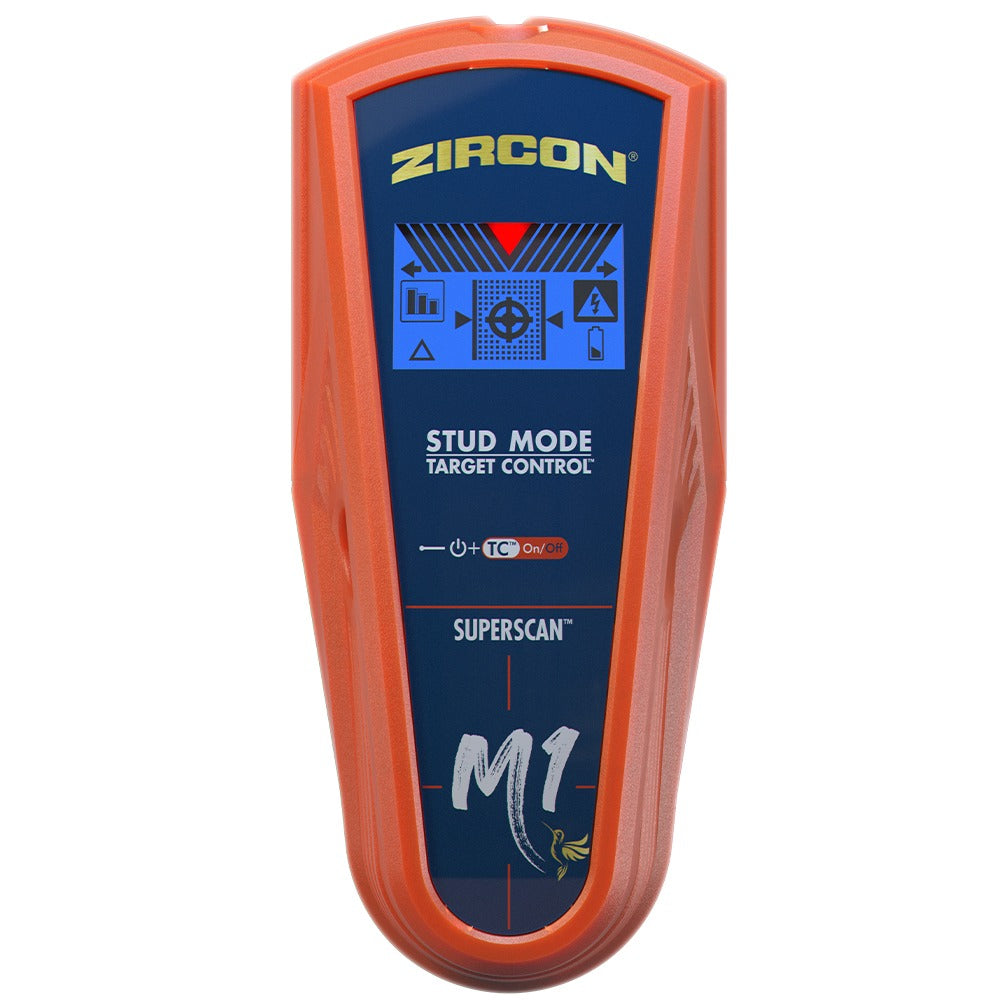
Explore this need in the finder →The SuperScan M1 is best understood as a narrowly specified, earlier electronic finder rather than a general wall scanner. Zircon's U.S. instructions describe two stud modes, center-and-edge indicators and a 3/4-inch (19 mm) maximum in both modes. That makes the first shopping question straightforward: does a shallow drywall workflow suit the wall, or do you actually need a deeper mode the M1 does not have? This assessment is based on the model-specific U.S. instruction sheet, data sheet and current support index; it is not a hands-on test.
Two modes, one shallow ceiling
Target Control (TC) is the wood-focused option. The manufacturer says it filters metallic and weak-signal targets while locating wood-stud center, edges and direction through standard single-layer drywall, up to its stated 3/4-inch depth. Its LoLevel indicator can flag weaker signals such as plastic plumbing or a deeper stud, but that cue does not identify an object. TC's “Trust but Verify” routine looks for changes in the stud indications while scanning vertically over suspected fasteners. It is an additional clue about metal on a likely wood stud, not proof that the remaining area is safe to drill.
Conventional StudScan changes the target task: the manual includes both wood and metal studs, again to 3/4 inch, and provides center, edge and direction cues. Metal pipes, conduit or other nearby targets can also produce a response, so the broader mode is not a metal-identification function. It is a better fit than TC only when metal framing is actually part of the job and the extra ambiguity is understood. The M1 does not have a documented DeepScan, standalone Metal Scan or AC Scan setting.
A careful scan matters more than a feature label
The manual's operation sequence is simple but specific. Place the body flat against a standard dry wall area, hold it still while it calibrates for roughly one or two seconds, then move slowly while holding the power control. Start in TC, mark the edge and center indications, and repeat at a second height. M1 changes from TC to StudScan when the power control is released and pressed again; the blue backlight distinguishes TC from the unlit StudScan display. Consistent vertical readings and plausible spacing support an interpretation, but density changes alone cannot tell you whether a signal is a stud, pipe or wire.
For a likely wood stud, the maker's vertical fastener-mapping approach can add context: scan up and down the marked path in TC and note where indicators change over screws or nails. That technique assumes typical drywall fastening and does not locate every hidden hazard. Check visible plumbing and wiring routes, plans, outlets and the reverse side of the wall where possible. A stud finder should not be the only evidence used before cutting, drilling or nailing.
Know the surface and electrical limits
The M1 manual says the tool is not designed for lath and plaster, highly textured walls or acoustic ceilings. It also says it cannot scan for studs through wood flooring, subflooring, drywall over plywood sheathing, carpet or padding. Dry wallpaper or fabric is a different case: the instructions say it generally works unless the covering contains foil or metallic fibers or is still wet. Fresh paint may need a week or longer to dry. These are model-specific instructions, not a general promise for every painted or layered wall.
WireWarning is an added alert for some live, unshielded AC wiring, with a stated maximum of 2 inches (50 mm) under typical conditions. Zircon lists ways the cue may fail, including wires deeper than that, conduit, concrete, metallic coverings, plywood shear walls and moisture. There is no separate AC Scan mode to map a conductor, and the absence of a warning is not evidence that a wall is clear. Follow the manual's direction to turn off electrical, gas and water supplies before penetrating a surface, and use other reliable information.
How it differs from M2 and later SuperScans
The M2 is not an interchangeable name for the M1: its separate DeepScan mode has a 1-1/2-inch (38 mm) stated stud maximum, while the M1 has no deeper mode. The M2 manual cautions that it may not find edges on surfaces thicker than 3/4 inch, so its depth claim should not be read as a guarantee of paired edge-and-center cues through a thick wall. Later current-reference SuperScan M3 and M4 are distinct U.S. models with additional mode sets. Compare each model's own switches and manual rather than carrying a feature from one generation into another.
Model status deserves the same care. The U.S. support indexes still publish M1-specific instructions and a data sheet, but the checked U.S. Stud Finders collection did not list M1, and the old direct product route returned no product page. The manual identifies the tool by model, not by a retail SKU or a seller's box contents. Treat this as an earlier-model fit reference, not confirmation that a particular offer exists; if considering a used or remaining-stock unit, match the body label and check condition, battery compartment and any included items separately.
Primary-source checks
For the exact operating sequence and restrictions, consult the Zircon SuperScan M1 U.S. instructions (P/N 72290) and M1 data sheet. The U.S. instructions index retains the model-labelled manual and image; the current U.S. finder collection is useful for distinguishing the products still presented there from earlier references. No test result, retail price, current seller inventory or package contents is inferred from these sources.
Key specifications
Key details at a glance
| Maximum stated stud depth | 0.75 in |
|---|---|
| Depth qualification | Both documented stud modes are stated to locate studs up to 3/4 inch (19 mm) deep. The number is a maker-stated maximum, not a promise through a particular wall. M1 has no documented DeepScan mode. |
| Documented scan modes | ['Target Control TC', 'StudScan'] |
| Center and edge indication | Yes |
| Live-wire meter | Yes |
| Battery requirement | One 9V alkaline battery |
Use the exact model’s instructions for operating limits, supplied equipment and version differences.
Sources for this review
Sources for this assessment
- SuperScan M1 U.S. instructions, P/N 72290 Rev A 09/21
- SuperScan M1 U.S. data sheet, GF-4248 Rev A 11/20
- Zircon U.S. Product Instructions index; M1-specific manual and image listing
- Zircon U.S. Product Data Sheets index; M1-specific sheet and image listing
- Zircon U.S. Stud Finders collection, 36-item listing checked for current model status
- Attempted exact U.S. SuperScan M1 product route; HTTP 404 response preserved
- Exact SuperScan M1 front product image linked by the U.S. instructions index

Check this model against your wall
Use the finder to compare documented surface limits, center/edge indications and other requirements. A match is not a safety certification.