
Your needs, this model
Does it fit your priorities?
Can Target Control find metal studs?
No. Target Control is tuned to wood and filters metallic signals; switch to conventional StudScan when metal studs must be included. Both stud arrangements are stated to 3/4 inch, and metal objects can resemble studs in StudScan.
Explore this need in the finder →What does DeepScan add on the K4?
DeepScan raises the stated stud ceiling from 3/4 inch in Target Control/StudScan to 1-1/2 inches. The manual warns that edge cues may not appear on surfaces thicker than 3/4 inch and that a deeper response may not be a stud.
Explore this need in the finder →Does Target Control prove a spot is safe to drill?
No. The fastener-mapping technique is only an extra clue under the manual's assumptions about screws, nails and protector plates. Plastic plumbing or hidden wiring can still be present, and WireWarning cannot certify that a wall is safe.
Explore this need in the finder →The Zircon SuperScan K4 is a multipurpose electronic wall scanner whose five named detection arrangements share a four-position selector. The current U.S. product page identifies SKU 71228; its linked English instructions are P/N 71225, Revision A, September 2020. The important distinction is not just that it has several modes: the wood-filtering Target Control and conventional StudScan modes share a switch position and are selected through different button sequences. The source documentation describes those differences; this review is not a hands-on test.
Target Control is a wood-focused scan, not the universal mode
Zircon says to begin on standard, single-layer drywall in Target Control. It reports a wood-stud center, edges and direction to a stated 3/4 inch (19 mm), while filtering metallic signals. A pale-blue display, crosshairs, edge indicators and the separate LoLevel and MetalliWarning cues add context to the response. That combination is useful when screws, straps or nearby metal would otherwise confuse the search, but it is not object recognition: low-signal objects such as plastic plumbing can still matter.
Conventional StudScan is different. The manual switches Target Control off with a button sequence and says StudScan indicates both wood and metal studs, also to 3/4 inch. A metallic signal in this mode can resemble a stud. The K4 therefore offers a choice between filtering metal for a wood-oriented reading and including metal framing in the normal stud scan. Its four-position switch does not make those two arrangements interchangeable.
Keep the deeper and target-specific modes separate
DeepScan is the K4's separate higher-sensitivity stud mode, with a stated maximum of 1-1/2 inches (38 mm). The manual describes center, edge and direction indications, but also cautions that it may not find edges through surfaces thicker than 3/4 inch. Read that limitation alongside the maximum rather than assuming the full edge pattern persists at the deepest point. Zircon recommends mapping repeatable signals at several wall heights and checking them against other evidence; greater depth does not identify the hidden object.
Metal Scan locates metal targets rather than studs: the manufacturer gives up to 3 inches for ferrous metal and 1-1/2 inches for non-ferrous metal. AC Scan is another separate mode, for live, unshielded AC wiring, with a stated maximum of 2 inches. WireWarning is an added alert during the scan modes, but its detection limits include depth, shielding, conduit, moisture and wall construction. These mode-specific distances should not be substituted for a wood-stud depth or a safety check.
Use “Trust but Verify” as a narrow clue
The manual describes a technique in Target Control that maps the stud vertically and looks for the stud indicators to disappear over fasteners, then return in a clearer section. Under the instructions' assumptions, that pattern can help distinguish a wood member from adjacent drywall screws, nails or protector plates. It does not prove that a spot is safe to drill. The instructions specifically note that a nonmetallic object such as plastic plumbing may not carry those fasteners, and they warn against relying on the scanner alone. Shut off utilities before penetrating a surface and use other information about wiring, pipes and wall construction.
Surface and setup limits still matter
Install a fresh 9V alkaline battery; the official shop page says it is not included. Keep the tool flat during calibration, wait for the beep, scan slowly and repeat the map. The manual recommends indoor use and explains that moisture, mineral content, texture and inconsistent materials can change sensing. It says plaster irregularities make stud finding difficult in every stud mode; Metal Scan may locate wood-lath nails as an indirect clue, but metal mesh prevents stud detection. The manual also says it cannot scan studs through carpet and padding. None of these limitations is repaired by the K4's extra modes.
Where it fits in the K-series
The reviewed SuperScan K1 also pairs Target Control with conventional StudScan, but its documented stud plans stop at 3/4 inch and it has no separate DeepScan, Metal Scan or AC Scan. K4 adds those target-specific choices, plus its signal and warning indicators; they are useful only when the intended wall and scan task match the instructions. The K4 is not a substitute for a different product's dedicated edge display or a professional utility check. Confirm the exact K4 name, SKU 71228, manual and package before purchase, and treat its stated maxima as comparison limits rather than guaranteed readings through a particular wall.
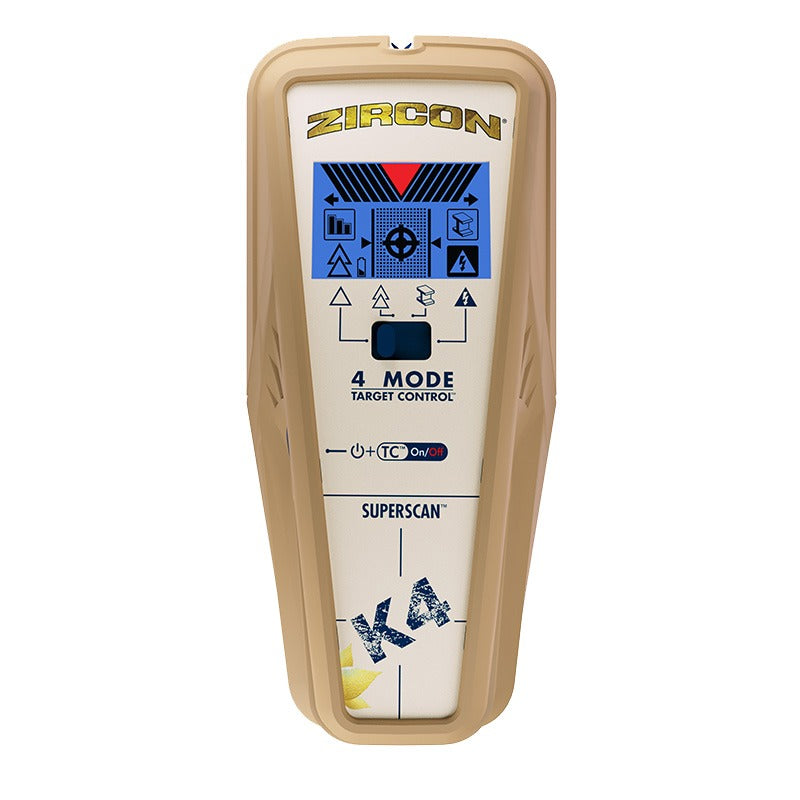
This is a source-based assessment of the documented configuration, not an ownership report or an accuracy test. The official product photograph shows the K4's housing and display artwork; it is not a scan result.
Key specifications
Key details at a glance
| Maximum stated stud depth | 1.5 in |
|---|---|
| Depth qualification | Target Control and StudScan are each stated to 3/4 inch (19 mm); DeepScan is separately stated to 1-1/2 inches (38 mm). Although the manual describes center, edge and direction cues in DeepScan, it warns edges may not register through surfaces thicker than 3/4 inch. Metal Scan and AC Scan distances are target-specific and are not stud depth. |
| Documented scan modes | ['Target Control TC', 'StudScan', 'DeepScan', 'Metal Scan', 'AC Scan'] |
| Center and edge indication | Yes |
| Live-wire meter | Yes |
| Battery requirement | One 9V alkaline battery |
Use the exact model’s instructions for operating limits, supplied equipment and version differences.
Sources for this review
Sources for this assessment

Check this model against your wall
Use the finder to compare documented surface limits, center/edge indications and other requirements. A match is not a safety certification.