
Your needs, this model
Does it fit your priorities?
What does the SuperScan ID's color display actually tell me?
The instructions assign green to high-density nonmetal such as wood, blue to metal, yellow to low-density or farther-away objects, and red to live unshielded AC. Treat these as signal categories, not a promise of unique object identification; map readings and compare other evidence before cutting.
Explore this need in the finder →Does SuperScan ID require switching between separate stud and wire scan modes?
No. Its One Touch arrangement reports wood and metal stud cues and alerts for some live AC and low-density objects in one scan mode. That convenience does not remove the need to interpret the response or check a wall independently.
Explore this need in the finder →Is the red AC indication proof the rest of the wall is safe?
No. The manual warns that unpowered, shielded, deeper and otherwise obscured wires can be missed. Use other information, turn off utilities before penetrating a surface, and do not interpret a quiet scan as clearance.
Explore this need in the finder →The SuperScan ID is a wall-scanner choice for someone who would rather read several kinds of signal in one pass than choose among separate stud, metal and AC modes. Zircon's U.S. product listing identifies this exact edition as SKU 74128; its linked English instructions are labelled P/N 74132, Rev A from May 2024. The product SKU and document number are distinct identifiers, not evidence that the tool is a different model. This is the ID model, not a SuperScan M3, M4 or K1.
One scanning arrangement, several signal classes
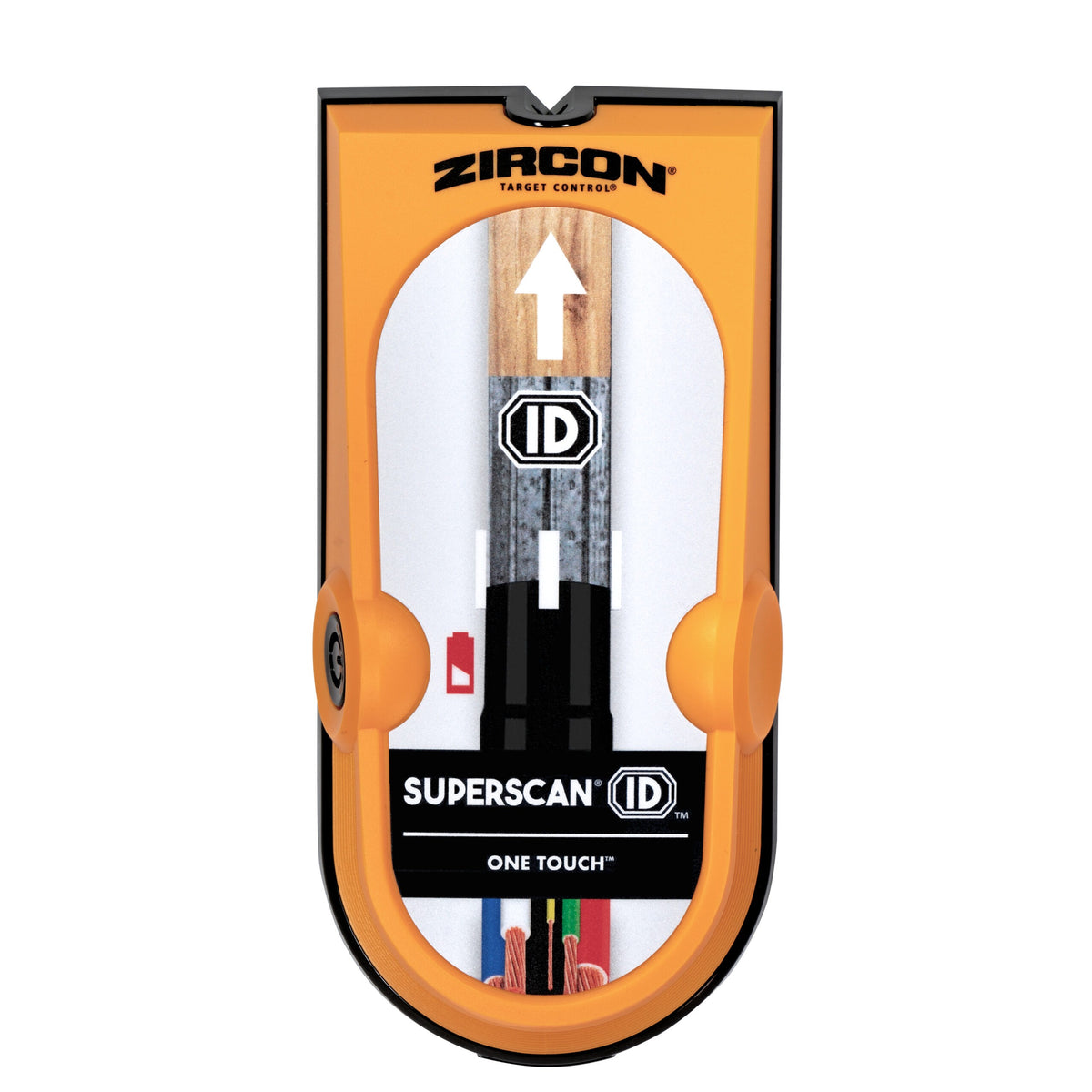
Unlike scanners that require a mode switch before changing targets, the ID uses One Touch technology. The manual describes a single scan arrangement that can indicate wood and metal studs, low-density objects and live unshielded AC wiring. Its center and left/right edge bars, SpotLite pointer and vibration give location cues. The four-color display then sorts the signal into broad categories: green for high-density nonmetal such as wood, blue for metal, yellow for low-density or farther-behind objects, and red for live AC.
That is a useful way to organize a scan, but it is not an x-ray image. The maker explicitly warns that other objects can be detected and that green does not establish that a target is a stud. Yellow can reflect a low-density item or something farther behind the surface; a blue response may be a screw, plate, pipe or metal stud. If the tool reports a line, repeat it, follow the manual's wall-mapping advice at another height, and use building information and visible utility routes rather than treating a color as a material certificate.
What the depth figure does—and does not—settle
The product page and instructions give the ID a maximum stud-scan depth of 1½ inches (38 mm), with both center and edge indications. That is its stated ceiling, not a promise that a particular wall assembly will produce a usable center at that distance. Moisture, surface texture, paint, wall contents and construction all affect sensing. The manual says the scanner is for indoor use and is not designed for lath and plaster; that is an important distinction from models whose makers give a conditional plaster procedure.
Setup is comparatively simple but not optional. Install two new or unused alkaline AA batteries, place the scanner flat against the surface, press and release the power button, and wait for the calibration sequence before moving. The instructions advise a slow pass and a retraced scan to refine the indication. They also tell users not to touch the wall with the free hand during calibration or scanning, and to map the same target at several heights. The product page says the batteries are not included, so verify the exact offer's package rather than assuming a spare set comes in the box.
Wire alert is not a safe-to-drill signal
The ID's red live-AC display and WireWarning are continuous alerts within the One Touch workflow rather than a separate AC Scan mode. That is convenient when comparing target signals, but it does not remove electrical uncertainty. Zircon's instructions say inactive wires or wiring more than 2 inches behind the surface may not be detected, and name conduit, plywood, metallic coverings and moisture as other conditions that can hide AC activity. A blank display is therefore not clearance. Turn off utilities before penetrating a surface and use other evidence or a qualified professional when the work warrants it.
Where it fits among other Zircon scanners
The ID's point of difference is the combined, color-coded single mode. The SuperScan M3 and M4 instead make the user choose among Target Control, StudScan, DeepScan and Metal Scan; the M4 adds AC Scan, while the M3 does not. MultiScanner A250 also separates StudScan, DeepScan, Metal Scan and AC Scan, with an extra WireWarning cue during stud and metal work. Those products ask the user to select a task more deliberately. The ID reduces that switching, but its broad display still needs interpretation and its one published stud ceiling is not a wall guarantee.
Practical assessment
Consider this model when interior drywall is the job, both center and edge marks are useful, and seeing distinct signal categories in the same pass is more valuable than a dedicated plaster capability. Think twice if you need documented use on old plaster, tile, exterior cladding, metal mesh or another unusual surface. Also decide whether a color-coded response helps you work carefully or risks making an uncertain reading look more definitive than it is. The manufacturer's own instructions call for a “trust but verify” approach: map the wall, look for repeated geometry, use other sources, and do not rely exclusively on the scanner before drilling.
This assessment is based on the exact manufacturer product page and its linked English instructions, checked October 31, 2026. No physical sample was tested, and no claim is made about hands-on accuracy, ownership, a seller's stock, price or package beyond the maker's stated two-AA requirement.
Key specifications
Key details at a glance
| Maximum stated stud depth | 1.5 in |
|---|---|
| Depth qualification | The page, instructions and data sheet state center/edge stud finding up to 1 1/2 inches. Moisture, material content, wall texture and paint affect depth; this is a maker ceiling, not a guaranteed reading. |
| Documented scan modes | ['One Touch single scan mode'] |
| Center and edge indication | Yes |
| Live-wire meter | Yes |
| Battery requirement | Two AA alkaline batteries |
Use the exact model’s instructions for operating limits, supplied equipment and version differences.
Sources for this review
Sources for this assessment
Check this model against your wall
Use the finder to compare documented surface limits, center/edge indications and other requirements. A match is not a safety certification.