
Your needs, this model
Does it fit your priorities?
What does the Pro25 indicate when it reaches a stud?
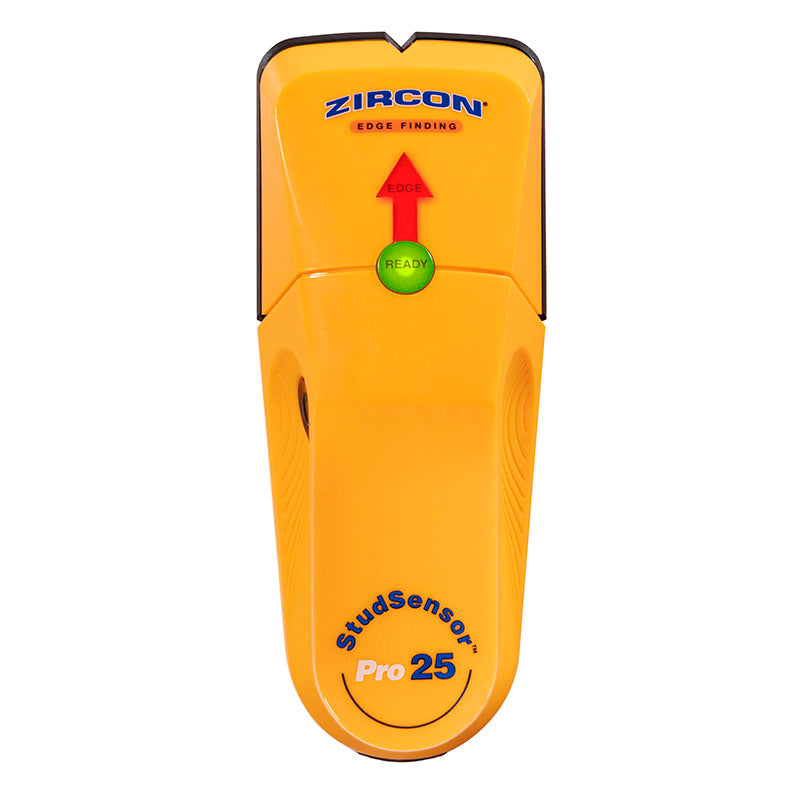
The exact page and instructions describe an EDGE light, audible cue and SpotLite pointer for the stud edges. Scan from both directions to mark both boundaries; the tool does not identify every object behind the wall.
Explore this need in the finder →Does its 3/4-inch figure mean it meets a 0.8-inch minimum?
No. The manual states up to 3/4 inch (0.75 inch) for the one StudScan mode. It is inside a 0.7-inch minimum but falls below 0.8 inch; the figure is not a guarantee on a specific wall.
Explore this need in the finder →Does Pro25 add a live-wire warning?
No WireWarning feature is documented for Pro25 in its exact page comparison or feature list. Do not infer that wiring is absent from an unlit wall; turn off and independently verify services before penetration.
Explore this need in the finder →The Zircon StudSensor Pro25 is a narrow-purpose electronic finder: the exact U.S. product page lists one StudScan mode, an EDGE light, a SpotLite pointer and an over-the-stud alert. The linked instructions state an edge-finding maximum of 3/4 inch (19 mm). They do not turn that figure into a promise for a particular wall, and they do not document a center display, a deeper mode or a live-wire warning. This review is based on the manufacturer’s product page and instructions, not on hands-on use or a comparative test.
What the Pro25 is designed to show
Pro25 reports a changing response at an edge rather than naming an object behind the wall. When the EDGE light and pointer illuminate, mark that boundary, continue until the cue clears, then reverse and locate the opposite edge. The midpoint between two marks is a useful estimate of a stud center, but it is your calculation—not a center indication displayed by the tool. A pipe, wire, patch or other density change can produce a response that resembles a stud, so the instructions recommend mapping several heights and checking for a repeatable vertical pattern.
The studied configuration has only the StudScan mode. Its 3/4-inch value is a stated ceiling, not a guaranteed result through every board, skim coat, wallpaper, paint layer or irregularity. The manual says sensing depth and accuracy can vary with mineral content, moisture, texture and consistency. It also cautions against starting over a stud: the tool may give a continuous beep, in which case the scan should be restarted at another position.
Calibration and marking are part of the method
The manual’s routine is simple but not instantaneous: hold the tool flat so the rear pads contact the wall, press and hold the power button, and keep the unit still while it calibrates. Then slide slowly without lifting or tilting. The EDGE arrow, SpotLite and sound offer redundant cues for the same boundary; they do not independently verify what the wall contains. On a rough, uneven surface, Zircon suggests a thin piece of cardboard to help the tool move smoothly. Repeat the scan at a different height rather than making a decision from one pass.
The product page and instructions identify a required 9V alkaline battery. The page does not settle whether every seller package includes it, so check the exact offer rather than assuming a battery is in the box. The manual asks for a fresh alkaline cell with a sufficiently distant expiration date, which matters because calibration and indication depend on a powered tool.
Surface limits are a real tradeoff
Pro25 is for interior use and is not recommended for lath-and-plaster walls. Its instructions also exclude tile, slate, granite, marble and other rock, carpet and padding, damp new paint, metallic-fiber wallpaper, foil-covered insulation, glass or other dense surfaces, and bathroom inserts. Dry wallpaper or fabric may be usable when it has no metallic material and is no longer wet; an uneven surface calls for the manual’s cardboard procedure. Those are specific qualifications, not a broad difficult-surface rating.
That boundary matters more than the shape of the housing. A finder that reacts to density changes can miss a target or react to an unintended one if the wall construction is outside its instructions. If the surface is unknown, investigate the layers before choosing a tool. A Pro25 response cannot tell you whether a line is framing, conduit or piping, and should not be the only basis for penetrating a wall.
Where it sits beside the Pro35 and Pro45
The Pro35 keeps an edge-only StudScan ceiling of 3/4 inch but adds WireWarning for live unshielded AC, with an explicit two-inch typical-wall limit and blind spots. Pro45 retains an edge-only output and adds a separate 1 1/2-inch DeepScan mode as well as WireWarning. The Pro25 page comparison lists no WireWarning for this model, so a buyer who requires an electrical alert should compare the Pro35 or Pro45 instead. Pro45’s extra depth is a separate setting, not a reason to select it automatically for every drywall scan.
These are capability distinctions rather than claims about which tool is more accurate in an actual home. A center-capable finder may better suit a user who wants a displayed center cue; Pro25 is not that model. For ordinary interior drywall and a basic edge-marking workflow, Pro25 covers the documented shallow task without the additional mode complexity, but its missing center and wire cues may be decisive limitations for another project.
Checks before choosing an offer
Match the exact StudSensor Pro25 name and SKU 73987. Similar names in the same family do not establish that a listing contains the same model. The current product page and its linked manual use different identifiers in the PDF filename and printed manual footer, so check that the actual tool and instructions identify Pro25. Confirm the required 9V battery, return terms and any seller-specific extras. No package contents beyond the manufacturer’s model identity are assumed here.
The practical case for Pro25 is modest and clear: it reports edges on a dry interior wall within a stated 3/4-inch maximum, with a light, pointer and sound. Its limits are equally clear: no deeper setting, no displayed center, no documented live-wire meter and no recommended plaster use. Repeatable mapping and independent utility checks remain necessary even when the tool gives a clean indication.
Key specifications
Key details at a glance
| Maximum stated stud depth | 0.75 in |
|---|---|
| Depth qualification | The exact Pro25 product page and linked instructions state up to 3/4 inch (19 mm) for StudScan. This is a maximum, not a wall-specific result guarantee. |
| Documented scan modes | ['StudScan'] |
| Center and edge indication | No |
| Live-wire meter | No |
| Battery requirement | One new 9V alkaline battery is required. |
Use the exact model’s instructions for operating limits, supplied equipment and version differences.
Sources for this review
Sources for this assessment
Check this model against your wall
Use the finder to compare documented surface limits, center/edge indications and other requirements. A match is not a safety certification.