
Your needs, this model
Does it fit your priorities?
Does the HD25 show the center of a stud?
No. Its exact instructions describe an EDGE light and SpotLite pointer, not a center indicator. Mark both edges and use their midpoint only as an estimate, then compare the result at another height.
Explore this need in the finder →What depth does the HD25 document?
Zircon states up to 3/4 inch (19 mm) for the HD25 StudScan. The finder accepts 0.1-inch steps, so a 0.7-inch minimum is within that stated ceiling but 0.8 inches is not; wall material and finish can reduce real-world response.
Explore this need in the finder →Does the HD25 warn about live wiring or support plaster?
The exact HD25 page does not list WireWarning, and its instructions do not recommend lath-and-plaster use. Do not transfer either a warning feature or surface claim from the adjacent HD35 or other StudSensor model.
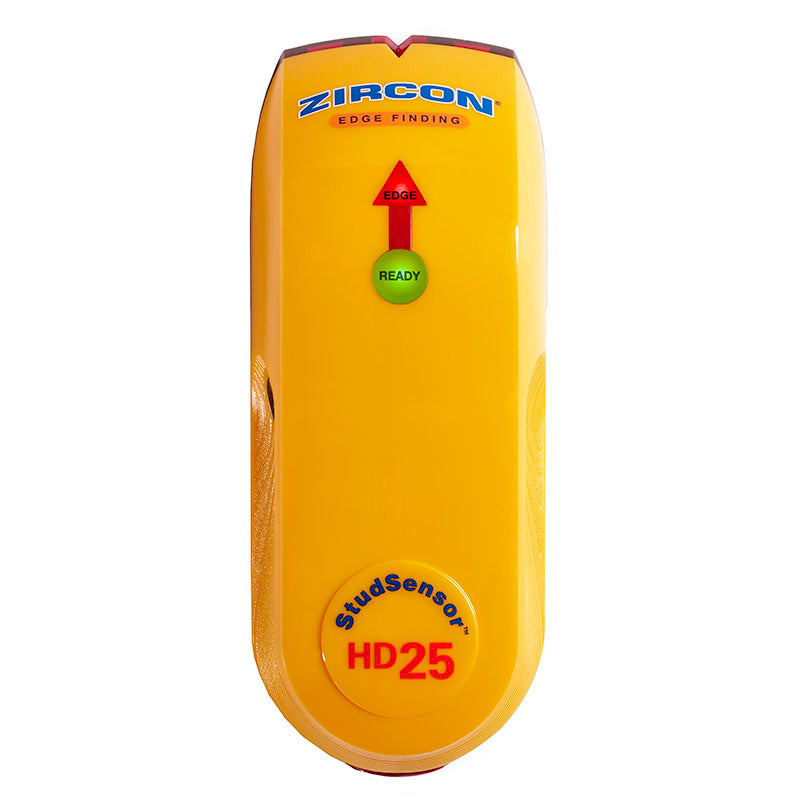
Explore this need in the finder →The Zircon StudSensor HD25 is a single-mode electronic edge finder for interior wall layouts. The current U.S. product page identifies it as SKU 72150; its matching P/N 72150 instructions describe a RED EDGE light, a green READY light and a SpotLite pointer rather than an LCD or center display. This assessment compares the maker's stated features and procedures. It is not a report of hands-on use, ownership or a performance test.
What an edge cue tells you
HD25's StudScan mode is specified to locate wood or metal stud edges up to 3/4 inch (19 mm) behind the wall. The indication is a boundary response: it is not a material-identification result. Zircon's instructions explain that the sensors react to density changes and that other objects can trigger the same kind of signal, especially when close to the surface. A pipe, wire, firestop or patch can therefore deserve more investigation than the indicator alone suggests.
The sensor does not show both edges at once or mark a center electronically. The manual's sequence is to find one boundary, continue until the signal clears, reverse direction and mark the other boundary. The midpoint between those marks is an estimate of a stud center, not a displayed center reading. For mounting work, the useful question is whether the pattern repeats at the intended fastener height and at another point along the likely member—not whether one light appears on a single pass.
Calibration and marking are part of the measurement
The instructions call for a fresh alkaline 9V battery, with polarity matched to the symbols in the compartment. Begin with the tool flat and still against the wall; hold its power button until READY illuminates, without moving during calibration. Then keep power pressed as the sensor travels slowly across the surface. When the red EDGE cue and SpotLite appear, mark that location lightly, continue beyond the response, and reverse to check the opposite side. If the tool starts directly over a stud and gives the manual's repeated-beep warning, relocate it and start again rather than treating that sound as a location.
Repeat the scan at more than one height. A likely stud should produce a coherent vertical pattern; plumbing and other objects can turn or stop. Compare the observed spacing with nearby framing only as corroboration, because openings and blocking can change the layout. Do not convert the maker's typical position-accuracy numbers into a promise for every wall. The manufacturer says sensing depth and accuracy vary with mineral content, moisture, texture and the consistency of materials.
Its surface range is intentionally ordinary
The HD25's published use is a dry interior wall, and its instructions expressly do not recommend lath-and-plaster scanning. The manual also lists ceramic tile, carpeting and padding, foil-covered insulation board, metallic-fiber wallpaper, glass and other dense materials, damp fresh paint and surfaces thicker than 3/4 inch as unsuitable or problematic. Those exclusions are important: the one stated depth is not evidence that the instrument can scan through every construction up to that thickness.
On an uneven painted surface or textured ceiling, the manual suggests a thin piece of cardboard to help the sensor slide smoothly. That is a handling aid, not a way to establish support for tile, plaster or dense layers. If the wall assembly is unknown, use building plans, visible service paths and a suitable independent check before marking a hole.
Choosing between HD25 and nearby models
The HD25's clearest advantage over the exact HD35 is not deeper stud detection: both product pages state the same 3/4-inch edge-finding ceiling. The HD35 adds WireWarning for certain live, unshielded AC conditions, but that warning is not a safety clearance. The HD55 keeps edge-only output and adds a separate DeepScan mode with a 1 1/2-inch stated maximum; a deeper signal may be something other than a stud. The HD70 OneStep adds center-and-edge display cues, WireWarning and two depth modes. These distinctions matter more than the family name or an offer's use of “HD.”
If an edge is all the layout requires and the wall is a standard dry interior surface, HD25's simpler light pattern may be adequate on paper. If the project needs a center cue, a live-wire warning, or a documented deeper mode, another model in the same line has a different supported feature set. None of those options proves a wall is safe or identifies every hidden material.
What to verify before buying or scanning
Check that an offer is the StudSensor HD25, SKU 72150, rather than the HD35, HD55 or HD70. The manufacturer says a 9V alkaline is required; the reviewed product page does not establish whether a particular seller package includes one, so check the package contents directly. Read the matching manual rather than relying on a generic “stud finder” description, especially if the wall has plaster, tile, foil or a fresh finish.
The HD25 is best understood as a basic edge-marking aid with one stated scan ceiling, one essential calibration routine and no documented live-wire warning. Its limits are straightforward, but the work still rests on repeated, consistent readings and separate service checks. Before penetrating a wall, turn off utilities as appropriate and confirm the location by other information. A quiet or clear sensor does not establish that no wire, pipe or other hazard lies behind the surface.
Key specifications
Key details at a glance
| Maximum stated stud depth | 0.75 in |
|---|---|
| Depth qualification | The exact product page and P/N 72150 instructions state up to 3/4 inch (19 mm) for StudScan. |
| Documented scan modes | ['StudScan'] |
| Center and edge indication | No |
| Live-wire meter | No |
| Battery requirement | One 9V alkaline battery |
Use the exact model’s instructions for operating limits, supplied equipment and version differences.
Sources for this review
Sources for this assessment
Check this model against your wall
Use the finder to compare documented surface limits, center/edge indications and other requirements. A match is not a safety certification.