
Your needs, this model
Does it fit your priorities?
Will the DIY 2 scan my planned surface?
The reviewed manufacturer page names drywall and plywood and excludes lath/plaster, concrete, tile, brick, metal-backed walls and stucco. A supported material is not a guarantee for every thickness or finish.
Explore this need in the finder →What does it show when scanning?
Walabot offers Images and Expert app views and describes center/edge interpretation. The phone display is evidence to cross-check, not a material identity or safety certification.
Explore this need in the finder →Does the four-inch figure mean it finds studs four inches deep?
No stud-specific maximum was established in the reviewed maker sources. The four-inch figure is a general object-depth ceiling and stays separate from the finder’s numeric stud-depth slider.
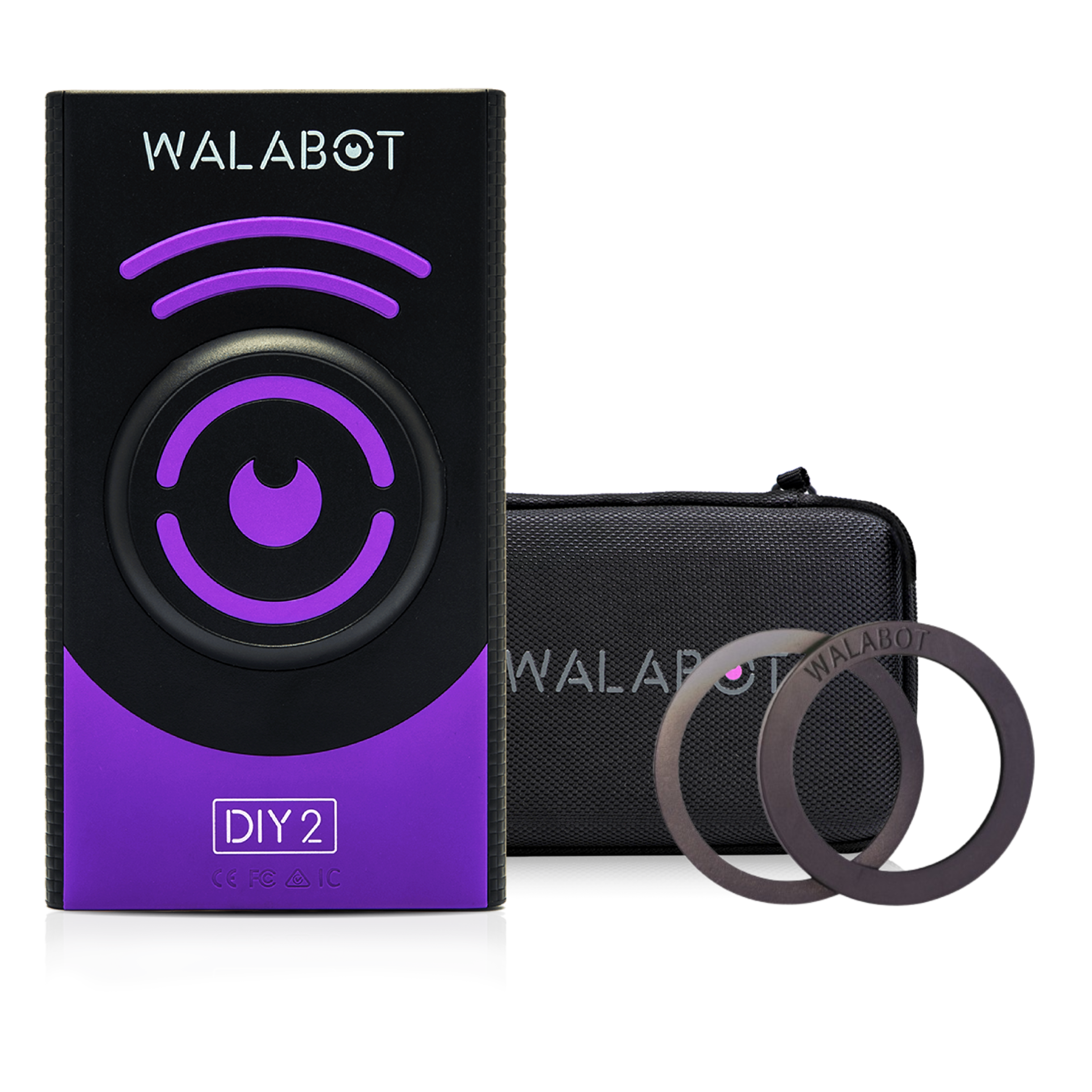
Explore this need in the finder →The Walabot DIY 2 Premium Bundle is listed as the DIY2BNDLP configuration. Its exact U.S. product page lists the DIY 2 scanner, protective case, USB Type-C charging cable, and Walattach MagSafe-compatible connector rings. This is the most accessory-complete of the three DIY 2 bundles, but it is still the same scanner: the added items change the package, not the sensing function or supported-surface list. This is an evidence-based review of the maker’s specifications, not a personal test.
Premium versus Essential and Deluxe
Walabot’s Essential Bundle includes the rings and cable but not the case; Deluxe includes the case and cable but not the rings. Premium includes both. That distinction is useful if you know you need the phone-attachment rings and a storage case in one package. If the rings are unsuitable for your handset or case, the premium accessories do not add scan value, and Deluxe may be the more appropriate package. Product photos are illustrative; verify the SKU and the manufacturer’s included-item list for the actual offer.
The device still requires a compatible phone and the Walabot app. No phone or wall adapter is listed in the Premium contents. The maker’s product description names the included charging cable as USB Type-C, so check what power adapter you already have rather than assuming one is supplied.
Image mode and Expert mode
The product page describes Images Mode as a graphical display of items such as wood studs, metal studs, pipes, and wires. Expert Mode displays raw radar data and is marketed for more complicated overlapping or intersecting responses. Walabot’s official guide explains that Expert Mode can help trace stud edges and locate the center. The phone’s screen is presenting a processed sensor interpretation; it is not a camera view of the wall cavity and does not identify every response with certainty.
Walabot states a maximum object-detection depth of up to four inches (10 centimeters). The reviewed source does not give a separate stud accuracy figure that holds at that ceiling. Treat the depth as a broad maximum to compare with other tools, not a guarantee for an individual stud or every wall assembly. A displayed edge or center should be checked with another pass and against the rest of the wall information.
Material limits do not change with the bundle
The exact DIY 2 product page lists drywall and plywood and explicitly rejects lath and plaster, concrete, tile, brick, metal-backed walls, and stucco. Premium’s case and connector rings do not extend the sensor’s approved surface range. If your intended job is on tile, old plaster, or an exterior construction, do not infer compatibility from the radar depth claim or from an accessory-heavy package.
Phone support is listed for Android 8.0 or later and iPhone 7 or later. The scanner’s own Wi-Fi network pairs with the phone, so a site router is not required. Manufacturer support recommends calibration when starting work on a new wall. The scanner’s rechargeable battery is charged through Type-C; maker support estimates four hours to charge and about three hours of scanning from full. Those are manufacturer estimates, not tested runtimes.
Separate scanning from safety checks
DIY 2 pages describe displaying pipes and wires, but the sources reviewed do not define a dedicated voltage-meter warning for the package. A graphical wire label should not be treated as an electrical verification tool. Likewise, an empty scan is not proof that wiring, plumbing, or other hazards are absent. Use suitable independent checks before penetrations and stop if the surface or results do not match the product’s documented use.
Assessment
Premium is the package for someone who will use both the phone-attachment rings and the protective case along with the DIY 2 device. It may be unnecessary if you want only a scanner or a case without rings. The underlying imaging remains limited to the manufacturer’s supported surfaces and depends on a compatible, charged phone. Before purchasing, confirm the exact DIY 2 SKU, handset and case fit, listed accessories, USB-C charging arrangement, seller terms, and current availability; do not infer that the bundle makes scanning safer or more universal.
Key specifications
Key details at a glance
| Depth qualification | Walabot states a general object-depth maximum of 4 in / 10 cm. The reviewed maker material does not give a separately qualified wood-stud depth maximum, so the numeric questionnaire field for stated stud depth remains unknown; no four-inch stud claim is inferred. |
|---|---|
| Documented scan modes | ['Images Mode', 'Expert Mode'] |
| Center and edge indication | Yes |
| Live-wire meter | No |
| Battery requirement | Built-in rechargeable battery; charge over USB Type-C. The maker estimates about four hours to charge and about three hours of scanning on a full charge; those are manufacturer estimates, not independent runtime tests. |
Use the exact model’s instructions for operating limits, supplied equipment and version differences.
Sources for this review
Sources for this assessment
- Walabot U.S. all-products collection, captured on 2026-10-31
- Walabot Walabot DIY 2 Premium Bundle exact U.S. product listing
- Walabot Walabot DIY 2 Premium Bundle public product data (.js endpoint)
- Walabot DIY 2 exact U.S. product page
- Walabot support: how DIY 2 works
- Walabot support: compatible phones
- Walabot support: wall materials
- Walabot support: power and charge estimates
- Walabot support: use without venue Wi-Fi
- Walabot support: calibration on a new wall
- Walabot guide: best stud finder and wall scanner
- Walabot guide: beam finder / Expert Mode
- Walabot exact Walabot DIY 2 Premium Bundle featured package image

Check this model against your wall
Use the finder to compare documented surface limits, center/edge indications and other requirements. A match is not a safety certification.