
Your needs, this model
Does it fit your priorities?
Is the Walabot DIY 2 M supported on my planned wall surface?
Walabot names drywall and plywood and warns against lath/plaster, concrete, tile, brick, metal-backed walls, and stucco. This does not guarantee performance for every thickness, finish, or assembly.
Explore this need in the finder →Will it show stud center and edges?
The M product page lists stud locations and centers, and Walabot’s M-specific guide names DIY 2 M Expert Mode for reading stud edges toward a center. The screen remains an interpretation aid, not a certified location.
Explore this need in the finder →Does the four-inch figure prove it can find studs at a four-inch depth?
No. The page describes a general object-depth ceiling. The reviewed M sources do not state a stud-specific numeric limit, so a numeric stud-depth answer remains unknown.
Explore this need in the finder →Which accessories come with this exact M package?
See the exact bundle contents on this review: package parts differ among base, Essential, Deluxe, and Premium, while the documented M scanner feature set is shared. Confirm the exact SKU and seller contents.
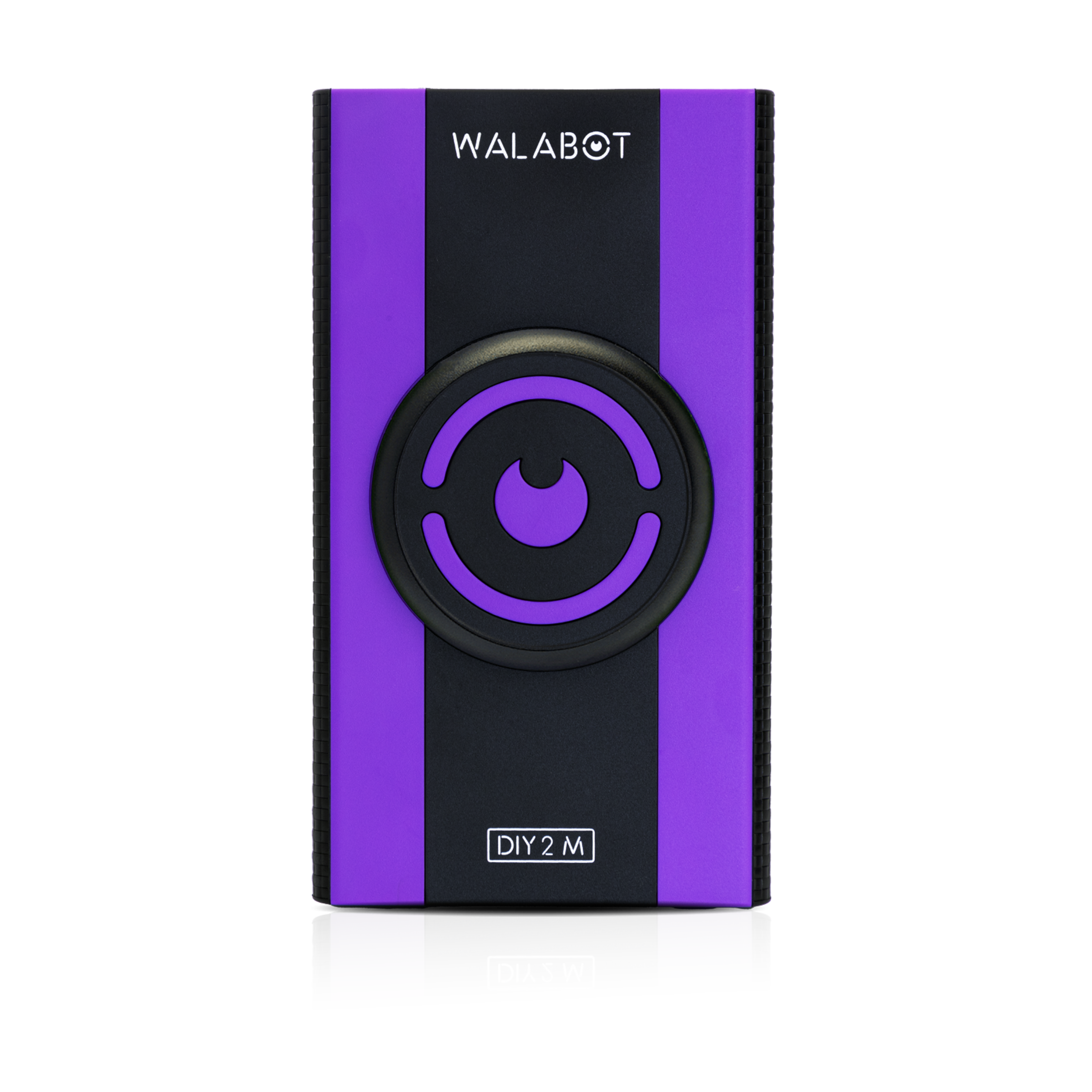
Explore this need in the finder →The Walabot DIY 2 M is the base U.S. configuration in the maker’s DIY 2 M line, identified in its public product data as SKU DCWG7BA02M. The listed package includes the scanner and a USB Type-C charging cable. This is a source-based assessment, not a hands-on test. The M designation is meaningful as an exact retail identity: Walabot’s support page says that, as of January 2026, DIY 2 M and DIY 2 share a feature set, but that statement does not prove identical exterior hardware or internal construction.
A phone is part of the tool
This is not a stand-alone beeper with an onboard screen. Walabot describes Images Mode as a graphical view of wood studs, metal studs, and pipes or wires; Expert Mode displays raw radar data for interpreting more complicated, intersecting responses. Both make the phone screen central to the workflow. The product listing says the scanner works with iOS and Android phones and communicates over Wi-Fi. Before choosing it, check that the current Walabot app supports your exact handset and operating-system version. The page lists a charging cable, not a phone or wall adapter, so treat those as separate compatibility and equipment checks.
What a four-inch claim does—and does not—tell you
Walabot states a maximum object depth of four inches (10 cm) inside drywall. That figure is not a separately specified wood-stud depth, guaranteed reading, or proof that every object at that distance will be distinguishable. The product page also limits scanning to drywall and plywood and explicitly says not to use the device on lath and plaster, concrete, tile, brick, metal-backed walls, or stucco. A useful buying decision therefore starts with the actual wall build, not the largest number on the page. Our depth matcher leaves this product’s stud-depth field unknown rather than re-labeling a general object figure as a stud rating.
Center and edge information is still an interpretation
Walabot’s guide identifies Expert Mode as available on DIY 2 M and describes tracing a stud’s edges to locate its center. That makes the M a documented option for someone who wants both types of indication on supported drywall. Images and raw radar views are not a direct photograph of the cavity, however, and they do not authenticate the identity of every signal. A pipe, wire, overlap, patch, fastener, or unexpected wall feature can complicate what appears on screen. The manufacturer also mentions pest-related imagery; that should not be mistaken for a species identification or a substitute for a qualified inspection.
Plan for setup instead of relying on a single pass
Walabot support says its DIY devices need calibration when work begins on a new wall, while returning to the same wall after lifting the scanner does not by itself require recalibration. In practice, that makes the product more deliberate than a quick sweep-and-go finder: confirm app and wireless setup, establish the baseline as instructed, keep contact and motion consistent, then compare repeated passes from opposite directions. Mark the likely boundaries and independently verify any location before fastening or cutting. No scanner display or warning should be treated as confirmation that a wall is safe to penetrate.
Why choose the base package
The base listing is the simplest route if you want the DIY 2 M device and charging cable without paying for an accessory bundle you do not need. Essential adds Walattach MagSafe-compatible connector rings; Deluxe adds a protective case; Premium combines the case and rings. Those packages do not carry a separately documented upgrade to the scanner’s modes, depth claims, or supported surfaces. The base product image is not a carton inventory, so verify the exact model and SKU on any offer and check what is actually included.
Who should keep looking
Choose another model if your must-have is a documented live-wire warning meter, an explicit stud-depth threshold, or maker-supported lath, tile, exterior, or metal-mesh scanning. Walabot’s depiction of wires is not a dedicated voltage meter, and neither a missing wire image nor a quiet scan clears a location for drilling. Buyers who prefer an edge light, audible alert, or non-phone display may also find the image-centered workflow less convenient. For a drywall user comfortable with a phone app, repeatable calibration, and interpreting a wider visual response, the DIY 2 M’s appeal is its combination of Images and Expert views—not a promise of error-free identification.
Key specifications
Key details at a glance
| Depth qualification | The M product page says objects can be detected up to 4 in / 10 cm deep inside drywall. No reviewed M source gives a separate wood-stud maximum; this general object-depth statement is not encoded as numeric stud depth. |
|---|---|
| Documented scan modes | ['Images Mode', 'Expert Mode'] |
| Center and edge indication | Yes |
| Live-wire meter | No |
| Battery requirement | Built-in rechargeable battery. The product page lists a USB Type-C charging cable; no independent runtime measurement or duration claim is made. |
Use the exact model’s instructions for operating limits, supplied equipment and version differences.
Sources for this review
Sources for this assessment
- Walabot U.S. all-products collection, captured 2026-10-31
- Walabot DIY 2 M exact U.S. product page
- Walabot DIY 2 M public product data
- Walabot support: DIY 2 M and DIY 2 feature comparison (browser-inspected research note; full direct capture returned 403)
- Walabot guide: DIY beam finder, including DIY 2 M Expert Mode
- Walabot support: calibration on each new wall
- Walabot DIY 2 M exact U.S. product page
- Walabot DIY 2 M exact public product-data record
- Exact Walabot DIY 2 M manufacturer product image

Check this model against your wall
Use the finder to compare documented surface limits, center/edge indications and other requirements. A match is not a safety certification.