
Your needs, this model
Does it fit your priorities?
Is the Walabot DIY 2 M supported on my planned wall surface?
Walabot names drywall and plywood and warns against lath/plaster, concrete, tile, brick, metal-backed walls, and stucco. This does not guarantee performance for every thickness, finish, or assembly.
Explore this need in the finder →Will it show stud center and edges?
The M product page lists stud locations and centers, and Walabot’s M-specific guide names DIY 2 M Expert Mode for reading stud edges toward a center. The screen remains an interpretation aid, not a certified location.
Explore this need in the finder →Does the four-inch figure prove it can find studs at a four-inch depth?
No. The page describes a general object-depth ceiling. The reviewed M sources do not state a stud-specific numeric limit, so a numeric stud-depth answer remains unknown.
Explore this need in the finder →Which accessories come with this exact M package?
See the exact bundle contents on this review: package parts differ among base, Essential, Deluxe, and Premium, while the documented M scanner feature set is shared. Confirm the exact SKU and seller contents.
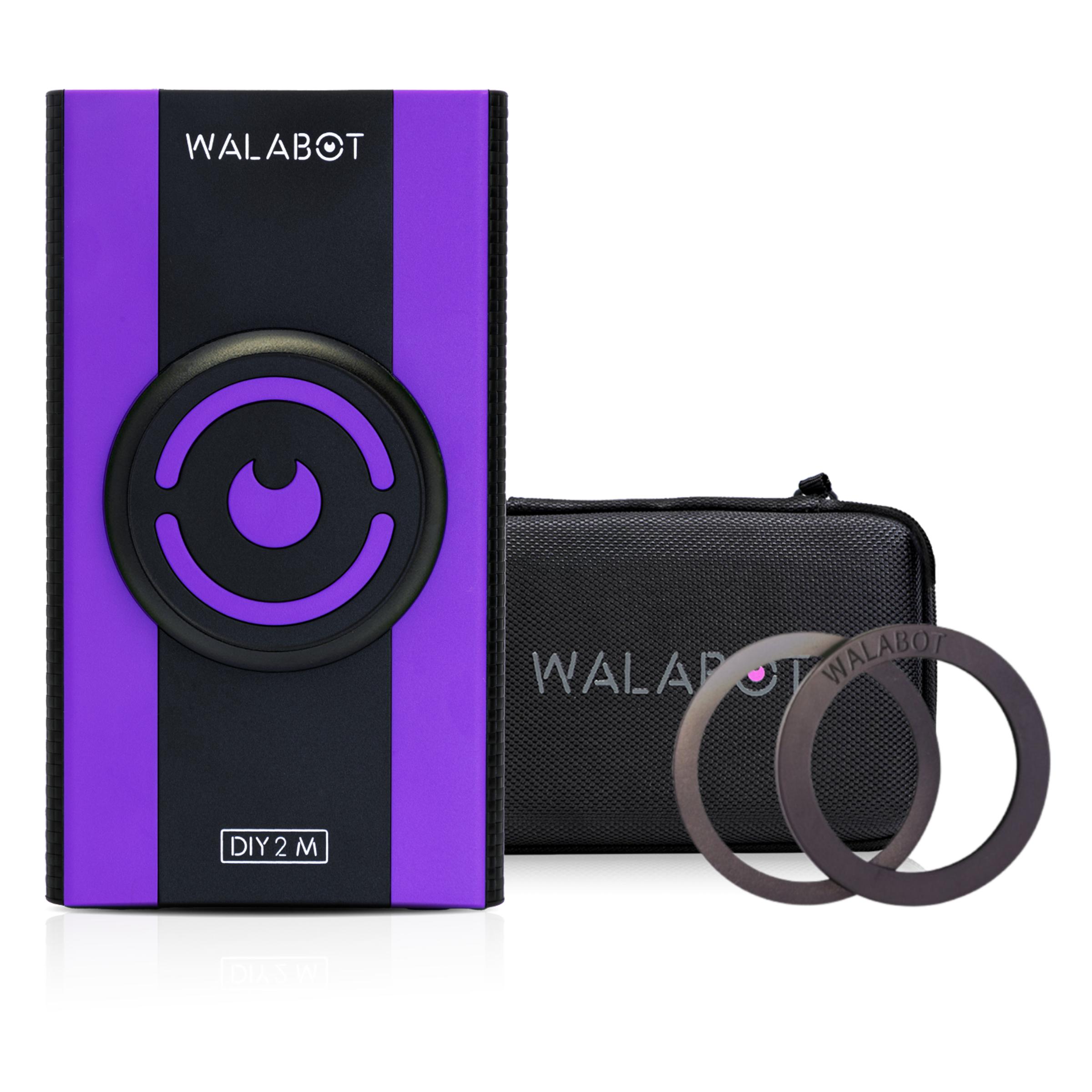
Explore this need in the finder →The Walabot DIY 2 M Premium Bundle is the M package whose exact product listing combines the scanner with a protective case, USB Type-C charging cable, and Walattach MagSafe-compatible connector rings. The maker’s public product record identifies SKU DIY2MBNDLP. This is a distinct purchase configuration, not a different matcher function from the base M device: Walabot says the M and non-M DIY 2 families share a feature set as of January 2026. The sources do not establish that the two physical devices are identical in every respect, and the supplied accessories should not be confused with sensing improvements. This review is source-based and reports no personal testing.
Why the fuller package may—or may not—be useful
Premium bundles the two accessories that separate Essential and Deluxe. Essential lists the rings and cable without the case; Deluxe lists the case and cable without the rings; the base package is the device-and-cable configuration. That makes Premium convenient if both a compatible phone attachment and protective storage matter to you. If your phone or case does not work with the rings, the added accessory has no demonstrated scanning benefit. If the scanner will be stored in a toolbox without needing the case, the bundle may not match your actual use. Check the exact SKU and seller’s item list rather than inferring package contents from a promotional image.
Two views are not two independent confirmations
Walabot describes Images Mode as graphical representation of wood studs, metal studs, and pipes or wires. Expert Mode shows raw radar data that may help a user reason about overlapping or intersecting responses. The maker’s beam-finder guide names DIY 2 M as an Expert Mode device and says the view can show stud edges that help locate a center. These are different displays of the scanner’s signal, not two independent sensors verifying the same object. A screen pattern can support a hypothesis, but it is not a photograph, a building inspection, or identification of every material hidden in the wall.
Surface range and depth must not be conflated
The M page names drywall and plywood as its scan surfaces and says not to use it on lath and plaster, concrete, tile, brick, metal-backed walls, or stucco. It advertises object detection up to four inches inside drywall, but does not state a separate numeric stud-depth maximum. The distinction matters: a generic object ceiling cannot answer a visitor asking whether studs are documented to a particular depth. This product therefore remains unknown for the numeric stud-depth finder even though it can match a drywall-plus-center/edge workflow. The four-inch statement is not a promise through every wall build or at every distance.
Prepare the whole phone-based workflow
The phone and current Walabot app are required to view results. The product listing says the scanner is compatible with iOS and Android and uses Wi-Fi connectivity; verify the exact phone, app availability, and software support before relying on the product. A built-in rechargeable battery powers the scanner, and the package list includes a Type-C charging cable. The page does not list a phone or wall adapter. Walabot support also calls for calibration at the start of work on a new wall. Follow the in-app guidance for the scan’s position and movement, and allow time to repeat a pass and mark a consistent response.
What Premium cannot do for you
The product page mentions pipes and wires as things that may be depicted, but the reviewed M materials do not describe a dedicated live-wire meter. A wire graphic is not a voltage warning, and no reading can confirm a safe place to drill. Likewise, the included case and rings do not widen the supported-surface list or establish a deeper stud range. If your project requires verification through tile, metal mesh, or historic lath plaster, the maker’s explicit restrictions make this a poor candidate regardless of bundle size. A model with a suitable dedicated warning meter may be more appropriate if that feature is a hard requirement.
Who has a reason to choose it
Premium is most relevant when your wall is within the manufacturer’s stated drywall or plywood use, you want both the listed case and rings, and you are comfortable with the phone-linked, calibration-based image workflow. Its fit comes from the M scanner’s documented visual modes and center/edge interpretation—not from assuming an accessory kit provides extra accuracy. Treat the exact bundle as a package choice, keep the app and handset checks in view, and independently verify any location before making a hole. If you only need the scanner, or only one accessory, compare the base, Essential, and Deluxe configurations on their own written contents rather than paying for unused items.
Key specifications
Key details at a glance
| Depth qualification | The M product page says objects can be detected up to 4 in / 10 cm deep inside drywall. No reviewed M source gives a separate wood-stud maximum; this general object-depth statement is not encoded as numeric stud depth. |
|---|---|
| Documented scan modes | ['Images Mode', 'Expert Mode'] |
| Center and edge indication | Yes |
| Live-wire meter | No |
| Battery requirement | Built-in rechargeable battery. The product page lists a USB Type-C charging cable; no independent runtime measurement or duration claim is made. |
Use the exact model’s instructions for operating limits, supplied equipment and version differences.
Sources for this review
Sources for this assessment
- Walabot U.S. all-products collection, captured 2026-10-31
- Walabot DIY 2 M exact U.S. product page
- Walabot DIY 2 M public product data
- Walabot support: DIY 2 M and DIY 2 feature comparison (browser-inspected research note; full direct capture returned 403)
- Walabot guide: DIY beam finder, including DIY 2 M Expert Mode
- Walabot support: calibration on each new wall
- Walabot DIY 2 M Premium Bundle exact U.S. product page
- Walabot DIY 2 M Premium Bundle exact public product-data record
- Exact Walabot DIY 2 M Premium Bundle manufacturer product image

Check this model against your wall
Use the finder to compare documented surface limits, center/edge indications and other requirements. A match is not a safety certification.