
Your needs, this model
Does it fit your priorities?
Will the DIY 2 scan my planned surface?
The reviewed manufacturer page names drywall and plywood and excludes lath/plaster, concrete, tile, brick, metal-backed walls and stucco. A supported material is not a guarantee for every thickness or finish.
Explore this need in the finder →What does it show when scanning?
Walabot offers Images and Expert app views and describes center/edge interpretation. The phone display is evidence to cross-check, not a material identity or safety certification.
Explore this need in the finder →Does the four-inch figure mean it finds studs four inches deep?
No stud-specific maximum was established in the reviewed maker sources. The four-inch figure is a general object-depth ceiling and stays separate from the finder’s numeric stud-depth slider.
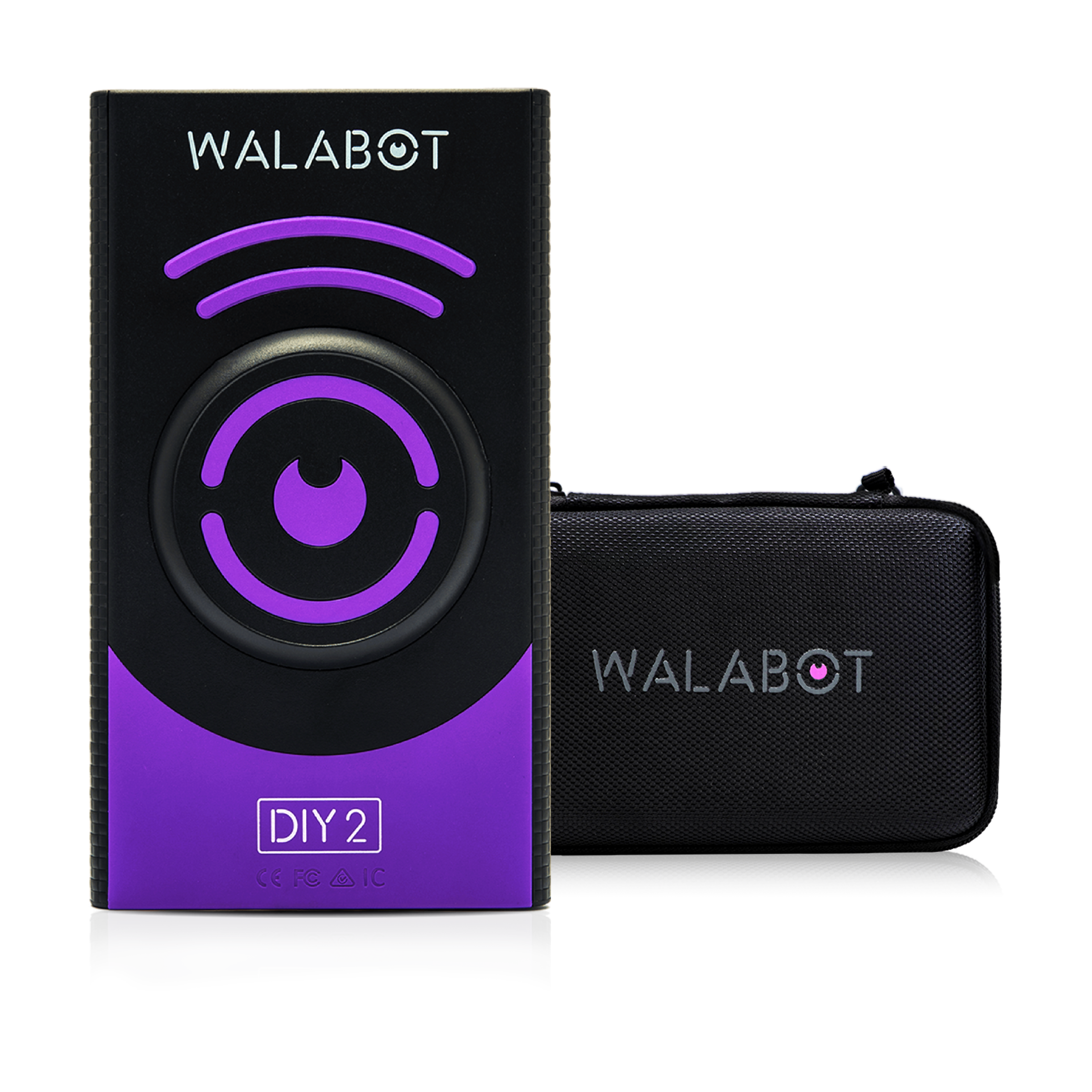
Explore this need in the finder →Walabot’s DIY 2 Deluxe Bundle has a separate manufacturer identity, SKU DIY2BNDLV02, and a package difference worth checking before buying: the listed contents are the DIY 2 device, protective case, and USB Type-C charging cable. Unlike Essential, the Deluxe bundle does not list Walattach rings. The extra case is for storage and protection; it does not change the scanner’s documented modes, object-depth claim, or supported wall materials. This is a source-based review, not a test or ownership report.
The case is the package decision
Choose Deluxe over the base configuration when the protective case is the accessory you want. Choose Essential if the included MagSafe-compatible connector rings matter more, or Premium if you want the case and rings together. Walabot lists the USB-C cable with each version, so the charging cable is not the unique Deluxe advantage. The actual bundle SKU matters: the product image shows the device with the case, but the product-page item list is the evidence for the supplied package.
No phone is listed as included. A compatible phone and the Walabot app are required for operation. Do not treat the visible product image as proof a phone, wall adapter, or every separately sold accessory comes in the case.
What the scanner can show
The DIY 2 is a radio-frequency wall imager. Images Mode displays labeled graphics such as wood and metal studs and pipes or wires. Expert Mode exposes raw radar data; Walabot presents it as useful for more complex overlapping or intersecting signals. Its official guide describes mapping stud edges to identify the center. These are different ways to interpret the same device’s scan, not two separate sensors or a literal X-ray view.
The manufacturer’s stated maximum is up to four inches (10 centimeters) for objects. There is no promise in the reviewed product material that every stud, pipe, or wire will appear at the maximum depth. Treat four inches as an upper comparison figure and remember that this system depends on the intended material and app setup. Calibrate on each new wall as instructed; a signal is not a structural assessment.
Respect the supported wall list
Walabot identifies drywall and plywood as the DIY 2’s supported scanning surfaces. Its exact product page says not to use the scanner on lath and plaster, concrete, tile, brick, metal-backed walls, or stucco. A case does not change the scanner’s material limitations. If the wall falls outside the maker’s list, look for an instrument whose own instructions address that construction rather than assuming a deeper advertised maximum will help.
The maker lists Android 8.0+ or iPhone 7+ for phone compatibility. The scanner connects using its own Wi-Fi network, so an external jobsite network is not necessary. It does require the paired phone and app, which may be an inconvenience if you prefer an entirely standalone tool. Walabot support estimates approximately four hours for charging and roughly three hours of scanning from full charge; those figures are manufacturer estimates, not independent runtime measurements.
Interpret edges and wire images cautiously
Expert Mode can be useful for tracing an apparent stud boundary and then marking its center, but the app is still visualizing radar responses. A wire or pipe graphic is not the same as a dedicated live-wire meter, and the reviewed DIY 2 documentation does not establish a voltage-warning meter. Keep separate the tasks of locating framing and checking electrical hazards. Use appropriate safety practices and independent information before drilling or cutting.
Assessment
The Deluxe bundle is a case-first way to buy the DIY 2 system. Its practical fit is a phone-compatible user scanning drywall or plywood who wants app-based images and the documented Expert Mode, plus a protective case in the listed package. It is a poor match for unsupported surfaces or anyone who expects a standalone scanner, an included phone, or a safety guarantee. Check the exact model/SKU, charging setup, phone compatibility, package list, seller description, and current return conditions before choosing an offer.
Key specifications
Key details at a glance
| Depth qualification | Walabot states a general object-depth maximum of 4 in / 10 cm. The reviewed maker material does not give a separately qualified wood-stud depth maximum, so the numeric questionnaire field for stated stud depth remains unknown; no four-inch stud claim is inferred. |
|---|---|
| Documented scan modes | ['Images Mode', 'Expert Mode'] |
| Center and edge indication | Yes |
| Live-wire meter | No |
| Battery requirement | Built-in rechargeable battery; charge over USB Type-C. The maker estimates about four hours to charge and about three hours of scanning on a full charge; those are manufacturer estimates, not independent runtime tests. |
Use the exact model’s instructions for operating limits, supplied equipment and version differences.
Sources for this review
Sources for this assessment
- Walabot U.S. all-products collection, captured on 2026-10-31
- Walabot Walabot DIY 2 Deluxe Bundle exact U.S. product listing
- Walabot Walabot DIY 2 Deluxe Bundle public product data (.js endpoint)
- Walabot DIY 2 exact U.S. product page
- Walabot support: how DIY 2 works
- Walabot support: compatible phones
- Walabot support: wall materials
- Walabot support: power and charge estimates
- Walabot support: use without venue Wi-Fi
- Walabot support: calibration on a new wall
- Walabot guide: best stud finder and wall scanner
- Walabot guide: beam finder / Expert Mode
- Walabot exact Walabot DIY 2 Deluxe Bundle featured package image

Check this model against your wall
Use the finder to compare documented surface limits, center/edge indications and other requirements. A match is not a safety certification.