
Your needs, this model
Does it fit your priorities?
Does the S100 show the stud center, or does it require marking both edges?
The STHT77403 instructions describe an edge LED and tone. Mark both edges by scanning from opposite directions, then estimate center from their midpoint; the S100 does not have a separately documented center cue.
Explore this need in the finder →Can its live-wire light confirm that a drilling location is safe?
No. The manual describes a limited 120V AC warning through up to 2 inches of drywall and warns that shielding, conduit, metalized walls and thick or dense construction can hide wires. De-energize and verify independently.
Explore this need in the finder →How does the 3/4-inch stud limit compare with a 0.7-inch minimum?
The S100 manual states up to 0.75 inch for wood or metal studs through drywall, so it clears a 0.7-inch comparison threshold but not the next 0.8-inch step. Neither value predicts a reading through a particular wall.
Explore this need in the finder →Research note: This is a document-based assessment of the STANLEY Stud Sensor 100, identified as S100 / model STHT77403 in its exact manufacturer instructions, revision A dated June 2012. It is not a hands-on test. No measured performance, ownership, current offer, retail package or stock is claimed. The current U.S. STANLEY Measuring & Marking page checked for this edition did not show this exact code; that limited page check supports treating it as an earlier reference, not a claim that no retailer has one.
What the S100 does—and does not indicate
The STHT77403 instructions describe a basic electronic edge finder. Red LEDs and a tone signal a stud edge; the unit does not have an LCD or a documented separate center icon. To estimate a center, the manual's procedure is to approach from opposite directions, mark both edge locations, and use the midpoint. That distinction matters if your goal is to place a fastener near a centerline: the center mark is your calculation from two edge indications, not a direct center output from this model.
STANLEY states detection of wood or metal studs up to 3/4 inch (19 mm) through drywall. That is a manufacturer maximum, not a guaranteed wall-specific result. The manual itself cautions that wall thickness, density and moisture affect sensing. For a 0.7-inch minimum-depth preference, the S100's stated ceiling is just above the threshold; at the next 0.8-inch step it is below. This comparison says only how the published maximum relates to a preference—not what an individual wall will allow. The one depth figure should not be inflated into a selectable deep-scan mode.
Surface limits are part of the model identity
The manual includes gypsum drywall among common scan materials and describes the stud limit through drywall. It also lists materials the instrument cannot scan through, including carpeting, foil-faced material, ceramic tile, cement or concrete, and metal/plaster walls. It is identified for interior use. In practical comparison terms, this evidence does not support recommending the S100 for lath-and-plaster, tile, exterior cladding, or a metal-mesh assembly. A retailer's broad phrase such as “stud finder” should not override the narrower surface instructions attached to STHT77403.
Before scanning, use a place where the tool can rest flat and where calibration is not over a stud, metal, a wet area or fresh paint. The manual asks the user to keep the activation control held while scanning. Move slowly in a straight line, mark the first edge, then repeat from the other side. Repeating at another height or approaching from a different direction can reveal an inconsistent reading, but it does not identify every hidden object or replace knowledge of the wall assembly.
A separate live-wire warning, not a safety test
The S100 instructions describe an additional red light and tone near live 120V AC wiring, with a stated maximum of 2 inches (50 mm) through drywall. This is a proximity warning, not a safe-to-drill detector. The same instructions caution that shielded wires, metal conduit or casings, metallized walls, and thick or dense walls can prevent detection. A silent tool cannot certify that a location is free of electrical wiring; turn off power and use appropriate independent verification before work near utilities.
The stud-search cue and AC warning should also be kept conceptually separate. The model is documented as an edge-scanning stud sensor with a separate limited warning—not as an AC-only wire-tracing instrument. Do not infer a wire path from the location of a stud edge or infer an absence of wires from a normal stud scan.
Power and identifying the exact unit
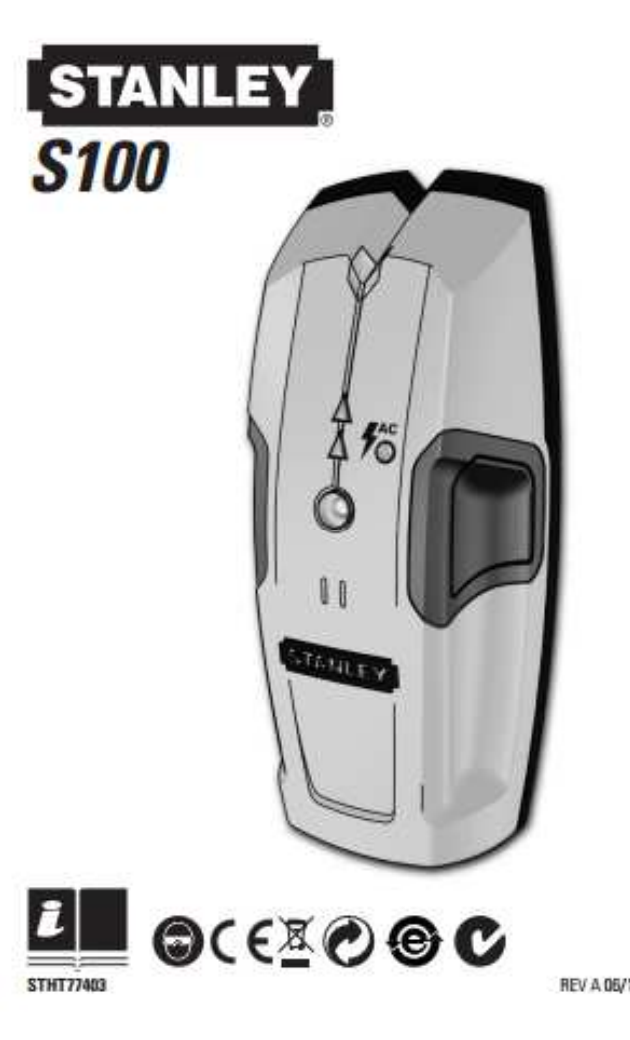
The exact manual calls for one 9V battery and says it is not included. It also gives a calibration procedure; allow the ready/calibration signal before moving the sensor. The saved model image on this page is an illustration extracted from page one of the exact STHT77403 instructions. It is useful to distinguish the S100 from the S150 and S300, but it is not a retail photograph or performance evidence. When assessing an older unit, look for the STHT77403 code and instructions that match it rather than assuming that similarly named Stanley sensors share depth, surface support or indicators.
Who might consider this earlier model
The S100 may suit a comparison scenario involving ordinary dry interior drywall, an edge-only workflow, a 3/4-inch stated maximum, and a separate limited live-AC warning. Its appeal is straightforward operation rather than a center display or adjustable stud-depth settings. Its trade-offs follow directly from the manual: center must be estimated from two marks, the 9V battery is extra, the surface exclusions are meaningful, and wire detection is not a safety clearance. If the wall is tiled, plastered, unusually dense, foil-backed or otherwise outside the instructions—or if the job needs direct center-and-edge cues or a deeper published ceiling—this is not an evidence-backed match.
Sources: STANLEY S100 / STHT77403 instructions, Rev A 06/12; STANLEY current U.S. Measuring & Marking Tools page (checked 2026-11-02; exact S100/STHT77403 strings were absent from the saved page snapshot).
Key specifications
Key details at a glance
| Maximum stated stud depth | 0.75 in |
|---|---|
| Depth qualification | The exact S100 manual states wood or metal studs up to 3/4 inch (19 mm) through drywall. Surface thickness, density and moisture affect sensing depth; this is a stated maximum, not a guaranteed reading. |
| Documented scan modes | ['Stud-edge indication', 'Live 120V AC proximity warning'] |
| Center and edge indication | No |
| Live-wire meter | Yes |
| Battery requirement | One 9V battery, not included |
Use the exact model’s instructions for operating limits, supplied equipment and version differences.
Sources for this review
Sources for this assessment
Check this model against your wall
Use the finder to compare documented surface limits, center/edge indications and other requirements. A match is not a safety certification.