
Your needs, this model
Does it fit your priorities?
Can this model provide edges without a separate one-pass center readout?
Yes for edge cues on an approved wall: the scanned 77-100 instructions show a two-direction edge-marking procedure and use the midpoint to estimate center. The overview mentions pinpointing center, but the operating steps—not a one-pass center LED—support that interpretation.
Explore this need in the finder →How does its 3/4-inch ceiling behave at nearby slider values?
The 77-100 specification gives up to 3/4 inch through a wall surface and cites two-sided center accuracy. That is enough for a 0.7-inch screen but not 0.8; wall material and moisture can reduce actual response.
Explore this need in the finder →Can it replace a live-wire detector or cover tile?
No documented wire meter is provided; the manual cautions that nearby wires or pipes may look like studs. Its lath-and-plaster note is conditional on the assembly not being exceptionally thick, and the reviewed manual does not support tile or exterior use.
Explore this need in the finder →Research note: This assessment is based on the scanned, four-page STANLEY support manual that identifies the IntelliSensor Stud Sensor as model 77-100. The pages were visually inspected because the local PDF has no usable text layer. This is not a hands-on test; no current stock, ownership, package contents or measured performance is claimed. The maker’s captured broad U.S. measuring-tools page did not list this exact model, but it is not a complete finder catalogue.
Read the operating sequence, not just the overview
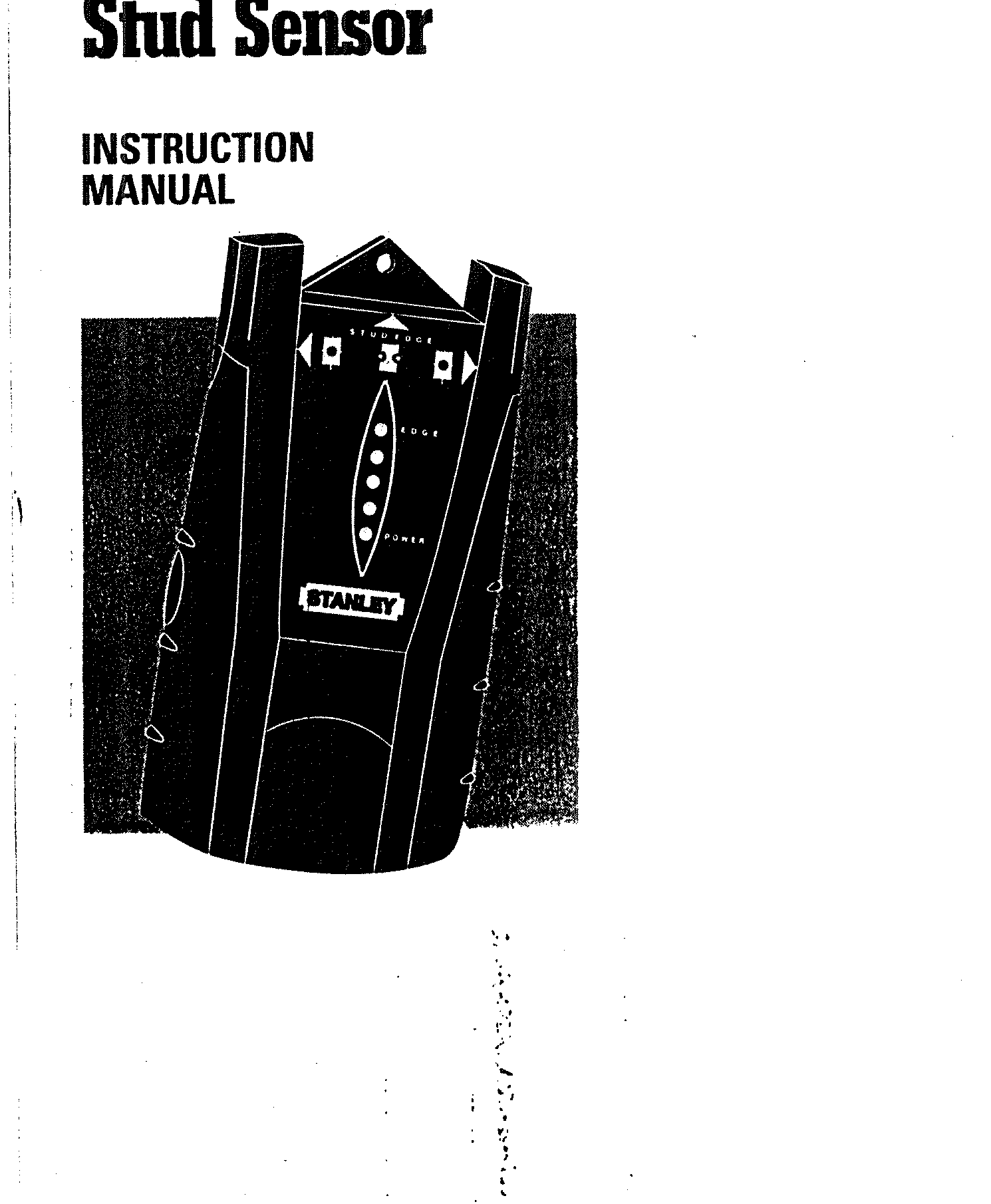
The 77-100 manual shows an electronic tool with a LED display, an audible indication and a pencil-hole marker. Its overview says the unit can help pinpoint center after finding an edge. The detailed scanning procedure is more specific: it describes the edge signal, asks the user to mark from one direction, then to repeat from the opposite direction and use the midpoint of the two marks. This review therefore treats the unit as an edge finder with a two-mark center estimate—not as a one-pass center-and-edge indicator.
That distinction is useful when selecting a tool for a layout job. The edge signal gives a markable boundary; the midpoint is a separate calculation. If a user needs both a dedicated center cue and edges in one scan, the 77-100’s procedure does not establish that. Its “77-100” code appears on the manual cover alongside the IntelliSensor Stud Sensor name, so a used-unit listing should be checked against that exact label rather than a family-name search alone.
Depth and wall conditions
The specifications say that the two-sided procedure can find the center of wood or metal studs through surfaces up to 3/4 inch, with the stated accuracy dependent on material and humidity conditions. This is a shallow ceiling by the standards of deeper electronic finders. At a 0.7-inch comparison threshold it reaches the stated limit; a 0.8-inch requirement is beyond it. Surface thickness, hidden layers and moisture remain practical constraints even when the nominal number is met.
The manual has a conditional note about plaster and lath: the tool may function if the assembly is not exceptionally thick. It does not establish a metal-mesh rating, so do not assume that the general lath note covers a reinforced wall. The instructions also discuss wallpaper and rough ceilings, with a cardboard spacer for textured surfaces. A spacer changes the material stack and requires calibration with the spacer in place. Ceramic tile, exterior siding and other difficult-wall performance are not established by the source reviewed for this assessment.
Calibrate, scan, reverse, mark
The scanned manual calls for a 9-volt battery. It directs the user to hold the unit flat and keep the activation switch pressed through calibration and scanning. The ready light follows a brief LED sequence; the sensor should not be moved during calibration. Do not start directly over a stud, metal, or a wet or newly painted spot, since the instructions say that can prevent proper calibration. After the ready signal, move slowly in a straight line and mark the indicated edge. Approach from the opposite side to find the second edge and calculate the midpoint.
Keep the free hand away from the tool during scanning; the manual recommends at least six inches to reduce interference. The tool may show a wide response at doubled studs or headers, and the manual warns that an object with an unusual width or spacing may not be a stud. If the edge pattern is inconsistent, re-scan rather than forcing a midpoint from a single signal.
It is not a wire warning
The 77-100 instructions warn that wiring or pipes close to the wall surface may be interpreted as studs. They tell users to use caution around walls, ceilings and floors and to turn off power when working near electrical wires. The manual does not describe an independent live-wire meter. This makes a required live-wire indicator a poor fit, and the absence of a wire cue cannot be treated as evidence that a location is safe.
When this earlier model is worth comparing
The 77-100 may be worth identifying for a dry, ordinary interior wall when edge marks and a two-direction midpoint routine are adequate. Its manual suggests an older entry-level electronic tool, but the exact retail configuration and battery supply were not established. The 77-110 manual describes a closely related edge-and-midpoint workflow and explicitly names plywood as a supported surface; the 77-100 manual uses broader “common wall materials” language and should not inherit that plywood detail. The multi-depth 77-115 raises the stated ceiling to 1-1/2 inches but remains edge-oriented. FatMax 400 documents a different center/edge display and wire warning.
Before purchase, inspect the label for 77-100, verify that the manual and activation control correspond to the unit, and check battery condition and corrosion. For a thick wall, tile, metal mesh, or any job near hidden wiring, the exact manual does not support treating this sensor as a complete answer. A consistent scan is a clue about likely framing, not an identification or safety test.
Sources: STANLEY IntelliSensor Stud Sensor 77-100 manual; STANLEY U.S. Measuring & Marking category (checked 2026-11-02; not a dedicated finder inventory).
Key specifications
Key details at a glance
| Maximum stated stud depth | 0.75 in |
|---|---|
| Depth qualification | The stated 3/4-inch ceiling is shallow and the center is a midpoint estimate, not a separate one-pass center signal. A close wire or pipe may trigger a stud-like response, and no live-wire warning is documented. |
| Documented scan modes | ['Stud-edge indication; center is estimated from two opposite-direction marks'] |
| Center and edge indication | No |
| Battery requirement | One 9V battery; retail package inclusion not established |
Use the exact model’s instructions for operating limits, supplied equipment and version differences.
Sources for this review
Sources for this assessment
Check this model against your wall
Use the finder to compare documented surface limits, center/edge indications and other requirements. A match is not a safety certification.